
Wisio
AI writing assistant for scientific papers and research textSuggestions, references, and scientific English in one place
Highlights
What you can do with it
- Rewrite a rough draft into clearer scientific English
- Find relevant papers by pulling keywords out of your own text
- Proofread a manuscript before submitting it to a journal
How to use it
- 1 Create an account on the Wisio website and pick the free plan to start.
- 2 Paste or type the section of text you are working on.
- 3 Read the suggestions the assistant returns and apply the useful ones.
- 4 Use the keyword and literature search to find references to cite.
- 5 Run the proofreading pass, then upgrade if you need more than the free limits.
Who it is for
Pros
- Combines writing help, references, and proofreading in one tool
- Free version lets you test the workflow before paying
- Focused on scientific writing rather than general copy
Limitations
- Free plan has limits that heavy drafters will reach quickly
- Suggested references still need to be read and verified by you
- Small upstream tool, so features and availability can shift
What Wisio is
Wisio is an AI scientific writing assistant designed to help scientists write better papers in less time. It reads what you are working on and returns suggestions, extracts keywords and searches for cited literature, translates text into scientific English, and offers proofreading tools. It also points you to the latest research findings and gives personalized suggestions as a draft develops. The product has a free version and a paid version that adds features and removes limits, and it is aimed at scientists, researchers, and students.
The focus on scientific writing is the point. General writing tools tend to push text toward marketing tone, while Wisio is built around the conventions of papers: claims that need support, terminology that has to stay consistent, and prose that has to survive peer review. That narrower target is why it bundles literature search and translation alongside the writing help.
What you can do with it
- Get suggestions based on the passage you are writing
- Extract keywords and search for literature worth citing
- Turn rough wording into scientific English
- Proofread a manuscript before submission
- Keep up with recent findings in your area
Who it is for
- Researchers drafting papers where phrasing and citations matter
- Graduate students writing theses and journal submissions
- Non-native English speakers who want their drafts to read naturally
- Academics who need a second pass on technical prose
What to watch out for
The free plan carries limits, and a long manuscript will reach them quickly, so plan around an upgrade if you write daily. References the tool suggests still need to be opened and checked, because a citation that looks plausible is not the same as a citation that supports your claim. Any translated or rewritten sentence remains your responsibility to approve, and an AI suggestion is not a guarantee of correctness. As a smaller upstream service, its feature set and pricing can change, so treat current limits as provisional.
FAQ
Who is Wisio for?
Scientists, researchers, and students who write scientific papers.
Is there a free option?
Yes, there is a free version alongside a paid version with more features.
Can it help with references?
It extracts keywords from your input and searches for cited literature.
Why it is free
What the official page says: free version
Free limits, trial length and features are decided by the official site and can change at any time.
Product preview
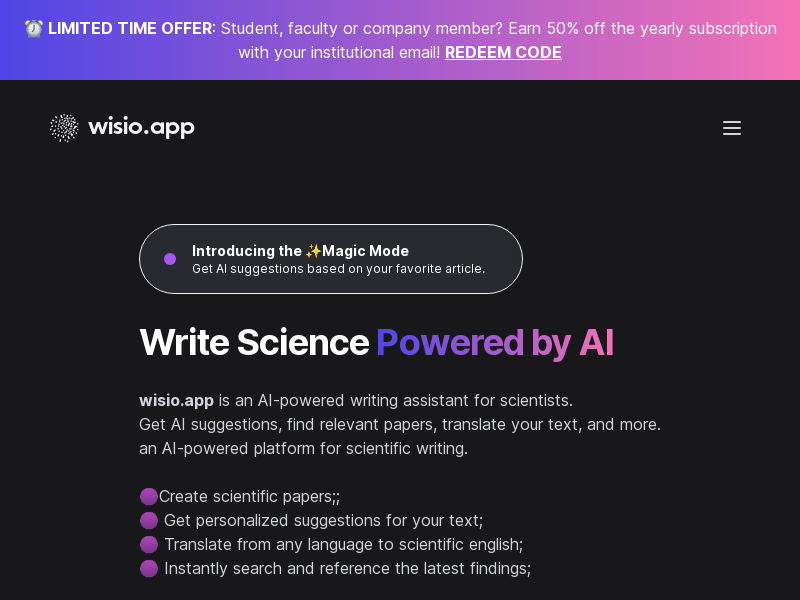
Screenshot archived from the listing page, for preview only.











