
ZeroTrusted.ai
LLM firewall that protects prompts and dataGuard identity and data when using large language models
Highlights
What you can do with it
- A financial institution protects customer and financial data in LLM customer service.
- A healthcare institution protects patient privacy when analyzing patient data.
- A retail company protects customer data in marketing and recommendations.
How to use it
- 1 Choose a plan, starting with the free edition.
- 2 Connect the LLM Firewall through the API or the user interface.
- 3 Set policies with ztPolicyServer to control what data is allowed.
- 4 Route prompts through the firewall so they are anonymized and checked.
Who it is for
Pros
- Adds a privacy and security layer between you and LLM providers.
- Detects injection, pollution, and bias, not just basic threats.
- A free edition lets you evaluate it before upgrading.
Limitations
- The free edition is limited compared with the business and enterprise plans.
- Adding a firewall layer can complicate existing LLM workflows and needs setup.
- It depends on the LLM tools and cloud environments you connect, so coverage varies.
What ZeroTrusted.ai is
ZeroTrusted.ai is a security company focused on generative AI. Its main product, the LLM Firewall, is built to protect you from data exposure and misuse by unethical model providers or bad actors when sensitive information could end up in language model training data. It anonymizes prompts to protect privacy, uses ztPolicyServer and ztDataPrivacy to keep data secure, and optimizes prompts and verifies results to improve accuracy and reduce hallucination. It also detects data pollution, injection attacks, and ethical bias, and it offers end-to-end encryption plus cloud-agnostic Zero Trust solutions. There is a free edition, along with standard, business, and enterprise plans, and it integrates with tools like LangChain and Zapier. The goal is to make security compliance simpler as more teams adopt large language models.
What you can do with it
- Anonymize prompts so sensitive data is not exposed to model providers
- Detect data pollution, injection attacks, and ethical bias
- Verify outputs to improve accuracy and reduce hallucination
- Connect it to existing tools through the API or integrations
Who it is for
- Financial institutions that handle sensitive customer and financial data
- Healthcare organizations that must protect patient privacy when using LLMs
- Enterprises that need security compliance for AI and LLM applications
What to watch out for
The free edition is a starting point, and the stronger controls and service levels sit in the standard, business, and enterprise plans, so check what each tier includes. Adding a firewall layer can complicate existing LLM workflows and needs real setup and policy work, so plan for that effort. Coverage also depends on the LLM tools and cloud environments you connect, so results will vary with your stack. Start with the free edition to test fit, then move up only if the controls match your needs. Review how it handles your specific data types before rolling it out widely. Treat it as one part of a broader security posture, not a single fix for every AI risk.
FAQ
What does the LLM Firewall do?
It protects prompts and data by anonymizing them, enforcing policy, and detecting threats like injection and data pollution.
Is there a free version?
Yes, there is a free edition, along with standard, business, and enterprise plans.
What does it integrate with?
It offers API access and a user interface, and integrates with tools like LangChain and Zapier.
Why it is free
What the official page says: 免费版免费
Free limits, trial length and features are decided by the official site and can change at any time.
Product preview
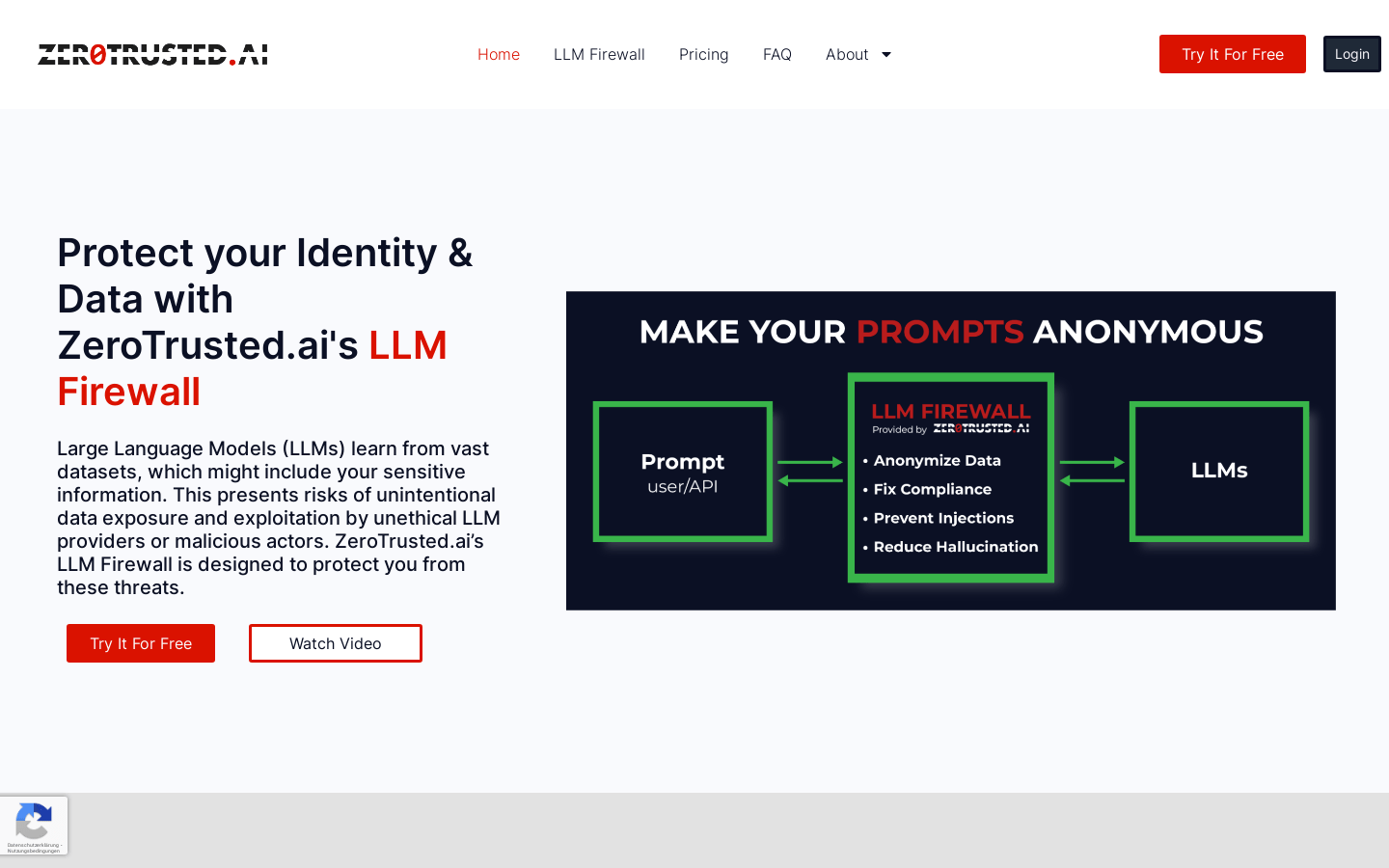
Screenshot archived from the listing page, for preview only.











