2MarkDown.io
Free Markdown converterConvert anything to clean Markdown
Highlights
What you can do with it
- Move project documentation from PDF into Markdown
- Publish a Google Docs draft as Markdown
- Turn CSV or JSON data into Markdown tables
How to use it
- 1 Open the 2markdown website.
- 2 Pick the conversion tool you need.
- 3 Upload the file or paste the content.
- 4 Click convert and wait for the result.
- 5 Download the output or check it in the viewer.
Who it is for
Pros
- Wide format coverage behind one interface
- No account and no cost
- Real-time preview helps catch formatting problems
Limitations
- Conversion quality varies with complex layouts
- Batch work is limited to what the browser tool allows
- A young site, so the free tool set may change
What 2MarkDown.io is
2MarkDown.io is a free online Markdown converter and viewer. The site bundles 37 tools that move content between Markdown and other formats. PDF, DOCX, HTML, CSV and JSON files can be converted into Markdown, and content from platforms such as Notion and Google Docs is also supported. Going the other way, Markdown can be exported to HTML, DOCX, images or PDF. A built-in viewer renders Markdown in the browser as you type, which makes it easier to check formatting before you export. Each tool runs in the browser, so there is nothing to install, and results can be downloaded or checked in the viewer.
What you can do with it
- Convert PDF, DOCX, HTML, CSV or JSON into Markdown
- Pull content from Notion or Google Docs into Markdown
- Export Markdown to HTML, DOCX, image or PDF
- Preview Markdown rendering in real time in the browser
Who it is for
- Developers who keep documentation in Markdown repositories
- Writers moving drafts between writing tools and publishing platforms
- AI practitioners turning raw data into Markdown tables
What to watch out for
Complex layouts rarely survive a conversion untouched, so tables, columns and embedded images may need tidying. The tool is browser based, so very large files may be slow. It is also a young site, and the range of free tools can change as the service develops. Check the output before you rely on it for anything that will be published, and keep the original file until you are sure the conversion is complete. For best results, start with a small test file and review the output carefully before working on anything important.
FAQ
How many tools are included?
The page says 37 tools covering Markdown conversion and viewing.
Do I need to sign up?
No. It is described as free to use without registration.
Can it handle PDFs?
Yes, PDF to Markdown is listed, along with DOCX, HTML, CSV and JSON.
Why it is free
What the official page says: 免费使用免费无需注册
Free limits, trial length and features are decided by the official site and can change at any time.
Product preview
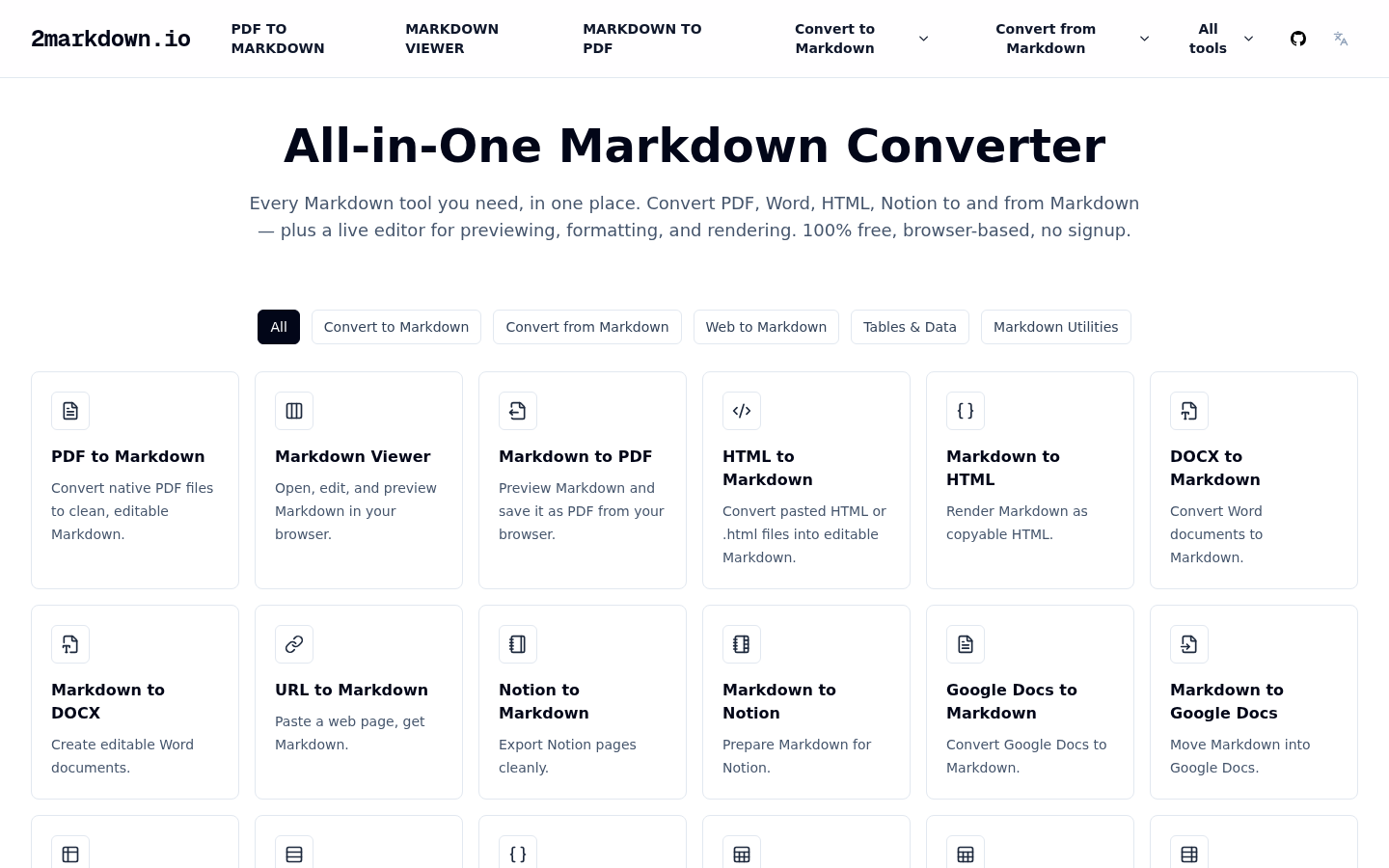
Screenshot archived from the listing page, for preview only.











