3D AI Studio
AI generator for custom 3D modelsText or images into 3D assets
Highlights
What you can do with it
- Create a 3D asset for a game or app
- Prototype a model before detailed modeling
- Generate props and characters for a scene
How to use it
- 1 Open the 3D AI Studio site
- 2 Describe or upload what you want modeled
- 3 Generate the 3D model
- 4 Review the geometry and textures
- 5 Export in FBX, GLB, or USDZ
Who it is for
Pros
- Fast path from idea to usable 3D file
- Common export formats fit most engines
- Textures are generated automatically
Limitations
- Generated topology often needs cleanup
- Complex or precise models are hard to get right
- Free access and export limits can change
What 3D AI Studio is
3D AI Studio is an online tool that generates custom 3D models with AI. It is built for designers, developers, and creatives who need digital assets without modeling everything by hand. The site lists fast generation, automatic realistic textures, and a friendly interface as the main draws, and it says the approach cuts both modeling time and cost. Exports come in FBX, GLB, and USDZ, which cover most game engines and 3D pipelines, and the service is listed as free to use.
What you can do with it
- Generate a custom 3D model from a description or reference.
- Receive automatic textures rather than an untextured mesh.
- Export the asset in the format your engine expects.
- Prototype a concept before committing to manual modeling.
Who it is for
- Game and application developers who need assets fast.
- Designers prototyping 3D ideas for review.
- Creators without modeling experience who still need a mesh.
What to watch out for
Generated meshes rarely arrive production-ready. Expect messy topology, odd scale, and textures that need adjustment, so plan a cleanup stage before the asset enters a real project. Precise or mechanical models with tight tolerances are still difficult for text or image based generators, so keep expectations realistic. Free access can change, and export limits may apply, so download and archive the models you intend to keep rather than leaving them only on the platform. Name and archive exported files consistently so you can find and reuse them, and keep a backup copy of key data. When quality matters, export a small draft first to confirm the result before producing the final file.
FAQ
What formats can I export?
Models can be exported as FBX, GLB, or USDZ.
Who is it for?
It is aimed at designers, developers, and creatives who need high-quality digital assets.
Does it save time?
The site says it significantly reduces modeling time and costs.
Why it is free
What the official page says: 免费
Free limits, trial length and features are decided by the official site and can change at any time.
Product preview
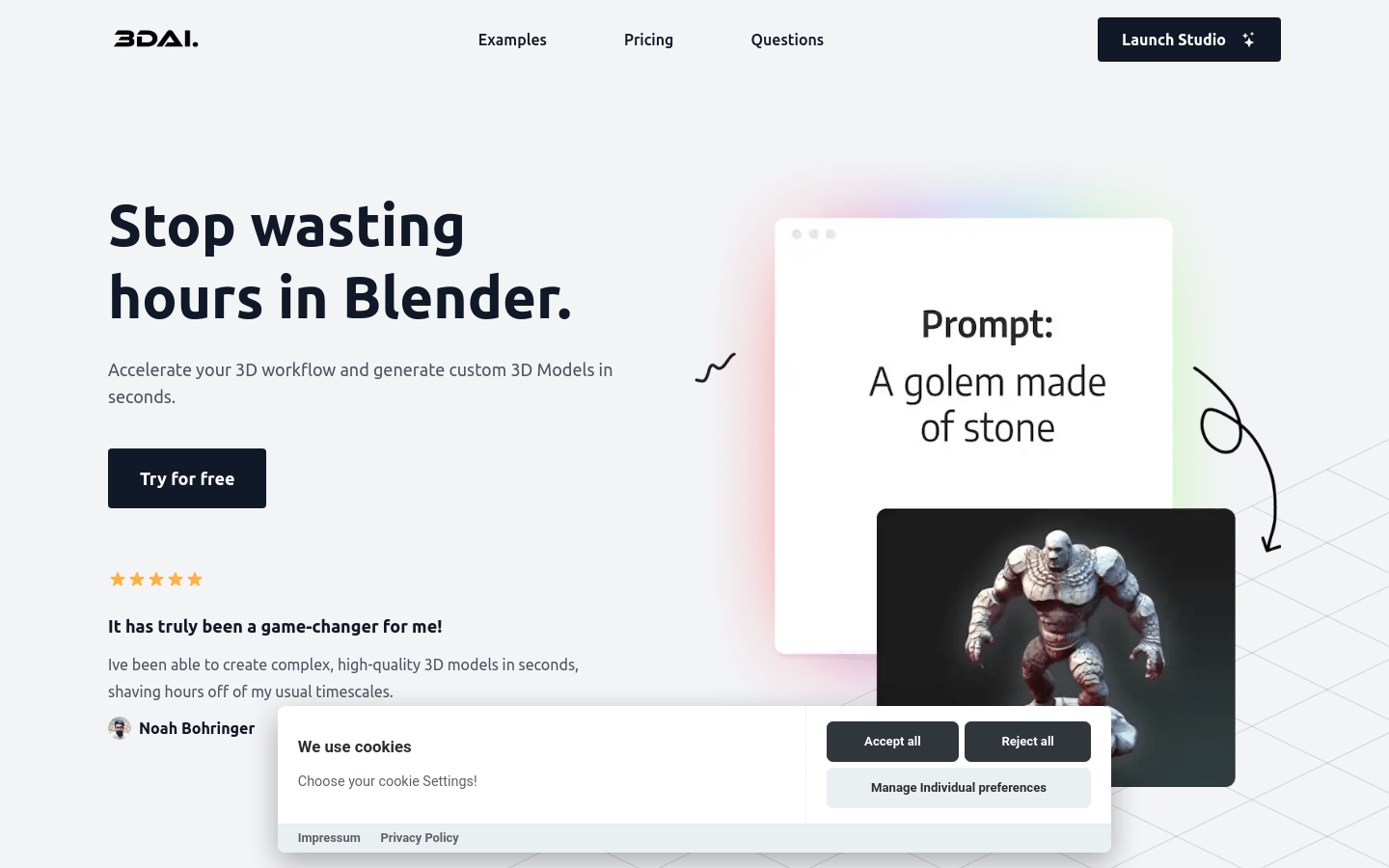
Screenshot archived from the listing page, for preview only.