
Accentra
AI pronunciation coachReal-time pronunciation feedback
Highlights
What you can do with it
- Improving English fluency and clarity
- Learning the pronunciation of another language
- Comparing your speech against native speaker audio
How to use it
- 1 Open Accentra and start the free trial.
- 2 Choose the language you are practising.
- 3 Speak into the app and read the real-time feedback.
- 4 Listen to the native speaker version of the same phrase.
- 5 Apply the customised suggestions and repeat.
Who it is for
Pros
- Feedback is immediate, which speeds up correction
- Native speaker audio gives a clear reference
- Suggestions are personalised rather than generic
Limitations
- A free trial only, and the paid price is not in the listing
- The directory's last check could not confirm the site was reachable
- Pronunciation feedback is guidance, not a substitute for a teacher's ear
What Accentra is
Accentra is an AI app aimed at one narrow problem: sounding natural when you speak. It listens as you talk and returns real-time feedback on fluency and pronunciation accuracy, then offers customised suggestions rather than a generic score. There is native speaker audio to listen to for comparison, which is the part learners usually need most, because hearing the target sound next to your own attempt is faster than reading about it. The listing mentions learners working on English fluency and on French pronunciation, so it is not limited to one language. Access is a free trial followed by paid use.
What you can do with it
- Get real-time feedback on how you pronounce words and phrases
- Listen to native speaker pronunciation for the same material
- Receive customised suggestions for your own speech patterns
- Practise speaking in a low-pressure setting before real conversations
Who it is for
- Learners whose reading and writing outpace their speaking
- People preparing for interviews, presentations, or exams in a second language
- Students working on clarity and accent reduction
What to watch out for
The free part is a trial, and the listing does not publish the paid price, so check current rates before you commit. The directory's last check could not confirm the site was reachable, which is worth verifying before you build a study routine around it. Practically, speech recognition is imperfect: background noise, a poor microphone, and unusual names all produce noisy feedback, so record somewhere quiet and use a decent input. Treat the scores as a guide rather than a verdict, and keep a human teacher or conversation partner in the loop for anything subtle, since small sound differences are exactly where automated scoring is least reliable.
FAQ
What does Accentra do?
It gives real-time feedback on fluency and pronunciation, with native speaker audio and customised suggestions.
Which languages?
The listing mentions English fluency and French pronunciation practice.
Is it free?
There is a free trial, with paid use after that.
Why it is free
What the official page says: free trial
Free limits, trial length and features are decided by the official site and can change at any time.
Product preview
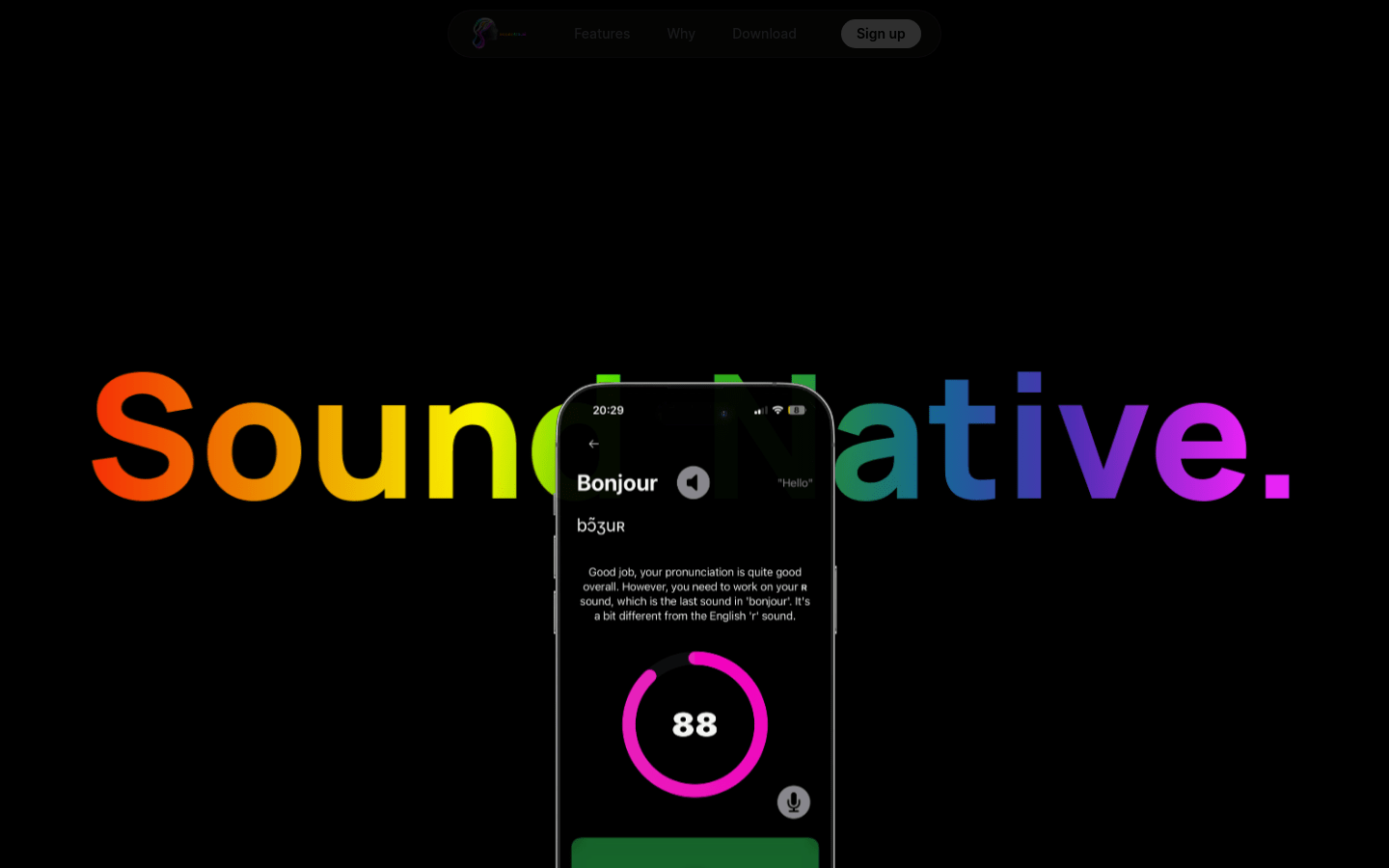
Screenshot archived from the listing page, for preview only.











