
ai quiz generator
Free AI quiz generator from notes and PDFsTurn notes, PDFs, and images into quizzes fast
Highlights
What you can do with it
- A teacher uploads a textbook PDF and makes a chapter quiz for class
- A trainer pastes a training transcript to build an employee assessment
- A student turns their own notes into practice questions to study
How to use it
- 1 Open https://graspeo.com in your browser
- 2 Choose a source: document, text, image, or video (YouTube needs Plus)
- 3 Drag in a PDF or paste your notes and text into the input area
- 4 Click generate quiz and wait for the AI to build the questions
- 5 Edit the questions, then save with a free account if you want to keep them
Who it is for
Pros
- Free to try with no registration at two quizzes per day
- Very fast generation, about 20 questions in under 10 seconds
- Many question types and languages, with full editing control
- Uploads are processed securely and not stored permanently
Limitations
- The free tier is limited to two quizzes a day, and a free account adds only one more
- YouTube quizzes and export need the paid Plus plan, so the free rules are capped
- Free-account results are kept only 30 days
- AI questions can contain errors, so review them before you test anyone
What Graspeo is
Graspeo is a free AI quiz generator that turns notes, PDFs, images, and YouTube videos into quizzes. It can build 20 questions in under 10 seconds and supports several question types, from multiple-choice to fill-in-the-blank and short-answer. The questions follow Bloom's Taxonomy, can be made in many languages, and stay fully editable. It is free to use without registration at two quizzes per day, a free account raises that to three per day and keeps results for 30 days, and the Plus plan unlocks YouTube quizzes and export. It is built for teachers, trainers, content creators, students, and schools that need practice material fast without building every question by hand.
What you can do with it
- Generate a 20-question quiz in under 10 seconds from your material
- Read text, PDFs, and images; YouTube quizzes need the paid plan
- Pick question types such as multiple-choice, true-false, fill-in-the-blank, and short-answer
- Create quizzes in many languages and edit every question before you use it
Who it is for
- Teachers who need chapter quizzes and exam practice on short notice
- Trainers building assessments for onboarding and compliance modules
- Course creators adding interactive content to their material
- Students who want extra practice drawn from their own notes
What to watch out for
The free tier is capped at two quizzes a day, and a free account only adds one more, so heavy use pushes you toward the paid Plus plan and the free rules could change. YouTube quizzes and export also sit behind Plus, so the most useful features are not all free. Free-account results are kept only 30 days, so save anything important right away. Because the questions are AI-generated, they can contain mistakes or awkward wording, so review every item before you test a class or a team, and check that the answers match your source material.
FAQ
Is Graspeo free?
You can use it free without registration at two quizzes per day. A free account gives three per day and keeps results for 30 days.
What can I make quizzes from?
Text, PDFs, and images. Generating quizzes from YouTube videos needs the paid Plus plan.
What question types are supported?
Single-choice, multiple-choice, true-false, fill-in-the-blank, and short-answer.
Can I edit the questions?
Yes. You can change stems, options, answers, order, and delete any item.
Why it is free
What the official page says: for freefree account
Free limits, trial length and features are decided by the official site and can change at any time.
Product preview
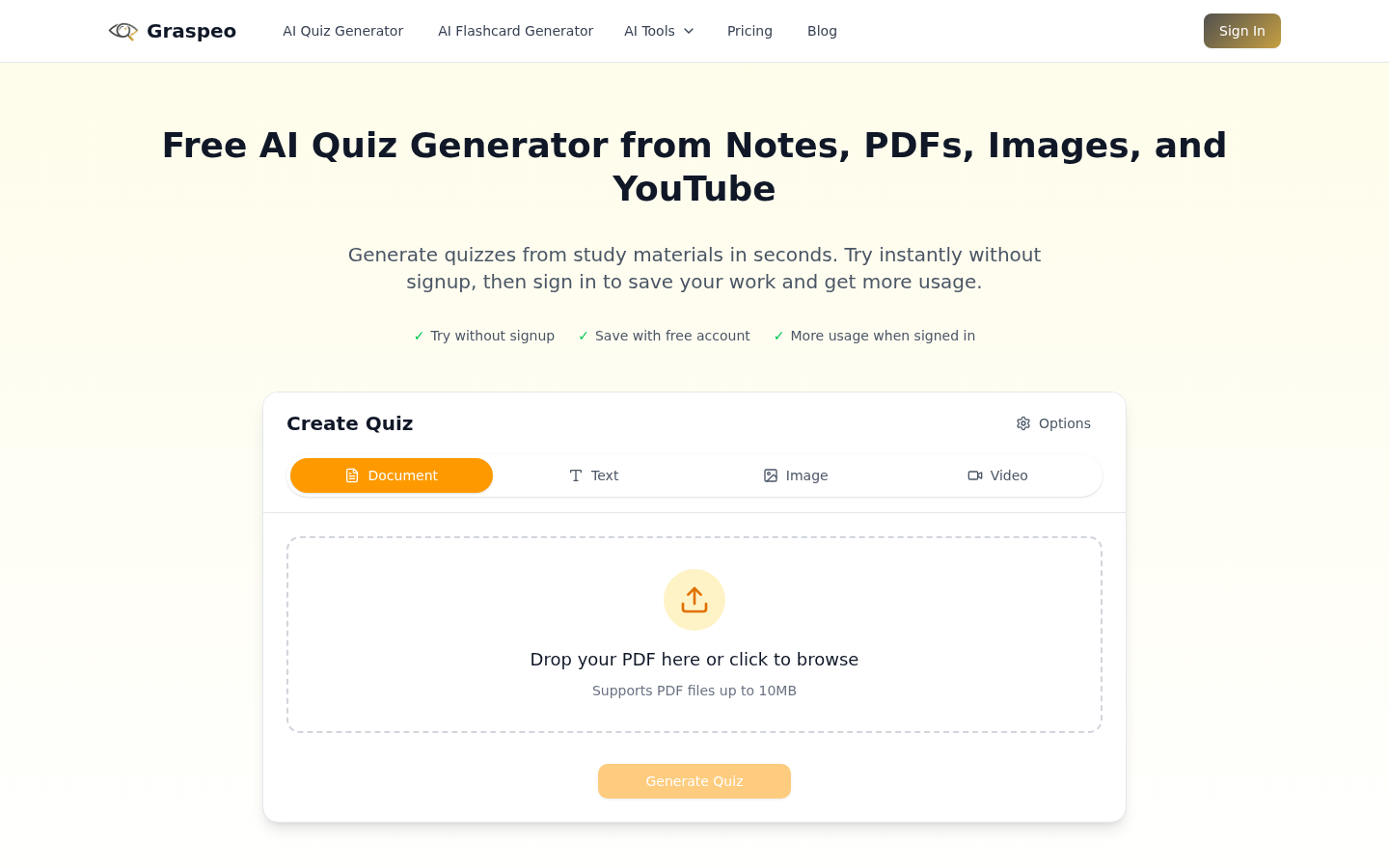
Screenshot archived from the listing page, for preview only.











