AI Video Trends
Trending short-video templatesTwo photos, one trending clip
Highlights
What you can do with it
- A solo creator turns a selfie into a 15-second performance clip
- A pet account makes an anthropomorphised dance clip from two photos
- A small business makes a fun event clip from authorised staff photos
How to use it
- 1 Browse the template library and check character count and requirements
- 2 Select a template that fits your photo count
- 3 Upload one well-lit photo per character, face fully visible
- 4 Choose short intro or full story and check the credit cost
- 5 Pick standard or HD quality and confirm the price
- 6 Sign in with Google, submit, and wait for rendering
- 7 Download the silent clip and still frame, then add trending audio when posting
Who it is for
Pros
- No shooting, dancing, or editing skill required
- Free credits at registration let you test the workflow
- Template guidance reduces failed generations
- Silent output means you control the audio and the trend timing
Limitations
- Credits are consumed per render, and HD roughly doubles the cost
- Free credits expire after 30 days, and purchased credits last 12 months
- You need authorisation for anyone else's photo, and images of anyone under 18 are prohibited
- Results depend heavily on photo quality, and passing output off as real footage is not allowed
What AI Video Trends is
AI Video Trends is a web tool for short-video trend creation. It addresses a specific gap: a trend is circulating, you can see the moves and the edit, but you cannot shoot it, dance it, or cut it yourself. The tool lets you choose a trending template and upload one or two photos in the order the template asks for, then recasts them into a clip that keeps the template's original actions, camera work, and rhythm. Each template states how many characters it needs, the camera moves, the duration, and the kind of photo that works best. You can generate a short intro or a full story, in standard or HD quality, and the output is a silent clip plus a still frame so you can add the trending audio yourself when you post. Pricing uses one-time credit packs rather than a subscription.
What you can do with it
- Browse trending templates with their character count and requirements stated
- Upload one or two photos and have them cast into the template
- Keep the original action, camera movement, and timing of the trend
- Choose a short intro or a full story, in standard or HD
- Download a silent clip and a still frame for your own audio
- Sign in with Google so videos and credits sync across devices
Who it is for
Short-video creators and social operators use it to follow trends quickly without a shoot. Casual users turn a selfie into a performance clip for fun. Pet and character accounts use it to make anthropomorphised content from two photos. Small brands and independent merchants use one-time credits for low-cost promotional clips, and event content makers combine two photos into a story-driven short. Anyone who wants to be early on a trend without production skills is the target user.
What to watch out for
Consent and likeness are the serious part. You need authorisation from anyone whose photo you upload, images of anyone under 18 are prohibited, and presenting a generated clip as real footage of a real person is not allowed; misuse can breach platform rules and the consequences fall on you. Cost is per render, with HD roughly doubling the price, and free credits expire after 30 days while purchased credits last 12 months, so unused free credit can simply lapse. Generation takes several minutes, longer at peak times. Finally, result quality tracks the photo closely: a well-lit image with the face fully visible works far better than a dark or cropped one.
FAQ
How many photos do I need?
Each template specifies one or two characters, and you upload one well-lit photo per character with the face fully visible.
How long does generation take?
Short intros usually take about 3 to 8 minutes and full videos about 6 to 25 minutes, longer at busy times.
Can I use photos of other people?
Only with their authorisation. Images of anyone under 18 are prohibited, and you must not present generated video as real footage of a real person.
How does pricing work?
One-time credit packs rather than a subscription. Registration gives 300 free credits valid for 30 days; paid packs start at $9.90 for 1,000 credits valid for 12 months.
Why it is free
What the official page says: free credits
Free limits, trial length and features are decided by the official site and can change at any time.
Product preview
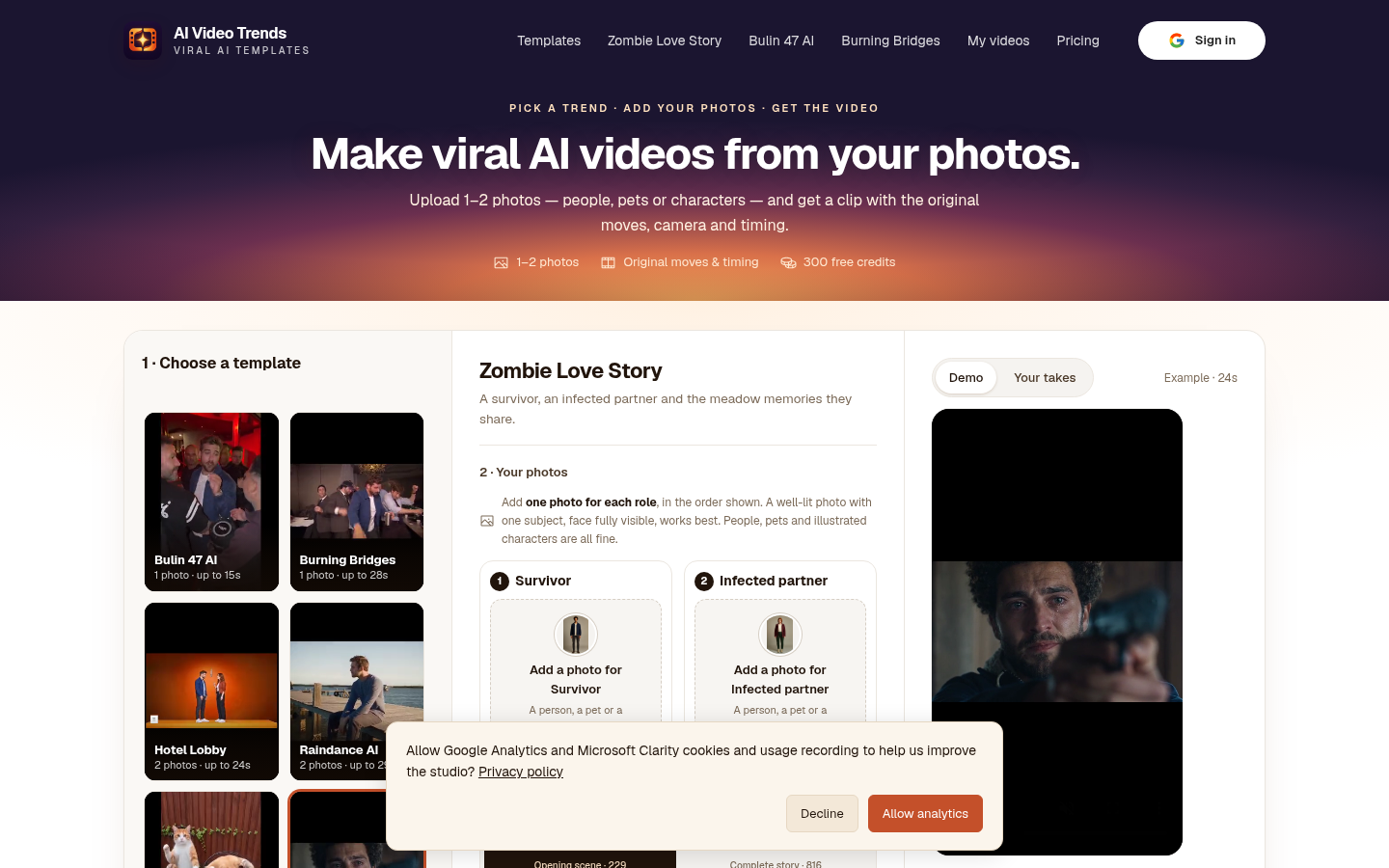
Screenshot archived from the listing page, for preview only.