
aimages AI
AI video/image enhancerEnlarge and enhance video and images
Highlights
What you can do with it
- Upscale and sharpen old or low-resolution videos
- Enhance and enlarge photos for print or social media
- Improve footage quality before sharing a project
How to use it
- 1 Open the aimages AI site in your browser
- 2 Upload the video or image you want to improve
- 3 Choose the enhancement and enlargement settings
- 4 Let the AI process the file and preview the result
- 5 Download the enhanced media when you are happy with it
Who it is for
Pros
- Works online with no heavy install required
- Handles both video and image enhancement and enlargement
- Free trial lets you test quality before paying
Limitations
- A free trial only, so long-term use likely needs a paid plan
- Enhancement results depend on the source file quality
- The free trial terms and pricing could change over time
What aimages AI is
aimages AI, also referred to as TensorPix, is an online AI video and image enhancer and enlarger. It uses artificial intelligence to raise the quality of each video or image you upload, and it can enlarge media to bigger sizes while working to keep detail. The tool runs in the browser, so there is no heavy software to install. It offers a free trial, which means you can test how well the enhancement works on your own files before deciding whether to continue with a paid plan. It is aimed at people who want more polished, professional-looking results from their videos and photos.
What you can do with it
- Enhance video quality online for clearer, cleaner footage
- Enhance image quality online for sharper, better-looking photos
- Enlarge videos and images to higher sizes with AI
- Improve media quality before sharing or using it in a project
Who it is for
- Creators who need cleaner, larger video and image files
- People restoring or improving older or low-quality media online
- Anyone wanting AI enhancement without installing desktop software
What to watch out for
This is a free trial rather than a fully free tool, so regular or heavy use will likely require a paid plan, and pricing and trial limits can change. Enhancement and enlargement depend heavily on the source file, so a very low-quality original may not turn into a perfect result. Because processing happens through an online service, upload times and wait can vary with file size, so test with the free trial first to see if it meets your needs. For best results, start with a small test file and review the output carefully before working on anything important.
FAQ
Is aimages AI free?
It offers a free trial so you can try the enhancement. Ongoing or heavier use generally moves to a paid plan, so check current pricing.
What can I enhance with it?
You can enhance and enlarge both videos and images, improving their quality and size using AI.
Do I need to install anything?
No. It is an online tool, so you upload and process files in your browser.
What is TensorPix?
TensorPix is the underlying online AI video and image enhancer and enlarger that aimages AI refers to.
Why it is free
What the official page says: for freefree trial
Free limits, trial length and features are decided by the official site and can change at any time.
Product preview
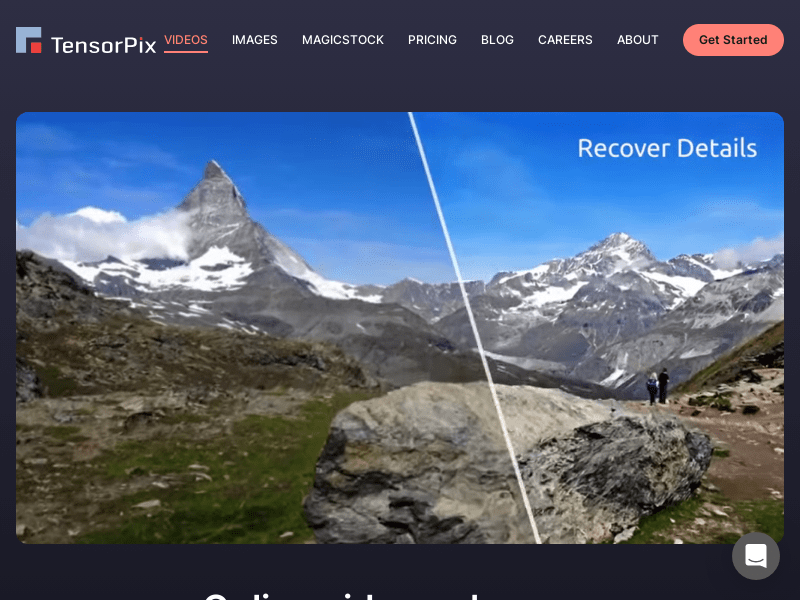
Screenshot archived from the listing page, for preview only.











