airgeek
Free toolkit for aviation fansFlight tools, no account needed
Highlights
What you can do with it
- Look up flights with special liveries
- Check gate details for recent departures
- Compare airline market share at two airports
How to use it
- 1 Open airgeek.link in your browser
- 2 Pick the aviation tool you need
- 3 Enter the flight, airport, or route details
- 4 Read the result on the page
Who it is for
Pros
- Free to use per the site
- No account needed
- Simple, focused tool set
Limitations
- Free access and tool lineup can change
- The site returned a redirect at review time, so access may be unreliable
- Niche scope with no professional features
- It relies on an external service you do not control
What Airgeek is
Airgeek is a toolkit for aviation enthusiasts at airgeek.link. The site describes it as a set of fun aviation tools that are all free and require no user account, with new tools and updates added over time. Listed functions include searching for interesting flights, exploring gate information for flights from the past few days, checking canceled flights, and comparing market share between two airports. The scope is narrow and hobby-focused, so it is aimed at people who enjoy following flights rather than professionals who need operational data.
What you can do with it
- Search for flights with special liveries
- Check recent gate information for flights
- Look up canceled flights
- Compare airline market share at two airports
Who it is for
- Aviation enthusiasts tracking flights for fun
- Spotters looking for special liveries
- Curious users comparing airport traffic
What to watch out for
The site was returning a redirect rather than a normal page at review time, so access may be unreliable and you should confirm it loads before planning work around it. The tools are described as free with no account, but free access and the tool lineup can change at any time, so check the current page. This is a hobby toolkit, so do not expect the depth, accuracy guarantees, or coverage of professional aviation data services. Because everything runs on an external site, uptime is outside your control. Treat results as interesting reference material, verify anything important against official sources, and enjoy the tools as a free extra rather than a dependable data feed. Behavior may vary across browsers and devices, so test before production use and consult the help docs if errors appear.
FAQ
Is Airgeek free?
The site says all tools are free and do not require an account.
What can it do?
It searches interesting flights, shows recent gate information, checks canceled flights, and compares airport market share.
Who is it for?
Aviation enthusiasts and casual users curious about flights and airports.
What should I check?
The site was returning a redirect at review time, so confirm it loads normally before relying on it.
Why it is free
What the official page says: 免费
Free limits, trial length and features are decided by the official site and can change at any time.
Product preview
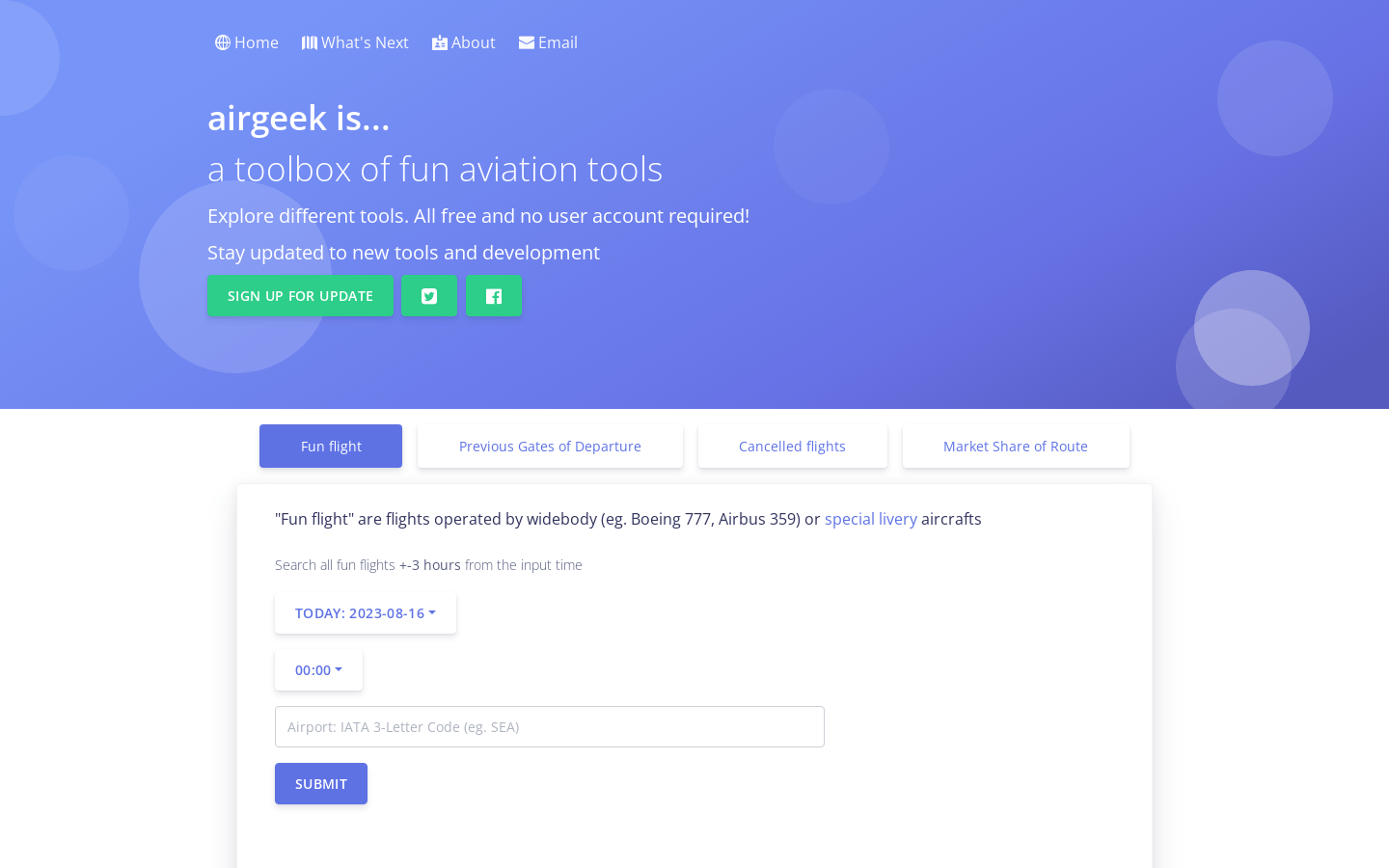
Screenshot archived from the listing page, for preview only.