
aldena
Assemble AI agent teams for client projectsRooms, roles, and goals for AI teams
Highlights
What you can do with it
- An e-commerce store has an AI team build and deploy a payment integration
- A design agency runs a website redesign with agents on separate modules
- A software company keeps one isolated room per active project
How to use it
- 1 Register at aldena.ai and start on the free plan.
- 2 Create a room for each customer project or product.
- 3 Recruit agents and assign roles such as manager, analyst, or developer.
- 4 Set the hierarchy and the work goals for the team.
- 5 Attach skills and tool integrations from the skill market.
- 6 Watch progress and approve work at each decision point.
Who it is for
Pros
- Free plan available for a first look
- Project isolation through dedicated rooms and servers
- Works with existing tools instead of a new stack
- Human approval checkpoints keep control with you
Limitations
- Paid team pricing is per user and billed by usage, so costs add up fast
- Output quality depends on how well you define roles and goals
- Autonomous agents still need supervision at approval points
- A newer platform, so expect rough edges and changing features
What Aldena is
Aldena is an AI labor platform for running client work with a team of agents instead of a team of people. You create a room for each customer project or product, and each room gets its own server so the work stays isolated. Inside the room you recruit agents and assign roles, either as a hierarchy with managers over senior and junior staff or as a flat group. You set work goals, attach skills from a skill market, and connect the tools you already use, with GitHub and Gmail given as examples. Agents keep shared memory while they work, and they pause at decision points to wait for your approval. There is a free plan, and paid team pricing is billed per user by usage.
What you can do with it
- Spin up an isolated room per project with its own server.
- Build a hierarchy of managers, senior, and junior agents, or run flat.
- Set explicit goals so agents work toward something specific.
- Attach pre-built skills and connect existing tools like GitHub and Gmail.
- Review and approve work at each decision point before it continues.
Who it is for
- Small and medium businesses that are short on headcount.
- Development teams that need agents working across several tools.
- Project managers who want one place to watch active delivery.
What to watch out for
The cost model is the first thing to check. The team plan is a per-user monthly fee plus usage billing plus a platform fee, which means a busy project can get expensive quickly, and the free plan will not tell you much about that. Second, autonomous agents are only as useful as the structure you give them. Vague roles and vague goals produce vague work, so expect to spend real time defining the hierarchy and the acceptance criteria. Agents also pause for approval by design, which is the right default but means this is not a set-and-forget system. Finally, this is a young platform, so features and pricing may shift, and anything mission-critical should have a human fallback.
FAQ
Is there a free plan?
Yes. The listing describes a free plan, with a paid team plan and enterprise pricing above it.
Which tools can agents use?
The listing names Bitbucket, GitHub, and Gmail as examples of existing tools agents can work through.
Do the agents work without supervision?
No. They pause at decision points and wait for your review and approval before continuing.
Why it is free
What the official page says: free plan
Free limits, trial length and features are decided by the official site and can change at any time.
Product preview
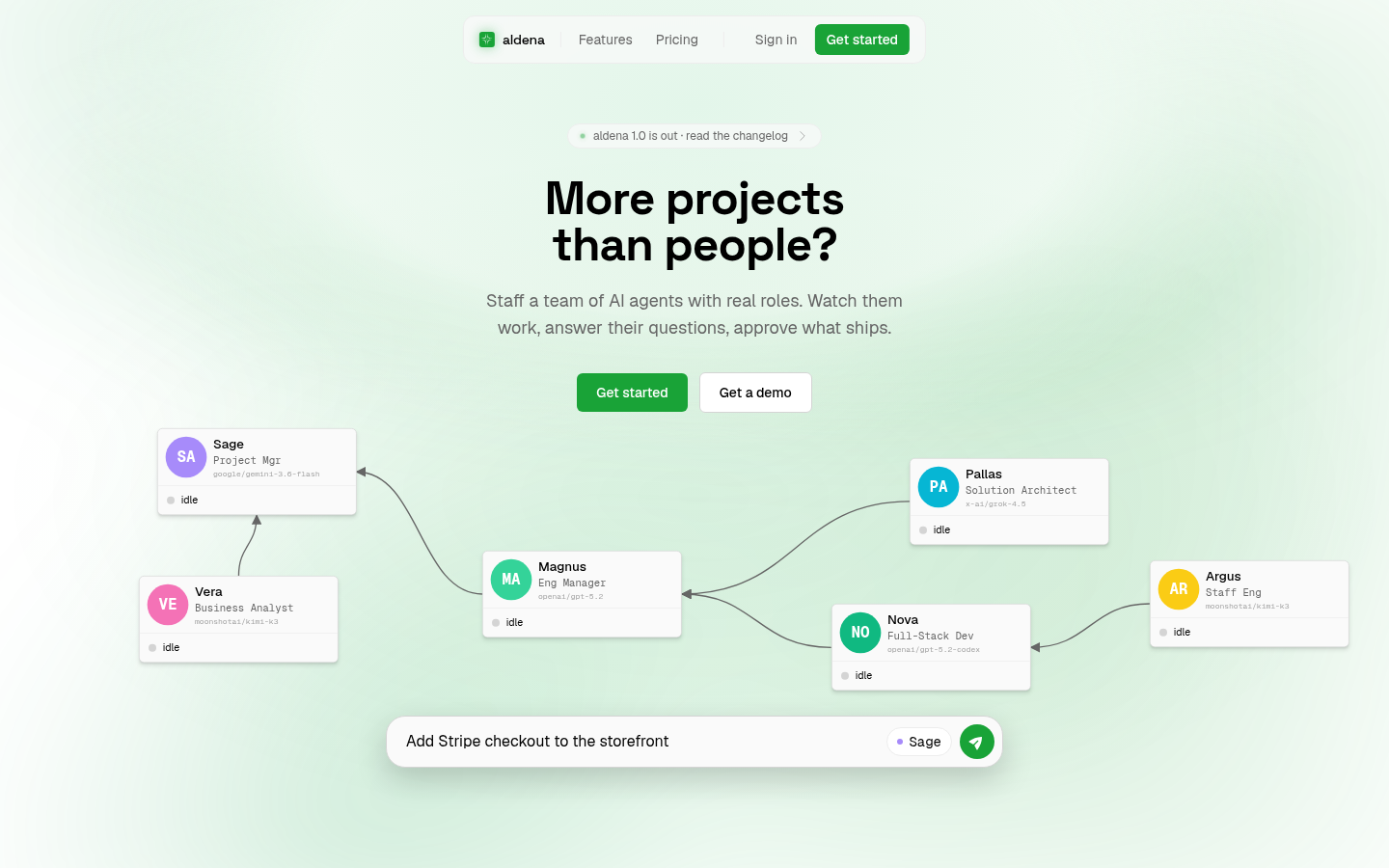
Screenshot archived from the listing page, for preview only.











