Aphinity
AI community coffee chat matchingPair members automatically for one to one chats
Highlights
What you can do with it
- A community director improving how new members are welcomed
- A company running weekly one to one chats for remote staff
- A large Slack community giving members personal introductions
How to use it
- 1 Create a matching project and define criteria and cadence
- 2 Invite members with a link or import them from a file
- 3 Let the AI create pairings from profiles and preferences
- 4 Track engagement in the dashboard and iterate
Who it is for
Pros
- Automates pairing and scheduling that would be manual work
- Works inside Slack, Discord, email and Teams
- Onboarding flow helps new members settle faster
- Analytics show whether the programme is working
Limitations
- Free trial only, with pricing not clearly stated
- Pairing quality depends on the profile data members provide
- Automated intros can feel awkward if members do not opt in
- Requires an existing community to be useful
What Aphinity is
Aphinity is a community matching platform built around AI driven coffee chats. Rather than pairing members at random, it analyses profiles, interests and goals to create introductions that are meant to lead somewhere, then handles the scheduling so nobody has to chase calendars. It works across Slack, Discord, email and Teams, which keeps it inside the tools a community already uses. New member onboarding is built in, and a dashboard tracks participation, satisfaction and trends. The listing says setup is quick and matching rules are customisable, and a free trial is offered.
What you can do with it
- Define matching criteria and set a weekly, fortnightly or monthly cadence.
- Invite members with a link or import them from a file.
- Let the AI create pairings from profiles and preferences.
- Automate the scheduling of each one to one chat.
- Onboard new members with planned introductions.
- Watch participation and satisfaction in a dashboard and adjust.
Who it is for
- Community leaders running member engagement programmes.
- Enterprise HR teams supporting connection in remote or hybrid teams.
- University alumni offices arranging meaningful introductions.
- Anyone whose community has members who never actually meet.
What to watch out for
A free trial is offered but pricing is not clearly stated, so confirm costs before rolling it out to a whole community. Pairing quality depends entirely on the profile data members provide, and thin profiles produce weak pairings, so encourage detail at signup. Automated introductions can feel awkward if people have not opted in, so make participation voluntary and say clearly what happens with their information. The tool needs an existing community to be useful, since it will not create one for you. Finally, engagement gains take time, and the analytics are there to tell you whether the programme is actually working rather than just running.
FAQ
What does Aphinity do?
It pairs community members for one to one coffee chats using AI, and automates the scheduling.
Which platforms does it work with?
Slack, Discord, email and Teams are named in the listing.
How does it decide pairings?
The matching analyses member profiles, interests, goals and preferences.
Is there a free trial?
Yes, a free trial is offered, though pricing is not clearly stated.
Who is it for?
Communities, enterprises and universities, including community leaders, HR teams and alumni offices.
Why it is free
What the official page says: free trial
Free limits, trial length and features are decided by the official site and can change at any time.
Product preview
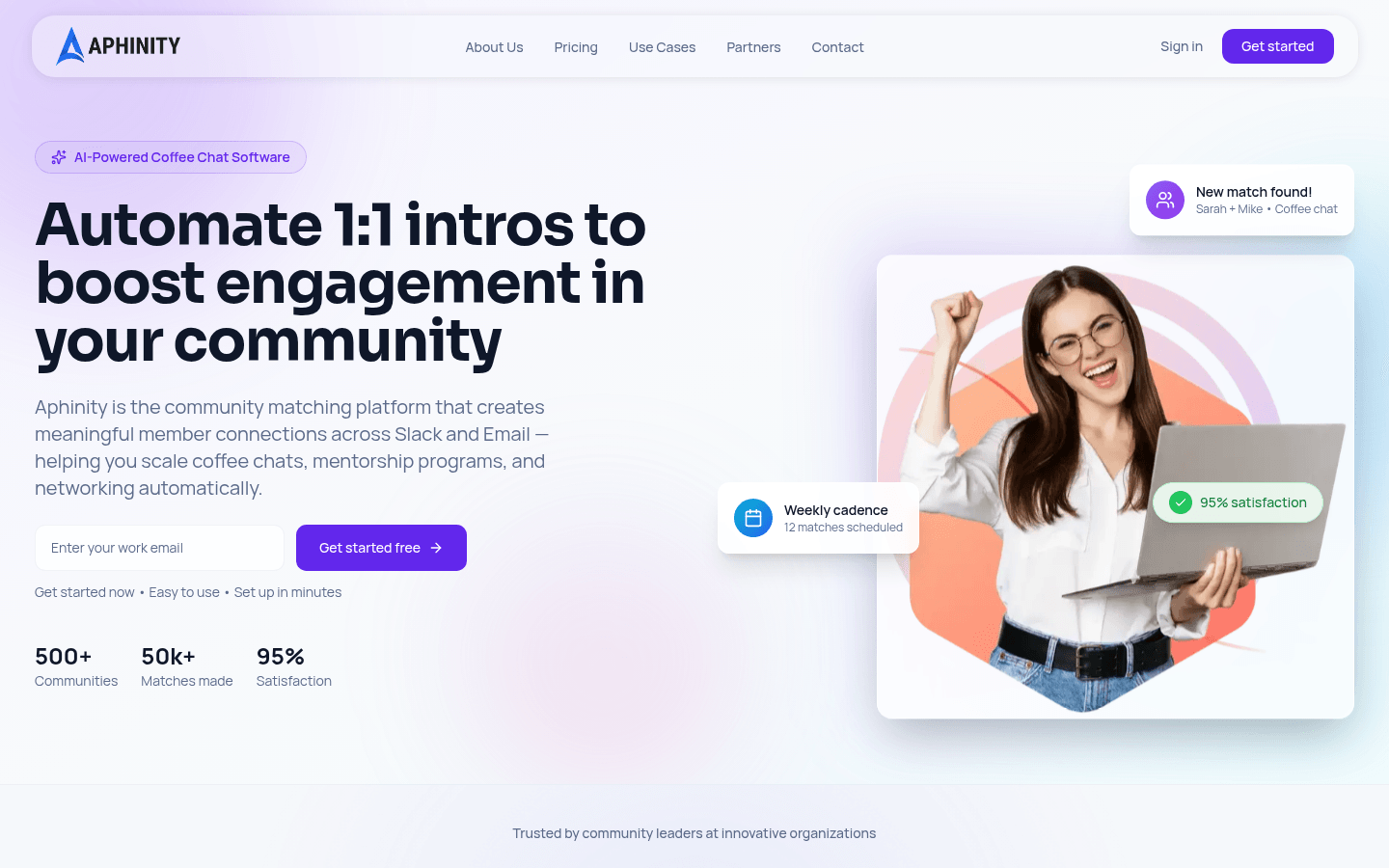
Screenshot archived from the listing page, for preview only.