Aymo AI
Team AI workspaceMany models, one shared workspace
Highlights
What you can do with it
- A content team drafts with different models and collaborates in place
- A research team uploads reports and extracts key findings together
- A development team compares models on code writing and debugging
How to use it
- 1 Create an account and start on the free version
- 2 Upload a PDF, document, spreadsheet, or code file if needed
- 3 Ask a question, or run the same prompt in comparison mode
- 4 Switch models without leaving the workspace
- 5 Share chats and assign roles to collaborate as a team
Who it is for
Pros
- Team collaboration is included in every plan at no extra cost
- Model switching happens without leaving the workspace
- Comparison mode shows several answers side by side
- File analysis and web search are built in
Limitations
- Unlimited usage with your own keys requires the business plan
- The free version is limited in capacity
- Model answers still need verification before you rely on them
- Running several models raises consumption and therefore cost
What Aymo AI is
Aymo AI is a one-stop AI platform built for teams. The problem it addresses is fragmentation: a team that wants GPT, Claude, Gemini, DeepSeek, and Grok ends up with five tabs, five logins, and no shared history. Aymo puts the models in one workspace, so switching happens without changing tabs, and comparison mode runs a single prompt across several models at once so you can see the answers side by side. Files such as PDFs, documents, spreadsheets, and code can be uploaded for context-aware answers, and a built-in real-time web search attaches current sources so answers are not limited to training data. Collaboration, including shared chat records, role assignment, and shared team memory, is included in every plan at no extra cost. Plans run from a free version through Plus, Premium, and Business.
What you can do with it
- Reach several major models from a single workspace
- Run one prompt in comparison mode across multiple models
- Upload documents, spreadsheets, and code for analysis
- Switch models mid-conversation without losing context
- Share chats, assign roles, and work from shared team memory
- Search the web in real time and see the attached sources
Who it is for
Teams that need shared access to several models get the collaboration layer without paying extra for it. Creators use comparison mode to pick the model that suits a specific task. Researchers upload reports and data files and work through findings together instead of in separate accounts. Students use it for queries, homework help, and writing support. Any group where more than one person needs the same AI access is the intended user.
What to watch out for
Unlimited usage through your own API keys is a business-plan feature, so the lower tiers have capacity limits you will feel in a busy team. Model output still needs verification; several models answering confidently does not make an answer correct, and comparison mode shows you options rather than a verdict. Running multiple models per task raises consumption, so costs climb faster than single-model use. Plan boundaries differ across free, Plus, Premium, and Business, so check which tier carries the limits you need before rolling it out to a team.
FAQ
Which models are supported?
GPT, Claude, Gemini, DeepSeek, and Grok are listed, all reachable from one workspace.
Is team collaboration an add-on?
No. The collaboration feature, including shared chats and roles, is included in all plans at no additional cost.
Can I use my own API keys?
Yes. On the business plan you can bring your own AI API keys and unlock unlimited usage.
What files can I analyse?
PDFs, documents, spreadsheets, and code files can be uploaded for context-aware answers.
Why it is free
What the official page says: free version
Free limits, trial length and features are decided by the official site and can change at any time.
Product preview
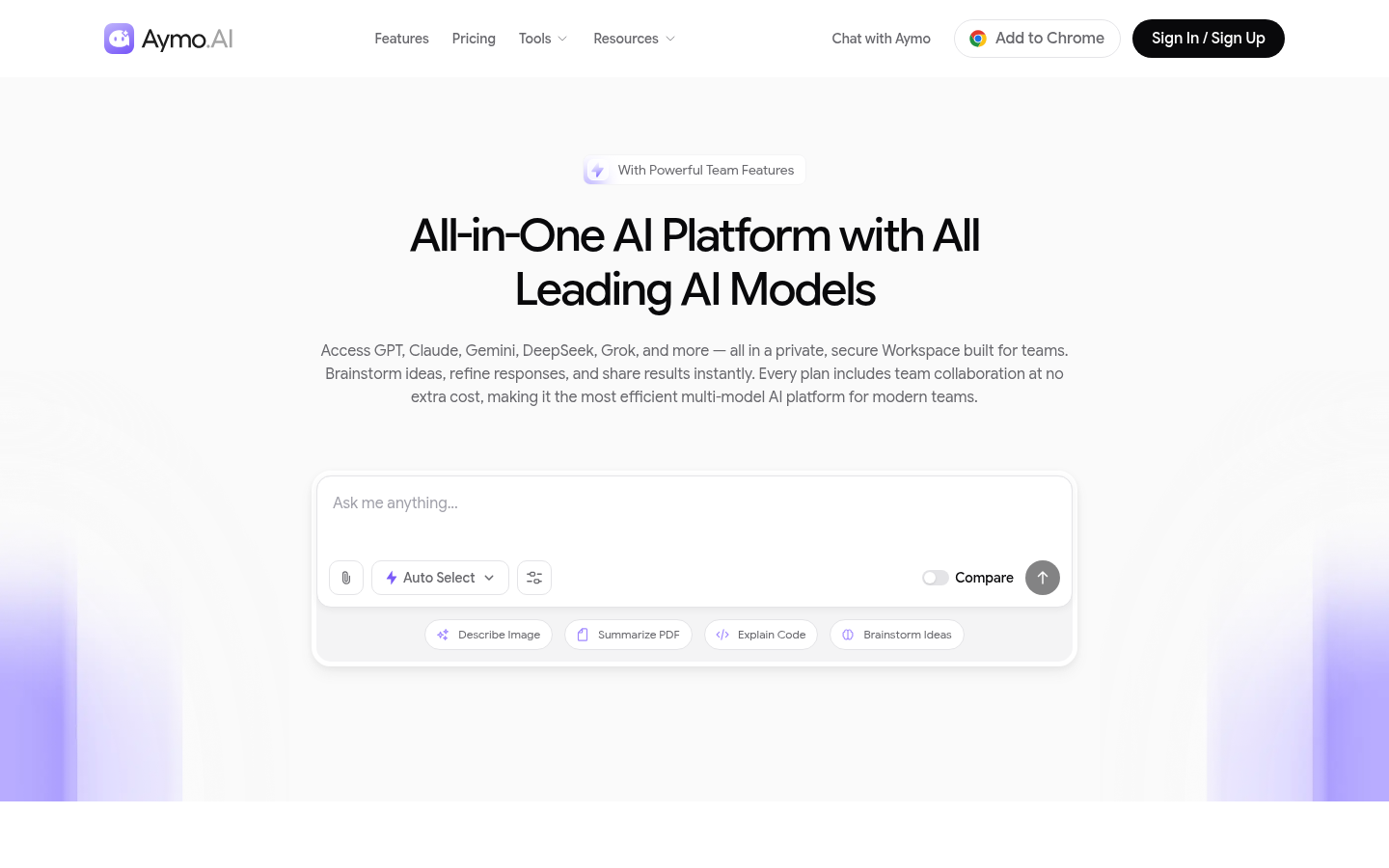
Screenshot archived from the listing page, for preview only.