
Booklet AI
Chat-to-handbook AI generatorChat with AI and export a full handbook in minutes
Highlights
What you can do with it
- Turn course notes into a study handbook for exam review
- Give product details to AI to build a promo handbook fast
- Convert your own articles into an ebook-style handbook
How to use it
- 1 Open the site and click Start For Free to begin a trial
- 2 Chat with the agent about your topic and requirements
- 3 Answer its questions and refine the content as it drafts
- 4 Pick a template to frame the handbook
- 5 Export in the format you need and download it
Who it is for
Pros
- Chat flow makes handbook creation approachable
- Handles research, writing, and illustration matching
- Exports to many common formats for easy reuse
Limitations
- A free trial is offered, but ongoing terms can change
- AI-written content still needs review for accuracy and tone
- Complex layouts may need cleanup after export
What Booklet AI is
Booklet AI is an online tool that builds a complete handbook from a conversation with an AI agent. You describe your topic, answer a few follow-up questions, and the agent researches the subject, writes the content, and matches illustrations for each page. It comes with hundreds of templates to frame the structure, and it exports to formats such as PDF, Word, PPT, MD, and TXT. It can also turn existing content, a single theme, or a URL into a handbook, and it can redesign an existing PDF template. A free trial is offered through the Start For Free option.
What you can do with it
- Chat with an agent to research and write a full handbook
- Auto-match illustrations to each page as it drafts
- Frame the work with one of hundreds of templates
- Export to PDF, Word, PPT, MD, or TXT for reuse
Who it is for
- Students turning course notes into study guides
- Employees building reports, handbooks, and promo material
- Freelancers and founders packaging ideas into clean documents
What to watch out for
A free trial is offered, but ongoing terms can change, so confirm current pricing before you depend on it. AI-written content still needs a human pass for accuracy, tone, and any facts you plan to publish. Complex or heavily branded layouts may need cleanup after export, so keep expectations realistic for design-heavy handbooks. Treat the first draft as a strong starting point rather than a finished file. Run one full task end to end first, then expand once you are comfortable with the workflow and the result quality. Behavior may vary across browsers and devices, so test before production use and consult the help docs if errors appear.
FAQ
How do I start?
Open the site and click Start For Free to begin a free trial, then chat with the agent about your topic.
What formats can I export?
It supports PDF, Word, PPT, MD, and TXT so you can reuse the handbook elsewhere.
Can it use my existing content?
Yes. It can convert existing content, summarize a URL, or redesign an existing PDF template.
Why it is free
What the official page says: free trial
Free limits, trial length and features are decided by the official site and can change at any time.
Product preview
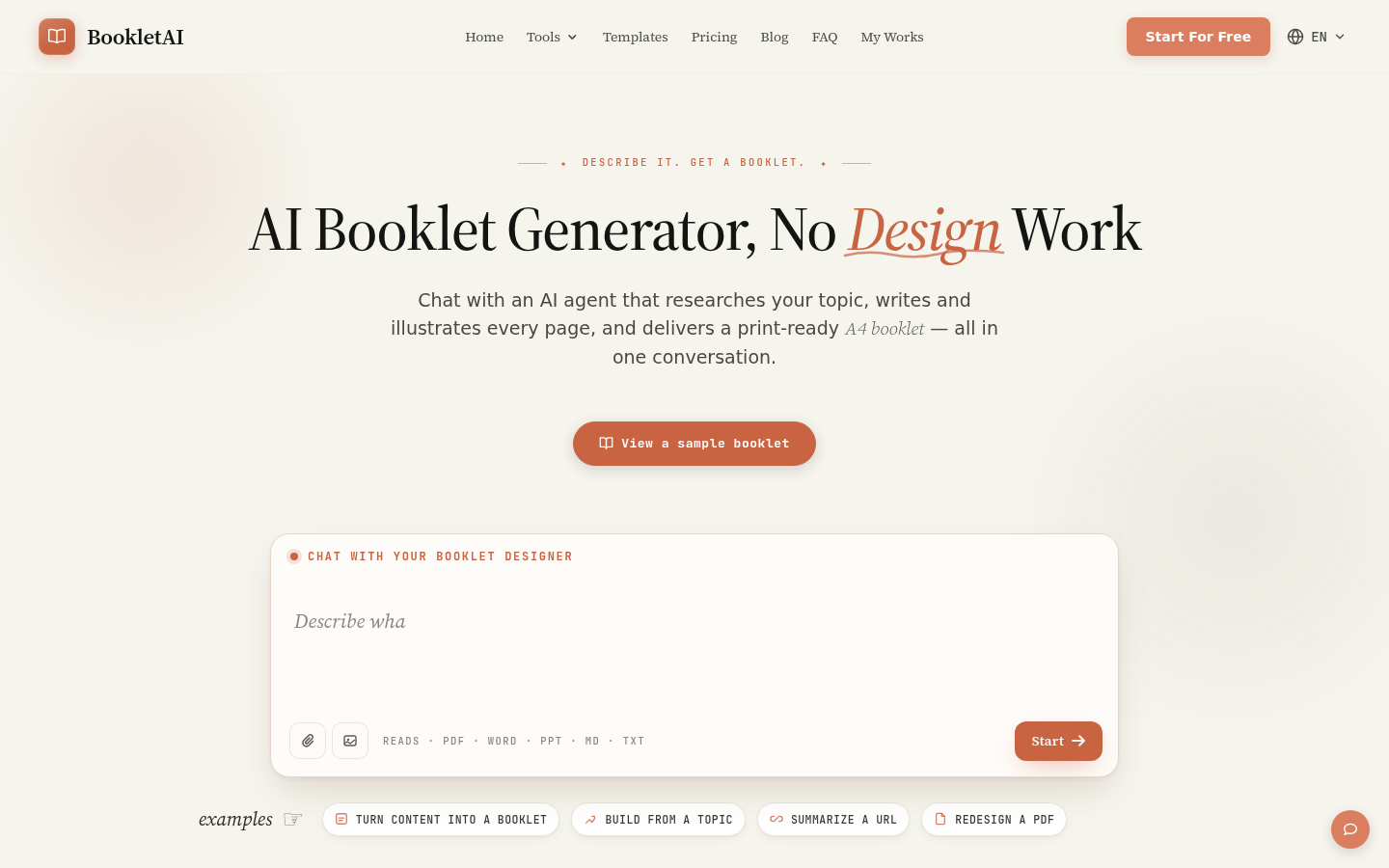
Screenshot archived from the listing page, for preview only.











