
CaptionBolt
AI subtitles for fast social videosStyle your captions without an editor
Highlights
What you can do with it
- A food blogger adding styled subtitles and a vertical crop to a TikTok recipe video.
- A marketer adding a logo and brand title to a product promo for YouTube Shorts.
- A teacher adding clear, emphasized subtitles to an English lesson video.
How to use it
- 1 Upload your video; CaptionBolt transcribes the speech and applies subtitle styles.
- 2 Proofread the text and adjust the styling as needed.
- 3 Choose an aspect ratio for your platform, such as vertical, square, or horizontal.
- 4 Trim the start and end, then preview the full video.
- 5 Export the version you want to share.
Who it is for
Pros
- No editing experience is needed to get styled, platform-ready subtitles.
- Reusable templates and subtitle styles speed up repeat work.
- The free plan covers 10 minutes a month and 1080p output with no credit card.
Limitations
- The free plan is limited to 10 minutes a month and adds a watermark.
- Free plan limits and features can change over time.
- Transcription accuracy depends on audio quality, so expect to proofread.
What CaptionBolt is
CaptionBolt is an online video tool whose main job is generating stylized AI subtitles. You upload a video, it transcribes the speech, and you get synced, styled captions without complex editing software. Beyond subtitles, it adjusts aspect ratios, trims clips, adds opening titles, B-roll, logos, and watermarks, and drafts social copy for platforms like TikTok, Instagram Reels, and YouTube Shorts. The free plan gives you 10 minutes of processing a month, all 308 subtitle styles, MP4 and TXT export, and watermarked output up to 1080p, with no credit card. Pro and Max plans add longer runtimes, cleaner exports, and more features.
What you can do with it
- Auto-transcribe speech into subtitles, then proofread and restyle them with dynamic word-by-word emphasis.
- Resize the video to vertical, square, or horizontal for different platforms.
- Add opening titles, reusable logos, and B-roll that avoid people and subtitles.
- Draft captions and descriptions for each platform from the same transcript, then export MP4 or TXT.
Who it is for
- Social media creators who post short videos on TikTok, Instagram, and YouTube and want them to look polished.
- Enterprise marketers who need promotional clips with brand elements.
- Educators who want clear subtitles on teaching videos to help students follow along.
What to watch out for
The free plan is limited to 10 minutes of processing per month and adds a watermark to output, and these free plan limits and features can change over time. Transcription accuracy depends on audio quality, background noise, and accents, so plan to proofread the text before publishing. The free tier exports watermarked video up to 1080p, so if you need clean, higher-resolution files or longer runtimes, you will have to look at the Pro or Max plans.
FAQ
What does the free plan include?
10 minutes of processing per month, all 308 subtitle styles, MP4 and TXT export, and watermarked output up to 1080p, with no credit card.
Can I make vertical videos?
Yes, you can adjust the video to vertical, square, or horizontal to fit different platforms.
Does it write captions too?
Yes, it drafts social copy for platforms such as TikTok, Instagram Reels, and YouTube Shorts from the same transcript.
Why it is free
What the official page says: 免费免费套餐
Free limits, trial length and features are decided by the official site and can change at any time.
Product preview
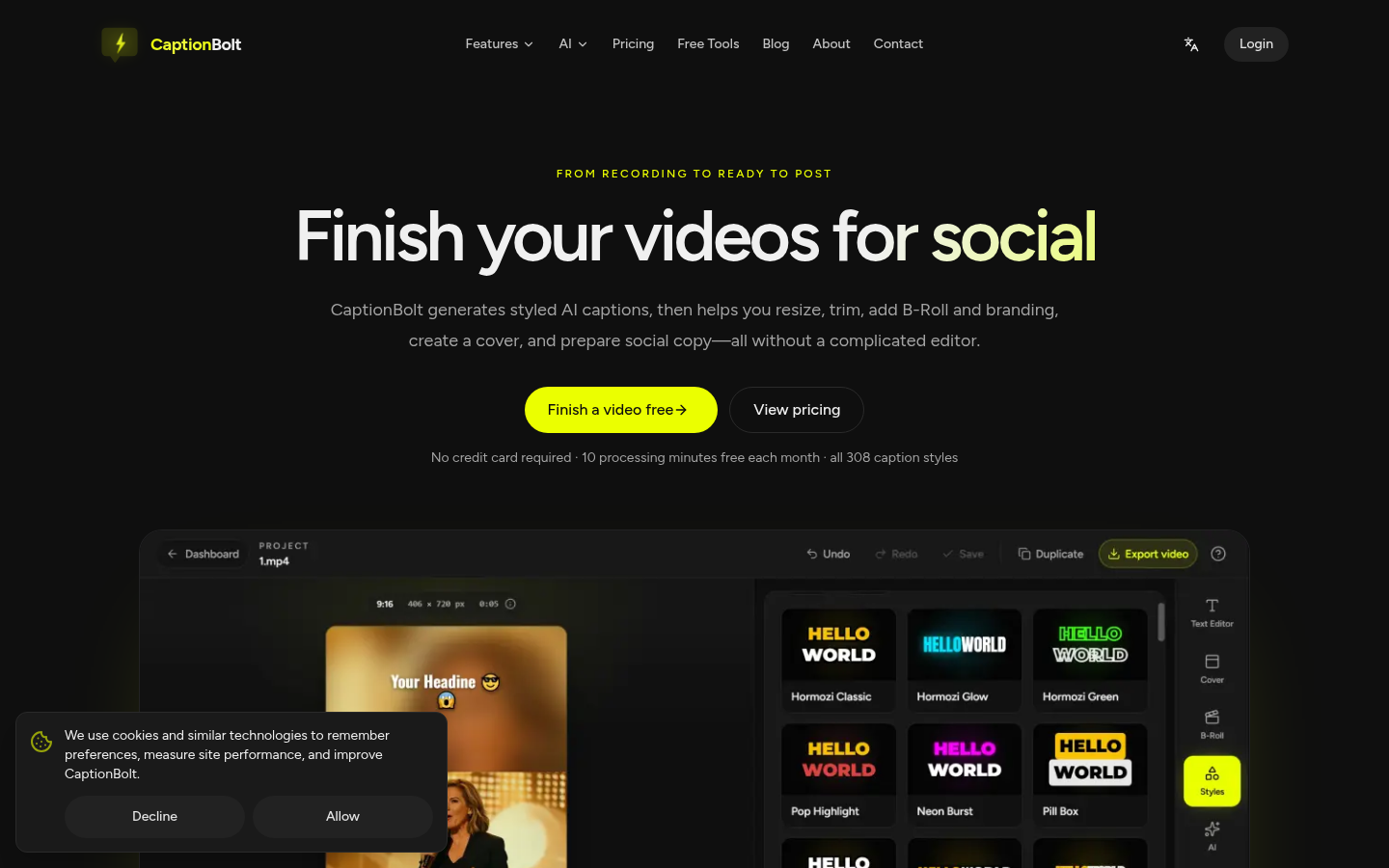
Screenshot archived from the listing page, for preview only.











