ChatGPT Watermark Remover
Free tool to detect and clean invisible AI watermark charactersPaste text, spot hidden characters, and clean them in one click
Highlights
What you can do with it
- Clean invisible characters from an AI-generated article before publishing
- Strip hidden markers from text a student drafted with AI help
- Prepare AI-generated text data for cleaner research analysis
How to use it
- 1 Open the ChatGPT Watermark Remover site
- 2 Paste the text into the input area
- 3 Optionally turn on visualization for spaces and tabs
- 4 Click Clean Text to detect and then remove the watermark characters
- 5 Copy the cleaned text from the cleaned area
Who it is for
Pros
- Free to use with no account mentioned
- Clear statistics on what was detected and removed
- Visual display makes hidden characters easy to spot
- One-click cleaning is quick and simple
Limitations
- It is a free web tool, so features and availability can change
- Removing watermarks to avoid AI checks may break school or platform rules, and the consequences are your responsibility
- It only removes characters and does not judge your text
- Results depend entirely on the text you paste in
What ChatGPT Watermark Remover is
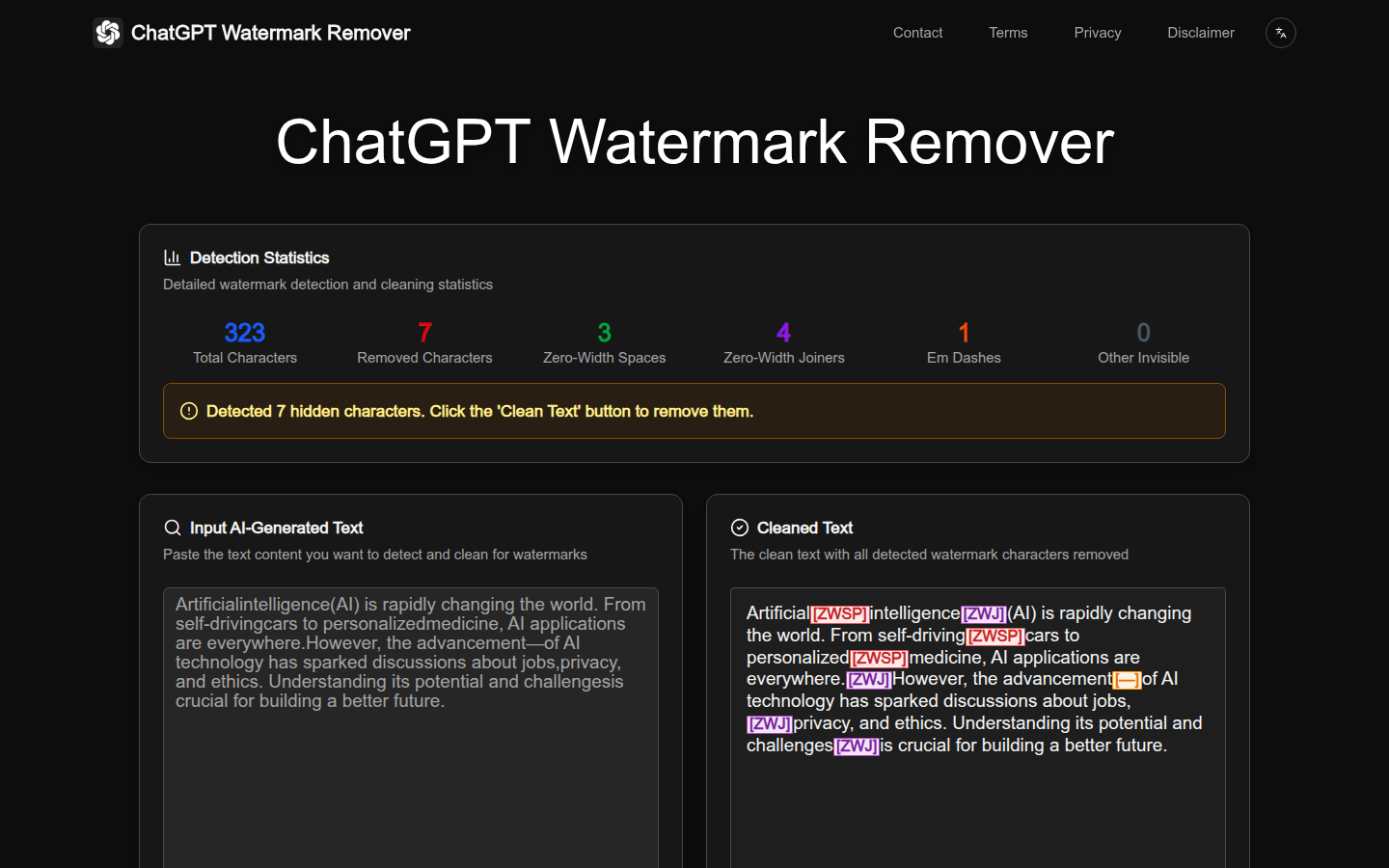
ChatGPT Watermark Remover is a free online tool that finds and removes invisible characters and watermarks from text. You paste text into the input area, and it detects hidden characters such as zero-width spaces, zero-width joiners, and zero-width non-joiners, then shows statistics on what it found. It can display spaces and tabs so you can see them, offers options for handling different dash types, and cleans the text in one click. It is aimed at content creators, students, and researchers who work with AI-generated text.
What you can do with it
- Detect and remove invisible characters that some AI tools add to text.
- View detailed statistics on characters found and removed.
- See spaces and tabs drawn on screen to spot hidden characters.
- Choose how to handle dashes and other character options.
- Clean the whole text in one click and copy the result.
Who it is for
- Content creators who publish AI-assisted articles and want clean text.
- Students who drafted text with AI help and need hidden markers gone.
- Researchers processing large amounts of AI-generated text data.
What to watch out for
Using this tool to avoid AI detection may violate school or platform rules, and the consequences are your responsibility, so do not rely on it to hide AI-written work. It is a free online tool, so its features and availability can change at any time. It only removes characters and does not review or judge the meaning of your text. Results depend entirely on what you paste in, and you should still read the cleaned text to confirm it is what you expect before you use it.
FAQ
Is this tool free?
Yes, it is presented as a free online tool. Because it is free, its features and availability can change at any time.
What does it actually remove?
It targets invisible characters such as zero-width spaces, joiners, and non-joiners that some AI systems add, then gives you clean text.
Can I use it to avoid AI detection?
Using it to dodge AI checks may violate school or platform rules, and any consequences are your responsibility. It only cleans characters and does not rewrite your content.
Why it is free
What the official page says: 免费
Free limits, trial length and features are decided by the official site and can change at any time.
Product preview
Screenshot archived from the listing page, for preview only.