
ChatsApp
AI chat assistant that works inside WhatsAppAdd a contact, ask anything in WhatsApp
Highlights
What you can do with it
- Get instant answers to questions without leaving a chat
- Translate messages so you can talk across languages
- Ask for jokes and light, humorous replies
- Send voice questions when typing on a phone is awkward
How to use it
- 1 Add the ChatsApp contact in WhatsApp
- 2 Open the chat and send your first message
- 3 Type your question or send a voice message
- 4 Ask for a translation or a joke when you want one
- 5 Keep the contact to return to the assistant later
Who it is for
Pros
- No new app to install, it lives in WhatsApp
- Several skills in one chat: answers, translation, humor, voice
- Voice input works when typing is inconvenient
- Free trial with no registration
Limitations
- The free offer is a 24-hour trial, and later terms are not stated, so continued use may depend on paid options
- It needs WhatsApp and a working connection to be reachable
- Quick answers and translations should be double-checked when accuracy matters
- The humorous tone may not suit every conversation
What ChatsApp is
ChatsApp is an AI chat assistant that lives inside WhatsApp. Instead of downloading another app, you add the ChatsApp contact in WhatsApp and start talking to it. It answers questions, translates between languages, throws in humorous replies and jokes, and accepts voice input when typing is not convenient. The site says there is no registration needed and that you get a 24-hour free trial, so you can try the whole thing from a chat window you already use. Nothing about your chat setup changes; the assistant simply appears as another contact in the same conversation list.
What you can do with it
- Get instant answers to questions without leaving WhatsApp
- Translate messages so you can chat across languages
- Ask for jokes and light, humorous replies
- Send voice messages instead of typing
Who it is for
- WhatsApp users who want quick answers in a chat they already use
- People who chat across languages and need fast translation
- Anyone who prefers voice input over typing on a phone
- Users who want a casual, fun assistant tone
What to watch out for
The free offer is a 24-hour trial with no registration, and the site does not state what happens after that, so continued use may depend on paid options. Because it runs through WhatsApp, you need that app and a working connection, and the assistant is only reachable while the contact is available. Translations and quick answers are convenient but should be double-checked when accuracy matters, such as contracts or medical wording. For best results, start with a small test file and review the output carefully before working on anything important.
FAQ
How do I start using ChatsApp?
Add the ChatsApp contact in WhatsApp and send a message. No extra app is needed.
Do I need to register?
The site says no registration is required and a 24-hour free trial is offered.
What can it do?
Instant answers, translation, humorous replies, and voice input.
Is the trial free?
Yes, the site advertises a 24-hour free trial with no registration.
Why it is free
What the official page says: no registrationfree trial
Free limits, trial length and features are decided by the official site and can change at any time.
Product preview
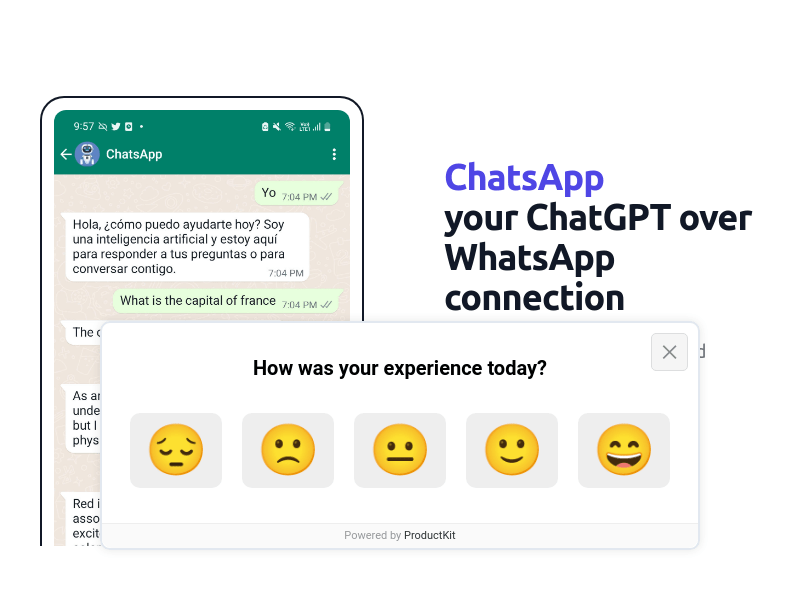
Screenshot archived from the listing page, for preview only.











