Claras
YouTube videos into transcripts and AI summariesPaste a link, read the summary
Highlights
What you can do with it
- Transcribe English teaching videos to review vocabulary and grammar
- Summarize competitor videos to study business models and strategy
- Process research videos in bulk to extract data and viewpoints
How to use it
- 1 Open meetclaras.com in your browser
- 2 Click start free, with no install or credit card needed
- 3 Paste the YouTube link you want to process
- 4 Choose transcription or summary and wait for processing
- 5 Read the transcript, use the chapters, or ask the AI chat
Who it is for
Pros
- Free to start in the browser with no install
- Summaries plus clickable chapters save watching time
- Works across 17 languages for global viewers
Limitations
- Free terms may change, so check the site before relying on them
- Accuracy depends on the audio quality and spoken clarity
- Focused on YouTube, so other video sources are out of scope
What Claras is
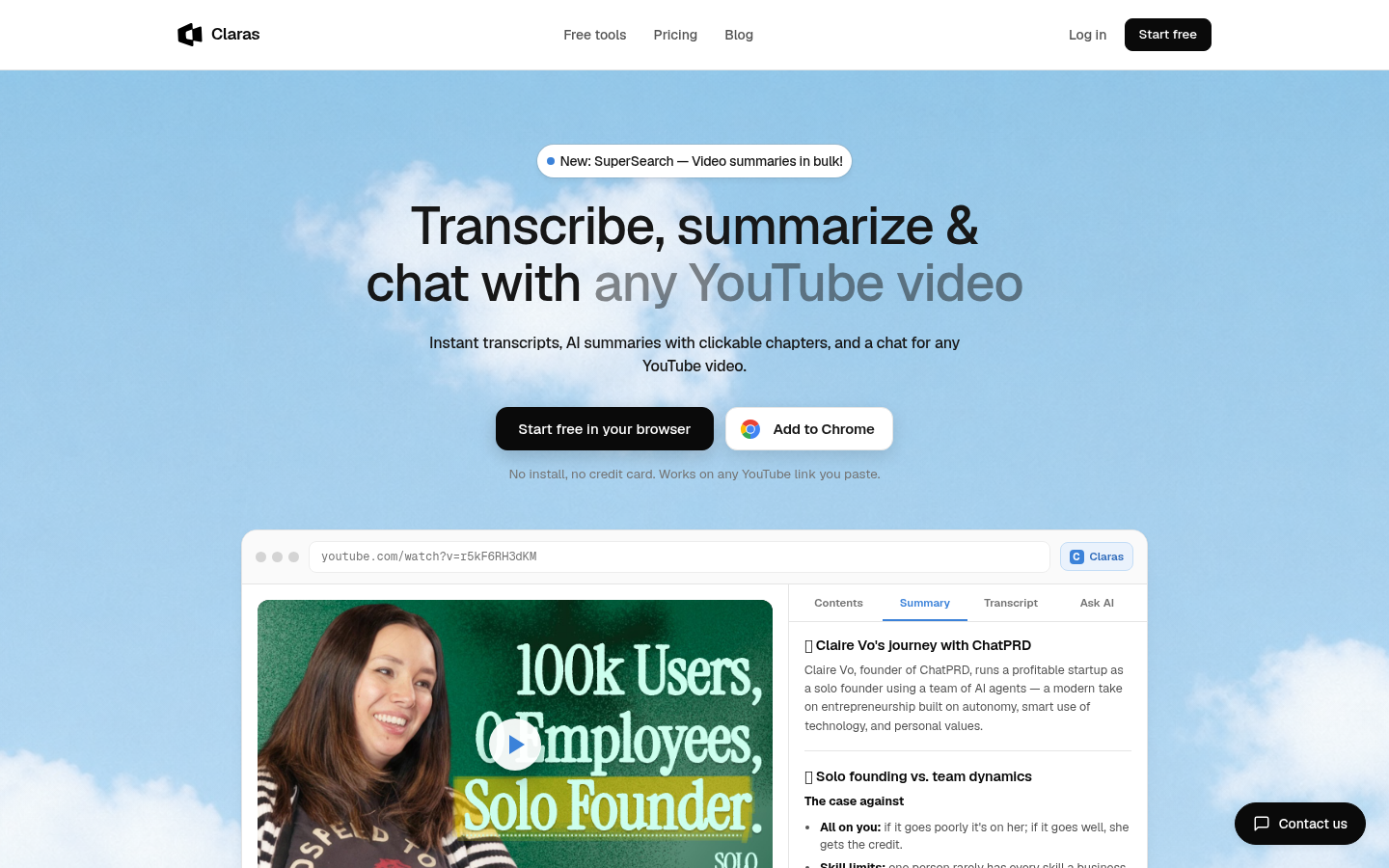
Claras is a browser tool that converts any YouTube video into an instant transcript and an AI summary with clickable chapters. It is free to start, needs no software installation, and asks for no credit card. You simply paste a YouTube link and the tool does the rest, which makes it useful when you want the core information from a video without watching it in full. It also offers a chat function so you can ask questions about the content, and it supports 17 languages so a global audience can use it in their own language.
What you can do with it
- Turn a YouTube video into readable text for notes and review
- Read an AI summary with clickable chapters to grasp the structure quickly
- Ask the AI chat questions about the video for deeper understanding
- Summarize many videos at once with the SuperSearch batch feature
Who it is for
Students who learn from teaching videos, researchers who collect video material, and entrepreneurs who study competitor content all benefit from Claras. Anyone who regularly sits through long YouTube videos and wants the key points faster will find it practical. Because it runs in the browser, it suits people who need a quick tool without any setup or account overhead.
What to watch out for
Transcription quality depends on the audio in the original video, so noisy or unclear speech can produce errors that you will need to correct. The tool focuses on YouTube links, so it is not a general video converter for other platforms. Free access terms can change over time, so check the website for current limits before you depend on it for important work.
FAQ
Is Claras free to use?
It can be started for free in the browser and asks for no credit card. Check the site for current limits.
Do I need to install anything?
No. You paste a YouTube link and the tool runs in the browser.
How many languages are supported?
Claras supports 17 languages for transcription and summaries.
Can I process many videos at once?
Yes, the SuperSearch feature can summarize a large number of videos.
Why it is free
What the official page says: for free
Free limits, trial length and features are decided by the official site and can change at any time.
Product preview
Screenshot archived from the listing page, for preview only.