Claude Skills Library
Directory of skills that extend ClaudeBrowse, download, and share Claude skills
Highlights
What you can do with it
- A developer uses a FastAPI skill to scaffold a Python API project
- A content creator runs the SEO optimizer on website copy
- A researcher builds a LaTeX poster for a conference
How to use it
- 1 Visit claudeskills.club
- 2 Browse categories or search for a skill
- 3 Open the skill page and download it
- 4 Read the included docs and examples
- 5 Add the skill to your Claude agent and run it
- 6 Optionally contribute your own skill via GitHub
Who it is for
Pros
- Free to browse and download
- Wide category coverage
- Community contributions keep the list fresh
- Docs and examples included for many skills
Limitations
- Skill quality depends on community submissions
- Compatibility with your Claude setup needs checking
- Newer directory, so coverage may be uneven
- Free access terms could change over time
What Claude Skills Library is
Claude Skills Library at claudeskills.club is a curated directory of skills designed to expand what the Claude AI agent can do, letting it reach real-world data and functions. The site collects skills and tools across areas from code generation to academic research, and it is free to use. Its role is to give developers and users one place to discover, download, and contribute skills, which the listing frames as a shared community around Claude rather than a single vendor's catalog. Featured skills mentioned include an SEO optimizer, a Notion API integration, and a Git commit message generator, and the site shows the newest additions so you can see what is recent.
What you can do with it
- Browse skills by category such as developer tools, code generation, and testing and QA
- Search by keyword to find a specific capability
- Download a skill in minutes and add it to Claude
- Read documentation and examples where they are provided
- Contribute your own skill back through GitHub
Who it is for
- Developers who want prebuilt skills for coding tasks
- Researchers who need help with literature, data, and poster work
- Content creators improving pages with search optimization skills
- Project managers looking for workflow and orchestration help
What to watch out for
Because skills come from community contributions, quality and maintenance vary, so read any included documentation and test a skill before relying on it for important work. Not every skill will fit your version of Claude or your setup, and compatibility is something you need to verify yourself. Coverage is still growing, so some categories are thinner than others. The directory itself is free, but that can change, and it does not replace reading the source of a skill before you install it.
FAQ
Does it cost anything?
The website is described as free to use for browsing and downloading skills.
Can I add my own skill?
Yes. The listing says users can contribute skills to the community through GitHub.
What kinds of skills are listed?
Categories include developer tools, code generation, and testing and QA, with featured entries like an SEO optimizer and a Git commit message generator.
Why it is free
What the official page says: free to use
Free limits, trial length and features are decided by the official site and can change at any time.
Product preview
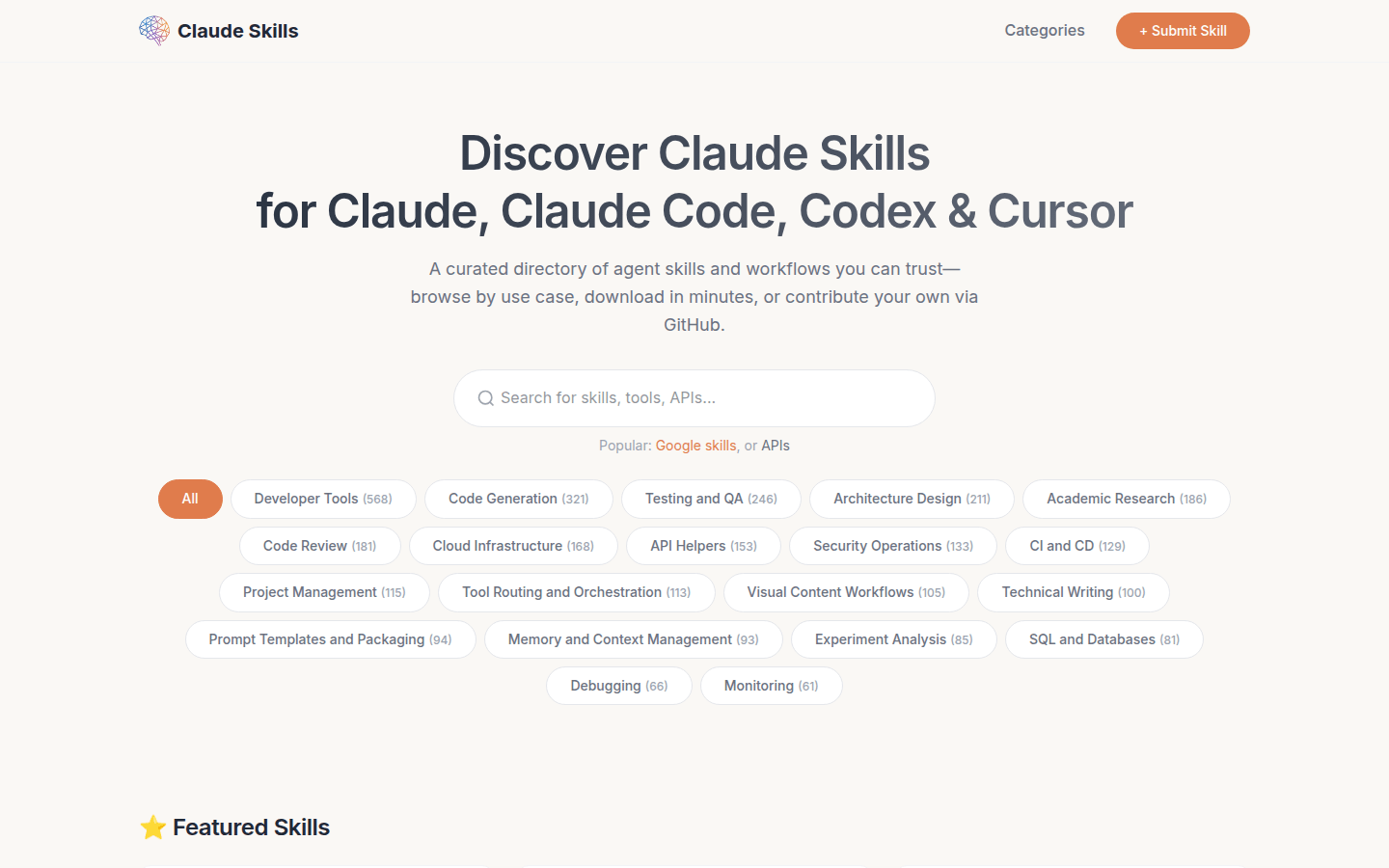
Screenshot archived from the listing page, for preview only.