Copy Repo
One-click copy of GitHub repositories into an LLMPaste a whole repository into your AI chat
Highlights
What you can do with it
- Studying an open-source module with an AI assistant
- Sharing a code repository with a team chat
- Learning from example code in a new framework
How to use it
- 1 Visit the Copy Repo website
- 2 Log in with your GitHub account
- 3 Search for the repository you want
- 4 Select the files you need
- 5 Copy them and paste into your LLM
Who it is for
Pros
- Free to use with a simple flow
- Removes repetitive manual copying
- File-level control keeps pastes focused
Limitations
- Large repositories can exceed model context limits
- Depends on GitHub access being available
- Output quality depends on the LLM you paste into
What Copy Repo is
Copy Repo is an online tool that copies code repositories from GitHub and pastes them into large language models. You log in with GitHub, search for a repository, select the files you want, and copy them to your clipboard in one click, then paste them into a model such as GPT. The point is to remove the manual work of pulling code across so you can ask an LLM about a whole module instead of one file at a time. The tool is free. It is aimed at developers and learners who regularly feed code into an AI assistant and want a faster way to do it.
What you can do with it
- Log in with GitHub and search any repository
- Select only the files you actually need
- Copy the selection to your clipboard in one click
- Paste it into an LLM and start asking questions
Who it is for
- Developers who feed code to AI assistants daily
- Programming beginners learning from example code
- Teams that share repositories through an AI chat
What to watch out for
A big repository can easily exceed the context limit of the model you paste into, so select files carefully rather than dumping everything. It depends on GitHub access, so private repos and network issues can get in the way. The quality of the answers still depends on the model you use, since Copy Repo only handles the copying step and nothing else. Generated suggestions are for reference only, so verify anything that affects professional judgment or important data. Start with a small sample to confirm the output meets your expectations before processing the full batch.
FAQ
What does Copy Repo do?
It copies code repositories from GitHub so you can paste them into large language models.
Is it free?
Yes, the site describes the tool as free.
Do I need an account?
You log in with your GitHub account to use it.
Can I copy only some files?
Yes, you can select specific files rather than the whole repository.
Why it is free
What the official page says: 免费
Free limits, trial length and features are decided by the official site and can change at any time.
Product preview
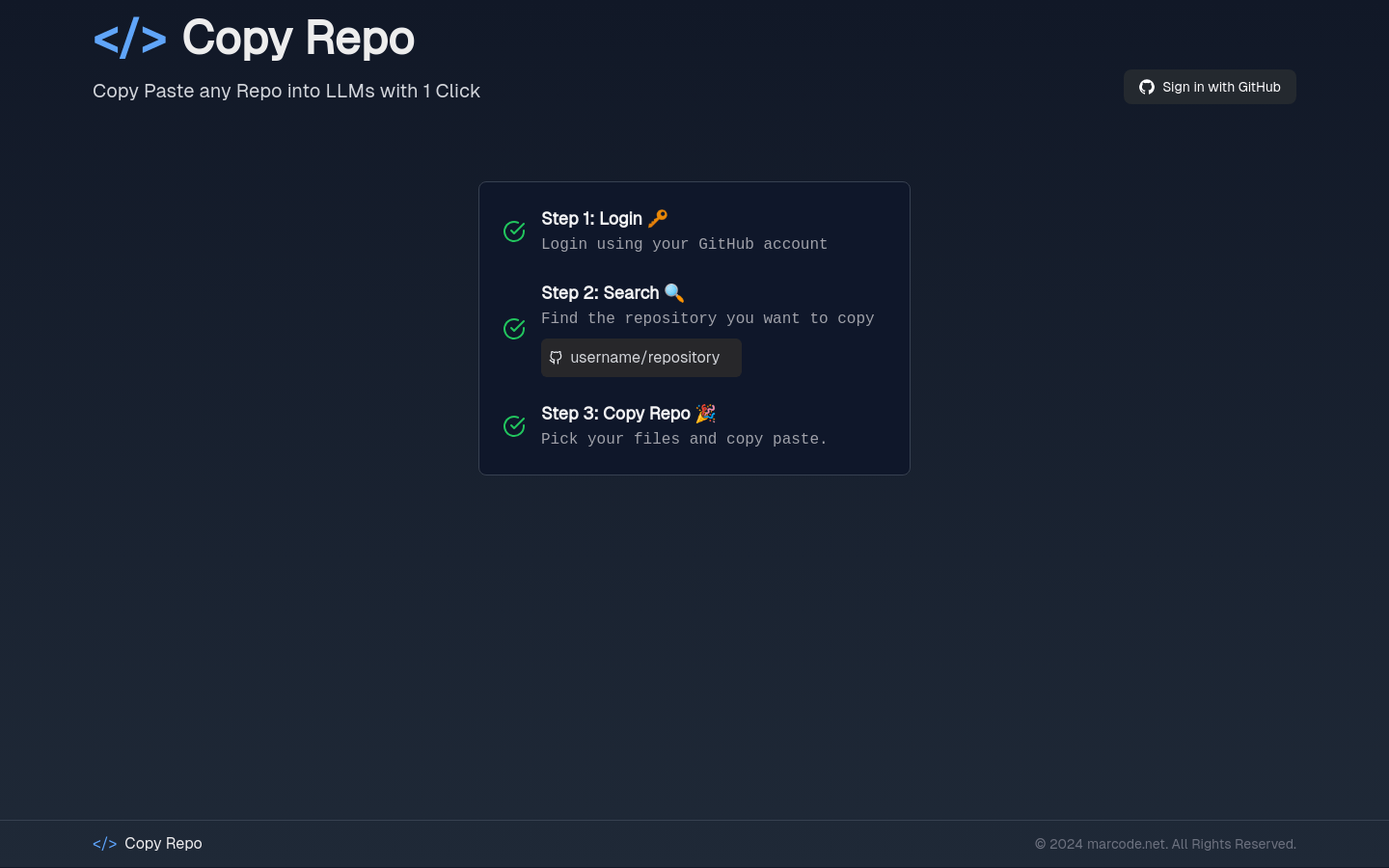
Screenshot archived from the listing page, for preview only.