
Domain Rank App
Domain analysis and SEO trackingUnderstand your domain, lift rankings
Highlights
What you can do with it
- A small e-commerce site checks domain authority, finds SEO issues, and works to raise traffic.
- An SEO consultant analyzes a client's domain and competitors to build an optimization plan.
- A marketing team reviews traffic sources on the company site and adjusts channels.
How to use it
- 1 Open domainrank.app in your browser.
- 2 Register an account or log in if you already have one.
- 3 Enter the domain you want to analyze.
- 4 Run the analysis and review the metrics and suggestions.
- 5 Track rankings and traffic over time to measure progress.
Who it is for
Pros
- Covers authority, rankings, keywords, and traffic in one place.
- Some features are available for free.
- Competitor and regional data support targeted strategy.
Limitations
- Advanced features may sit behind a paywall, and the split is not fully detailed here.
- Ranking and traffic data can lag real-world changes.
- Reading the metrics well still takes some SEO knowledge.
What Domain Rank App is
Domain Rank App is a tool built specifically for domain analysis. Its purpose is to help website owners and SEO practitioners understand how a domain performs in search engines and where to improve next. The tool studies domain authority, tracks ranking changes, and reviews a wide set of traffic and keyword metrics, then turns those findings into actionable SEO suggestions. Some functions are free to use, while more advanced analysis may require a paid plan. The value of a tool like this is that it swaps guesswork for data, so decisions about content and optimization rest on evidence instead of instinct, and you can see progress as rankings move.
What you can do with it
- Analyze domain authority to see how much influence a domain holds in search results.
- Track ranking changes over time so you can react before traffic drops.
- Review monthly visits, bounce rate, page views per visit, and visit duration in one view.
- Break down traffic sources such as search, direct visits, referrals, and social media.
- Study keyword traffic, search volume, and CPC, and run competitor and regional analysis.
Who it is for
- Website owners who want a clear picture of how their own domain performs.
- SEO practitioners who need structured analysis and suggestions for client work.
- Digital marketers who compare competitor domains and study traffic channels.
What to watch out for
The site says some functions are free and advanced ones may need payment, but it does not spell out exactly where that line sits, so the free rules can shift. Search and traffic figures are estimates that may lag behind real-time results, so treat them as guidance rather than exact truth. The tool also delivers the most value when you already understand basic SEO, because turning raw metrics into a working strategy still takes skill and steady follow-through over time. It reports on a domain, but it does not make the changes for you.
FAQ
Can I use Domain Rank App for free?
Some functions are free, while more advanced features may require a paid plan.
What metrics does it report?
It covers domain authority, rankings, monthly visits, bounce rate, page views, visit duration, traffic sources, keywords, and regional data.
Does it analyze competitors?
Yes, it can analyze competitor domains to show their strengths and weaknesses for your strategy.
Why it is free
What the official page says: for free
Free limits, trial length and features are decided by the official site and can change at any time.
Product preview
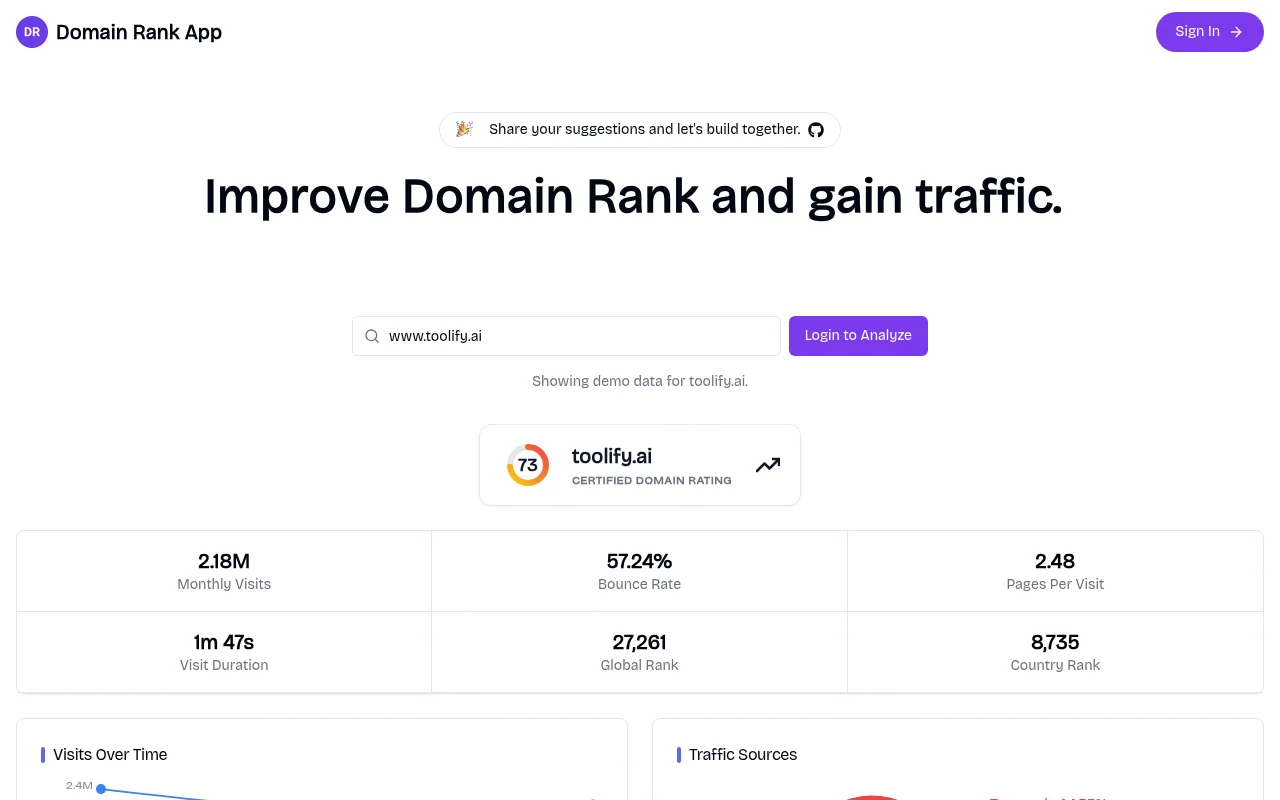
Screenshot archived from the listing page, for preview only.











