
Due Gooder
AI tool that turns syllabi into study calendarsNever miss a deadline again
Highlights
What you can do with it
- Parse a syllabus into calendar deadlines
- Plan study time with AI suggested start dates
- Keep all courses organized in one calendar
How to use it
- 1 Register and upload your syllabus.
- 2 Review or edit the extracted assignments and dates.
- 3 Add them to Google Calendar or Due Gooder Calendar.
- 4 Use suggested start dates and filter by course.
Who it is for
Pros
- Automates the tedious calendar entry
- Syncs with Google Calendar
- AI suggested start dates aid planning
Limitations
- Free trial is limited; full use may be paid
- Extraction can need manual fixes
- Depends on a clear, readable syllabus
What Due Gooder is
Due Gooder is a tool that helps students manage course assignments and study schedules. You upload a course syllabus and it uses AI to extract assignments and due dates, which you can confirm or edit for accuracy before adding them to Google Calendar or the Due Gooder Calendar. It offers AI suggested start dates to help you plan study time, lets you filter the calendar by course, and syncs with Google Calendar for reminders across devices. You can also share an assignment calendar link with classmates and earn rewards. It targets students who want to avoid missed deadlines, and a free trial is available.
What you can do with it
- Parse a syllabus into dated assignments automatically.
- Confirm or edit extracted dates for accuracy.
- Sync everything to Google Calendar for reminders.
- Plan study time with AI suggested start dates.
Who it is for
- Students juggling multiple courses and deadlines.
- Anyone who misses deadlines from disorganization.
- Study groups that want a shared assignment calendar.
What to watch out for
AI extraction can misread a syllabus, so review and fix dates before you trust them for real deadlines. The free trial is limited, and full use may move to a paid plan. It also depends on a clear, readable syllabus; scanned or messy documents will give weaker results, so plan to check the output. For team use, agree on naming and editing conventions in advance to avoid version conflicts or duplicated work. Name and archive exported files consistently so you can find and reuse them, and keep a backup copy of key data. When quality matters, export a small draft first to confirm the result before producing the final file.
FAQ
What does Due Gooder do?
It extracts assignments and due dates from a syllabus and syncs them to a calendar.
Does it work with Google Calendar?
Yes, it syncs with Google Calendar and its own calendar.
Is there a free trial?
Yes, Due Gooder offers a free trial option.
Why it is free
What the official page says: free trial
Free limits, trial length and features are decided by the official site and can change at any time.
Product preview
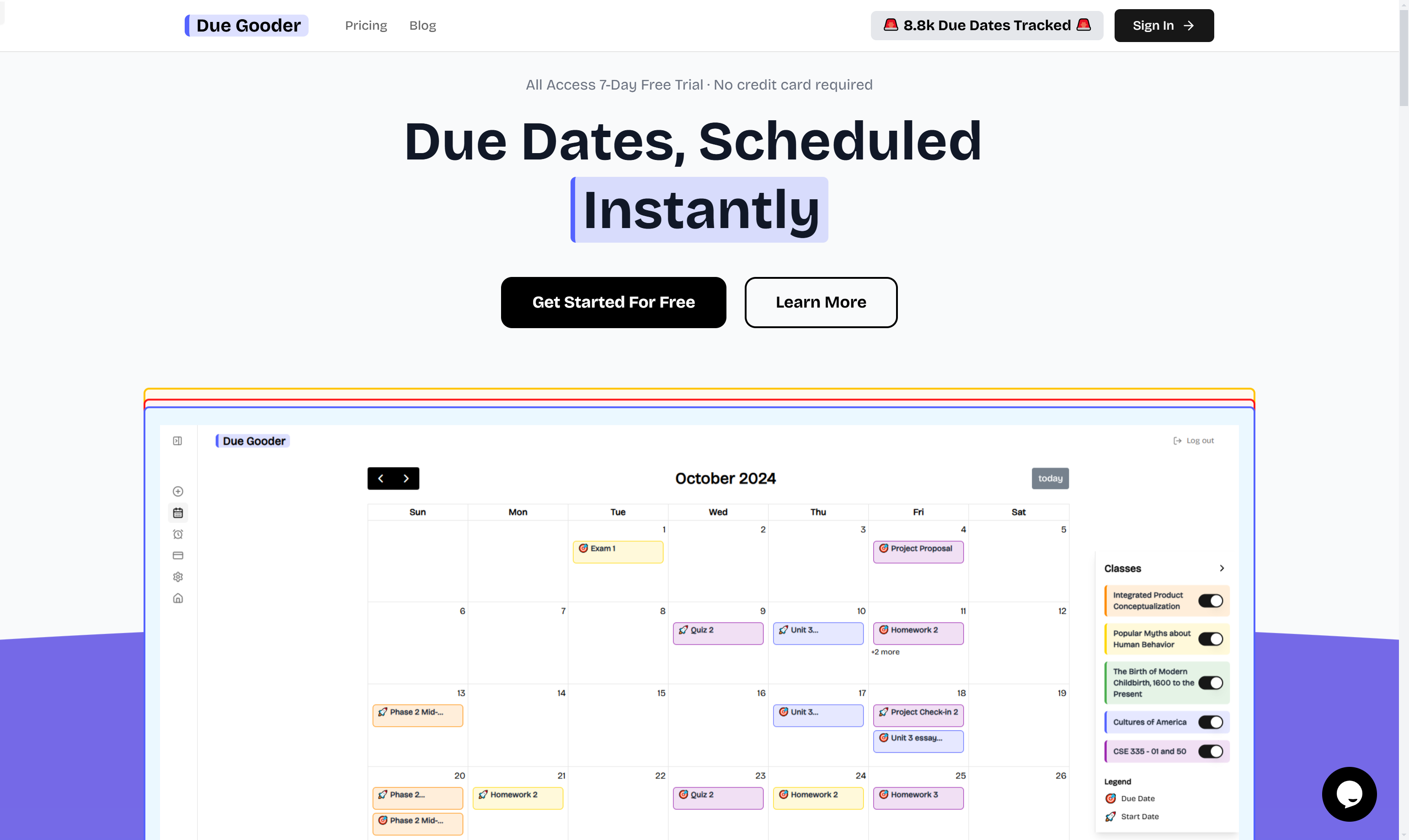
Screenshot archived from the listing page, for preview only.











