Ecom Agent Tools
Directory and comparison site for e-commerce AI toolsFind the right AI tool for your store workflow
Highlights
What you can do with it
- Store owners research customer service AI under Customers and Retention
- Content teams compare product description generators using published tests
- Operations managers find inventory forecasting prompts for peak season
- Analysts look for demand planning and profit tools in one place
How to use it
- 1 Open ecomagenttools.com in your browser
- 2 Pick the workflow area you want to improve
- 3 Search for a tool name or keyword such as inventory forecasting
- 4 Filter by prompts, skills or SaaS tools and sort by rating or popularity
- 5 Read the reviews, then visit the tool's site to try it
Who it is for
Pros
- Free to browse with no registration required
- Workflow-first organization avoids jargon
- Ratings and editorial reviews sit next to pricing and features
- Comparison articles show how tools perform in practice
Limitations
- It is a directory, so the tools themselves are third-party services
- Ratings and reviews reflect user submissions, not guarantees
- Coverage focuses on e-commerce, so general-purpose needs fit less well
- Free access and listings can change as tools come and go
What Ecom Agent Tools is
Ecom Agent Tools is a navigation and comparison site for AI in e-commerce. Rather than listing software in a flat catalog, it organizes resources around the eight workflow areas sellers deal with every day: market and product research, products and content, stores and conversion, marketing and acquisition, customers and retention, supply chain and fulfillment, data and profit, and automation and integration. Inside those categories you will find AI tools, smart agents, reusable skills and ready-made prompts. Each entry includes a community rating, an editorial review and practical details such as functions, pricing and points to watch. The site also publishes comparison tests and guides written by e-commerce practitioners, and it is free to browse without registration.
What you can do with it
- Browse resources by workflow area instead of by technical category
- Filter by type: prompts, skills, SaaS tools and more
- Compare ratings, reviews, pricing and feature lists side by side
- Read practitioner comparison tests and operation guides
- Jump to a tool's own site once you have a shortlist
Who it is for
- Store owners and entrepreneurs who want results without learning AI jargon
- Operations and marketing staff comparing tools before a purchase
- Product managers and content creators producing listings and descriptions
- Supply chain and data analysts hunting for forecasting and planning tools
What to watch out for
This is a directory, not the tools themselves: everything it links to is a third-party service with its own pricing, terms and uptime, and your experience depends on that vendor rather than on the listing page. Ratings and reviews come from community submissions and editorial opinions, which are useful indicators but not guarantees of performance for your store. Coverage is deliberately focused on e-commerce, so general business or creative needs may be better served elsewhere. Listings change as tools launch and disappear, and free access to the directory can change too, so treat it as a research starting point and verify current details on the tool's own site before you pay.
FAQ
What is Ecom Agent Tools?
It is a free directory and comparison platform for AI tools, agents, skills and prompts used in e-commerce.
Do I need to register?
No, the site is free to access without registration.
How are resources organized?
Into eight workflow areas such as product research, content, conversion, marketing, retention, supply chain, data and automation.
Can I trust the ratings?
Ratings come from community submissions and are paired with editorial reviews, but they are opinions rather than guarantees.
Why it is free
What the official page says: 免费无需注册
Free limits, trial length and features are decided by the official site and can change at any time.
Product preview
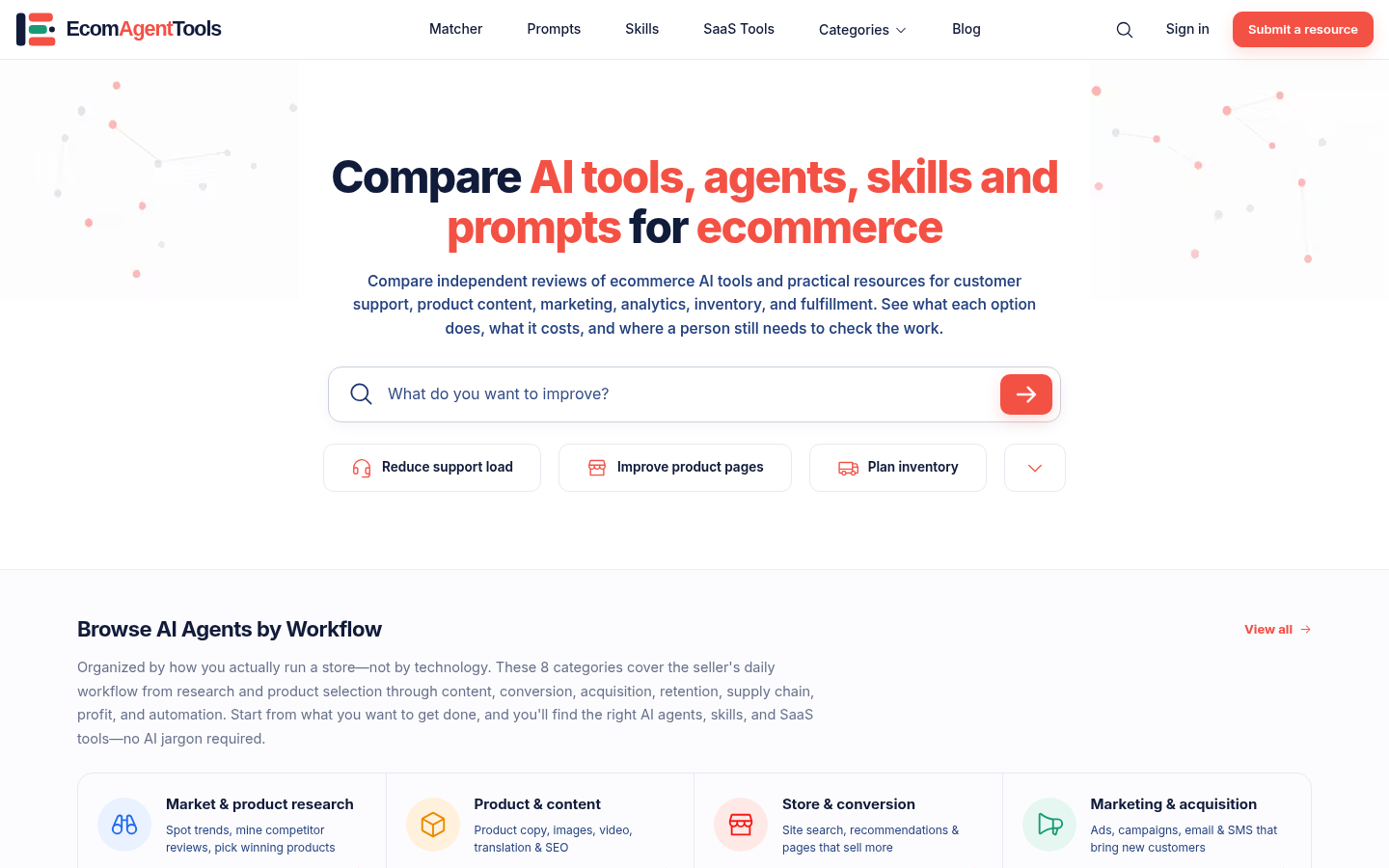
Screenshot archived from the listing page, for preview only.