ExportComments — AI Social Media Comment Exporter & Analyzer
Social media comment export and analysisExport and analyze social media comments
Highlights
What you can do with it
- A brand exports comments under a product launch post to see how audiences reacted before the next campaign.
- A creator running a TikTok giveaway exports every comment and picks a winner at random.
- A developer uses the API on the Pro and Agency plans to feed comment data into an internal dashboard.
How to use it
- 1 Sign in at exportcomments.xyz, or click Get Started Free to register a new account.
- 2 Pick the platform you want to pull comments from.
- 3 Paste the public post, video, reel, or tweet URL into the input box.
- 4 Choose an export format. Free accounts save CSV, and paid plans add Excel and JSON.
- 5 Click Export, wait for the job to finish, then download the file and run sentiment analysis on it.
Who it is for
Pros
- Five major platforms from one dashboard, with no manual copy and paste.
- The free plan includes 25 exports per month plus the Chrome extension.
- Comment count is not limited, so large threads and replies still come through.
Limitations
- Free accounts only export CSV, while Excel, JSON, and Google Sheets sit on paid plans.
- Only public posts can be exported, so private or restricted content is out of reach.
- The free quota of 25 exports per month can change, and paid features depend on plans the provider may revise.
What ExportComments is
ExportComments is a comment export and analysis tool built for social media work. It pulls comments from public posts on Facebook, TikTok, Instagram, YouTube, and X, including replies and threaded conversations, and turns them into files you can open in a spreadsheet. On top of the export it runs AI sentiment analysis, sorts comments into positive, negative, and neutral groups, and surfaces the topics that come up most often. There is a free plan that covers 25 exports per month, and a free Chrome extension that exports comments in one click while you are browsing. Paid Creator, Pro, and Agency plans add more formats, Google Sheets integration, and API access.
What you can do with it
- Export every comment under a public post, whatever the volume, including replies and threads.
- Label comments as positive, negative, or neutral and pull out recurring topics.
- Run a giveaway by exporting all comments, filtering unique users, and picking winners at random.
- Save results as CSV on the free plan, or as Excel and JSON on paid plans.
Who it is for
- Brands that want to know how audiences reacted to a launch or campaign.
- Creators who need a transparent way to choose giveaway winners.
- Developers who want comment data inside their own systems through the API.
What to watch out for
Only public posts can be exported, so anything private or restricted stays out of reach. Free accounts are limited to CSV output, and the extra formats live on paid plans, so check that your workflow does not depend on Excel or Google Sheets before you commit. The free plan gives 25 exports per month, which is fine for occasional checks but tight if you monitor several accounts daily. Quotas, formats, and pricing are set by the provider and can change, so treat the current numbers as a snapshot rather than a promise. AI sentiment labels are also a rough guide, since sarcasm, slang, and mixed language comments can be misread, so skim the raw export before you draw conclusions.
FAQ
Which platforms does ExportComments support?
Facebook, TikTok, Instagram, YouTube, and X. Public posts, videos, reels, and tweets all work.
Is there a free plan?
Yes. The free plan gives you 25 exports per month and saves results as CSV.
Can it pick giveaway winners?
Yes. Export all comments, filter by unique users, then let the tool select winners at random.
Why it is free
What the official page says: 免费免费套餐
Free limits, trial length and features are decided by the official site and can change at any time.
Product preview
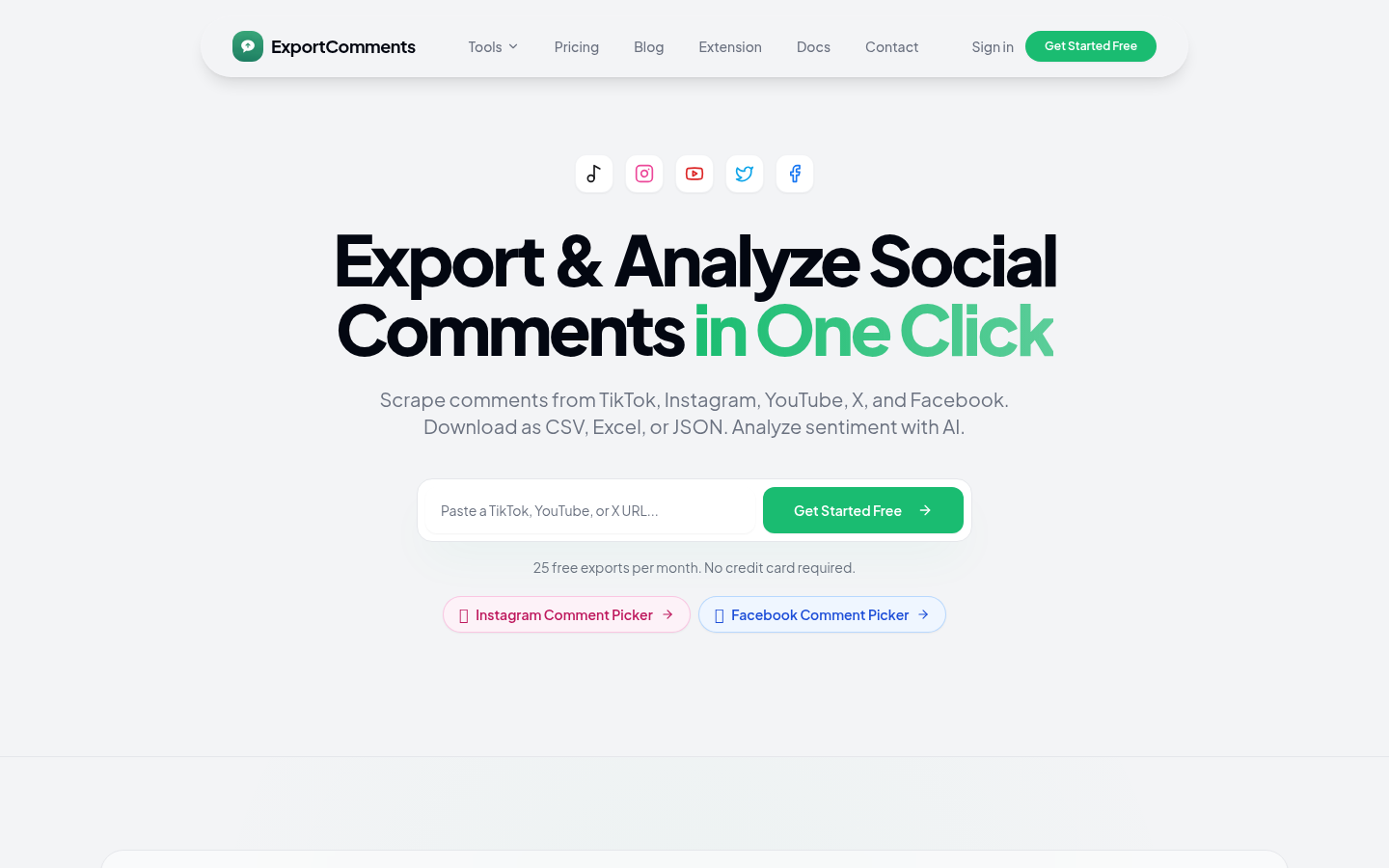
Screenshot archived from the listing page, for preview only.