
EZAudioIO
Free online AI audio toolkitRemove vocals, split tracks and transcribe audio in your browser
Highlights
What you can do with it
- A music producer splits a song into instrument tracks for remixing.
- A student turns a course recording into text notes for review.
- A karaoke fan removes vocals to practice singing along.
How to use it
- 1 Pick a tool from the homepage: vocal removal, track splitting or audio-to-text.
- 2 Upload your audio file and let the site process it online.
- 3 Download the processed audio or the text output for your next step.
Who it is for
Pros
- Free tier with a daily quota and no credit card or install required.
- Privacy-minded: 256-bit TLS, files deleted after 24 hours and not used for training.
- One platform for cleaning, splitting and transcribing, on desktop or mobile.
Limitations
- The free daily quota is limited, and heavier use needs a paid plan.
- It relies on the website staying available and on the quality of uploaded files.
- Automatic separation and transcription may not be perfect on complex mixes.
What EZAudioIO is
EZAudio is a free online AI audio tool website. You do not need to install software or provide a credit card, and you get results right after uploading a file. Its main functions are vocal removal, audio track splitting and audio-to-text conversion, which suit music production, content creation and study. The site uses 256-bit TLS encryption, deletes uploaded files after 24 hours and does not use them for AI training. A free tier gives you a daily quota, and you can move to a paid plan when you need more. It works on desktop, tablet and mobile through the same browser workspace.
What you can do with it
- Remove vocals from a song to make a karaoke backing track or practice material.
- Split a track into separate instrument or element parts for remixing and mixing.
- Turn recorded audio, such as meetings, voice notes or interviews, into readable text.
- Move between cleaning, splitting and transcription on one platform without switching apps.
Who it is for
- Musicians and karaoke creators who want quick vocal removal without installing editing software.
- Producers and mixers who need to isolate usable parts of a mix.
- Podcasters and content creators who turn recordings into text for notes and outlines.
- Students and meeting recorders converting lectures and voice memos into readable text.
What to watch out for
The free tier gives a daily quota, so heavy or frequent work will need a paid plan, and quota terms can change. The service depends on the website staying online and on the quality of the file you upload, so noisy or complex recordings may give weaker results. Automatic vocal removal and transcription are not perfect on dense mixes, and you may need to check and clean the output. Files are deleted after 24 hours, so download anything you want to keep.
FAQ
Is EZAudio free?
There is a free tier with a daily quota, and you can upgrade to a paid plan for more.
What can it do?
Vocal removal, audio track splitting and audio-to-text conversion.
Are my files private?
It uses 256-bit TLS, deletes uploads after 24 hours and does not use them for AI training.
Do I need to install anything?
No, it runs in the browser on desktop, tablet and mobile.
Why it is free
What the official page says: free tier
Free limits, trial length and features are decided by the official site and can change at any time.
Product preview
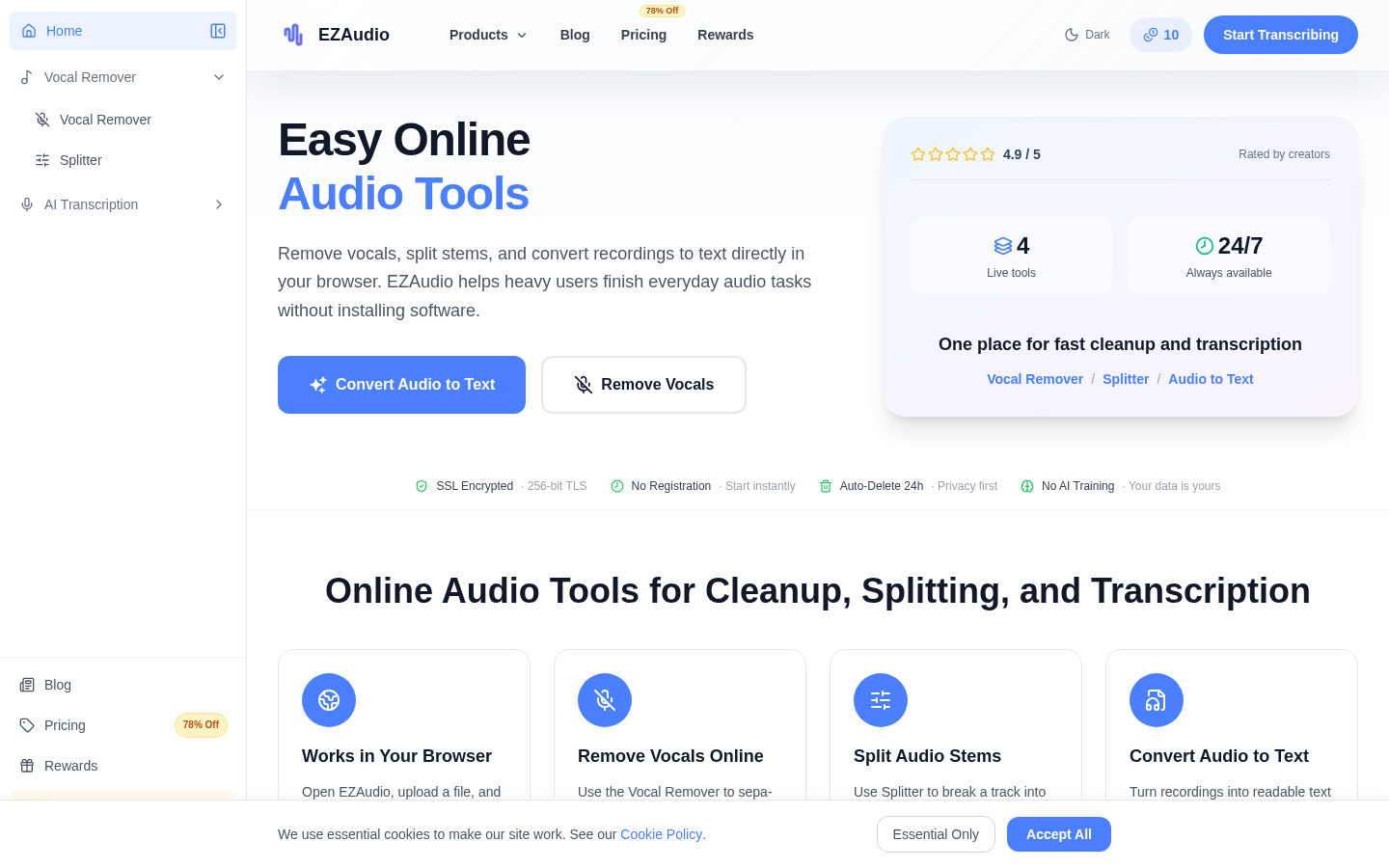
Screenshot archived from the listing page, for preview only.










