FB Group Extractor
Facebook member scraperExport Facebook group members
Highlights
What you can do with it
- Analyse the audience of a group you manage
- Research a market segment before a campaign
- Check member composition for content planning
How to use it
- 1 Install the extension in Chrome.
- 2 Open the group page and the Members tab.
- 3 Click Start Scraping to collect the details.
- 4 Export the results as XLS or CSV.
Who it is for
Pros
- Simple one click collection
- Spreadsheet export for further analysis
- A free plan is available
Limitations
- Scraping can breach Facebook's terms, and account or legal risk sits with you
- Exported personal data carries privacy obligations
- Free plan limits and site availability can change
What FB Group Extractor is
FB Group Extractor is a Chrome extension that collects member information from Facebook groups. You open the group, go to the Members tab, click Start Scraping, and it gathers fields such as names, join dates, locations, and job titles, which can then be exported as XLS or CSV. The stated uses are market research, targeted advertising, content personalisation, and customer behaviour analysis. Both free and paid plans are offered, and the extension advertises automatic error handling and continuous free updates.
What you can do with it
- Collect a member list from a group in one click.
- Export the data into a spreadsheet for analysis.
- Study audience composition before planning a campaign.
- Tailor content to what a group's members look like.
Who it is for
- Market researchers analysing a specific audience.
- Social media managers building targeting lists.
- Content creators trying to understand who is in a group.
What to watch out for
Scraping personal data from a platform can breach that platform's terms of service and, in many jurisdictions, privacy law. Facebook restricts automated collection, and accounts or extensions can be blocked as a result, with any consequences falling on you. Exported data contains personal information, so storage, consent, and purpose limitations apply. The safest use is analysing groups you own or administer, where members have a reasonable expectation that the admin can see them. Free plan limits and site availability can change at any time. Free tiers and usage limits can change, so check the current rules on the official page before relying on it long term. Processing speed depends on file size and network conditions, so retry later if a task stalls during peak hours.
FAQ
What data does it collect?
Names, join dates, locations, job titles, and similar member fields, according to the feature list.
Is there a free plan?
Yes. The description says the extension comes with both free and paid plans.
Is scraping group members allowed?
It can conflict with Facebook's terms of service and with privacy regulations. You are responsible for compliance, so only use it where you have clear permission.
Why it is free
What the official page says: 免费
Free limits, trial length and features are decided by the official site and can change at any time.
Product preview
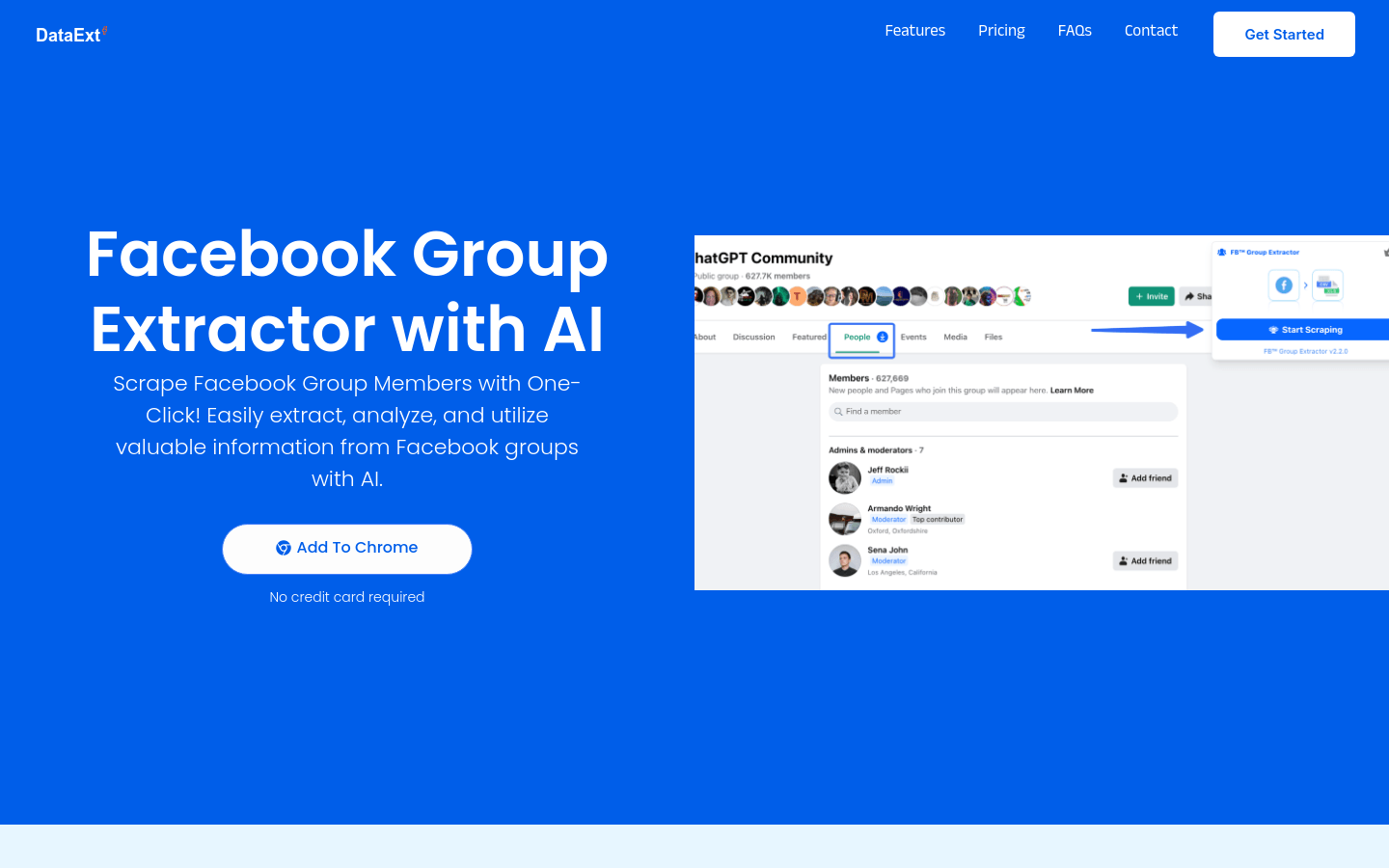
Screenshot archived from the listing page, for preview only.