
flowlist.io
AI powered personal task list toolLet AI name your tasks and next steps
Highlights
What you can do with it
- Keep a personal task list tidy without manual sorting
- Capture a creative idea and let AI shape it into a project
- Reorder a long list by dragging items where they belong
How to use it
- 1 Open flowlist.io in a browser
- 2 Type a task, idea, or note into the input
- 3 Let the AI suggest a project name and next steps
- 4 Drag items to reorder or move them between projects
- 5 Expand steps when you need more detail
Who it is for
Pros
- Very low friction: type and the AI organizes
- No complex project setup is required
- Free during the testing phase
Limitations
- Still in testing, so features may change or break
- A young domain means long term stability is unproven
- AI suggestions need human judgment before you act on them
- Free status is tied to the test phase and may not last
What flowlist.io is
flowlist.io is a small, AI driven task list website. The idea is simple: you dump in a task, an idea, or even a mood, and the AI shapes it into a project name and a motivating next step. The page says it runs on a Chat GPT model, is still in testing, and is free to use. It is aimed at people who find conventional to do apps too rigid for the way their thoughts actually arrive during a day, and who want capture to take seconds rather than minutes.
What you can do with it
- Type a raw task and get a structured project back
- Turn loose ideas or feelings into named projects with steps
- Reorder the list with drag and drop when priorities shift
- Move items between projects and expand steps when you need more detail
Who it is for
- Individuals who want a simple personal task list without ceremony
- Creative thinkers who capture more ideas than structure
- Anyone who avoids heavy project management setup and folder trees
What to watch out for
The product is explicitly in testing, which means features can change or break without warning, and the domain is young, so long term stability is unproven and data safety is not something to assume. AI suggestions are a starting point, not instructions, so apply your own judgment before acting on them, especially for anything with a deadline. The free status is tied to the test phase, so do not build important workflows on the assumption that it stays free forever. Check the live site for the current state before relying on it.
FAQ
What does flowlist.io actually do?
You enter tasks, ideas, or emotions, and the AI produces project names and motivating next steps for you.
Is it free?
The page says it is free while in the testing phase. Treat that as temporary until confirmed.
Can I organize the list myself?
Yes. Drag and drop sorting, moving items between projects, and detailed steps are all listed features.
Why it is free
What the official page says: 免费
Free limits, trial length and features are decided by the official site and can change at any time.
Product preview
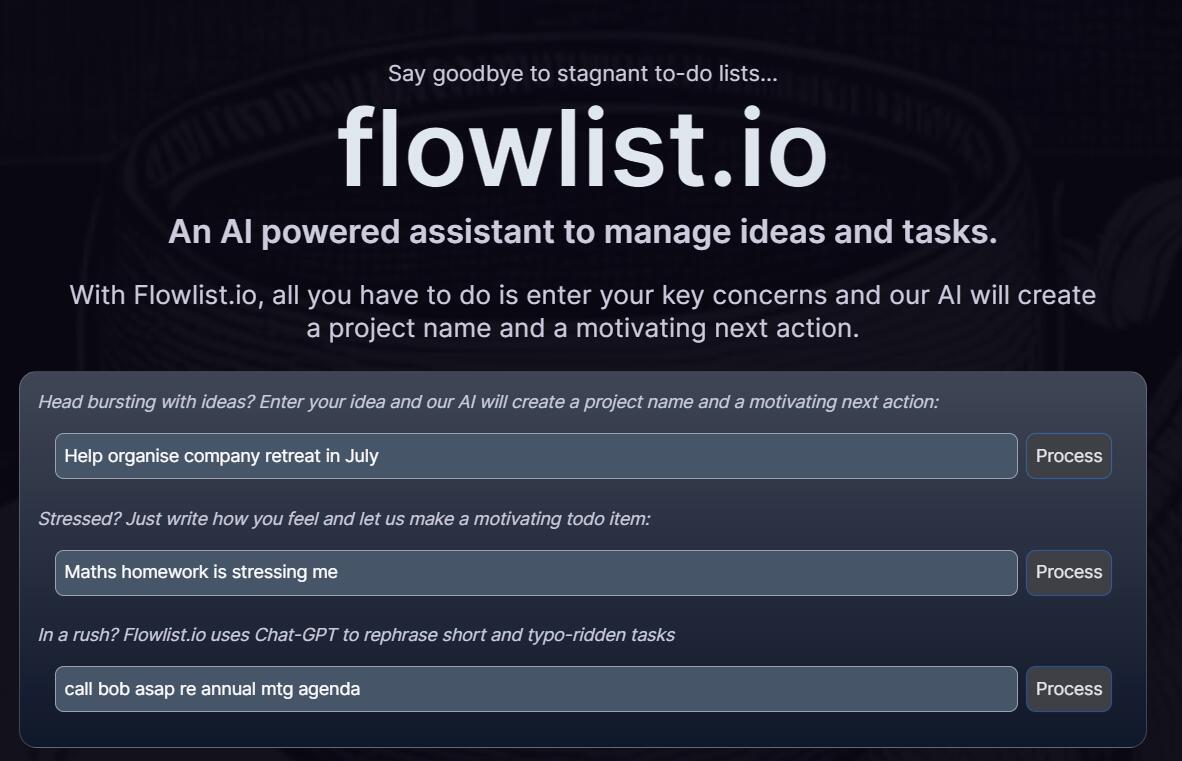
Screenshot archived from the listing page, for preview only.











