Free AI Privacy Policy & ToS Generator
Generate privacy policies and terms of serviceFree AI legal documents, no registration
Highlights
What you can do with it
- Adding a policy page to a blog
- Creating service terms for an online store
- Generating a policy for a new app
How to use it
- 1 Open the generator site
- 2 Choose privacy policy or terms of service
- 3 Answer the prompts about your site
- 4 Generate the document
- 5 Copy it onto your website
Who it is for
Pros
- Free with no registration
- Fast, few-click workflow
- Covers two common document types
Limitations
- Generated text still needs legal review
- Free rules can change at any time
- A young domain means little operating history
What Free AI Privacy Policy and ToS Generator is
This tool uses AI to draft privacy policies and terms of service for websites, blogs, and apps. The page says the service is completely free and needs no account registration, and that a document can be produced in a few clicks. It claims the output complies with legal standards. The audience it lists includes personal websites, corporate websites, blogs, online stores, and software or apps. For a new site that needs a policy page today, it removes the blank page problem and gives you a starting document you can edit. The domain is young, so treat the result as a first draft and have a qualified person check it before it goes live.
What you can do with it
- Generate a privacy policy in a few clicks
- Generate terms of service the same way
- Skip registration entirely
- Reuse the text for different sites you run
Who it is for
- Website and blog owners who need a policy page
- Online store operators writing service terms
- App developers who need a starting draft
What to watch out for
AI-drafted legal text is not a substitute for advice from a lawyer, especially if you handle payments, health data, or personal information from the EU or California. Free access and features can change without notice. The domain is new, so there is little operating history behind it, and the page has shown redirect behavior, so confirm the official location before you rely on the output for a live site. For best results, start with a small test file and review the output carefully before working on anything important.
FAQ
Is it really free?
Yes, the page says the tool is entirely free.
Do I need an account?
No registration is required.
Who is it for?
Personal sites, corporate sites, blogs, online stores, and apps.
Why it is free
What the official page says: completely free
Free limits, trial length and features are decided by the official site and can change at any time.
Product preview
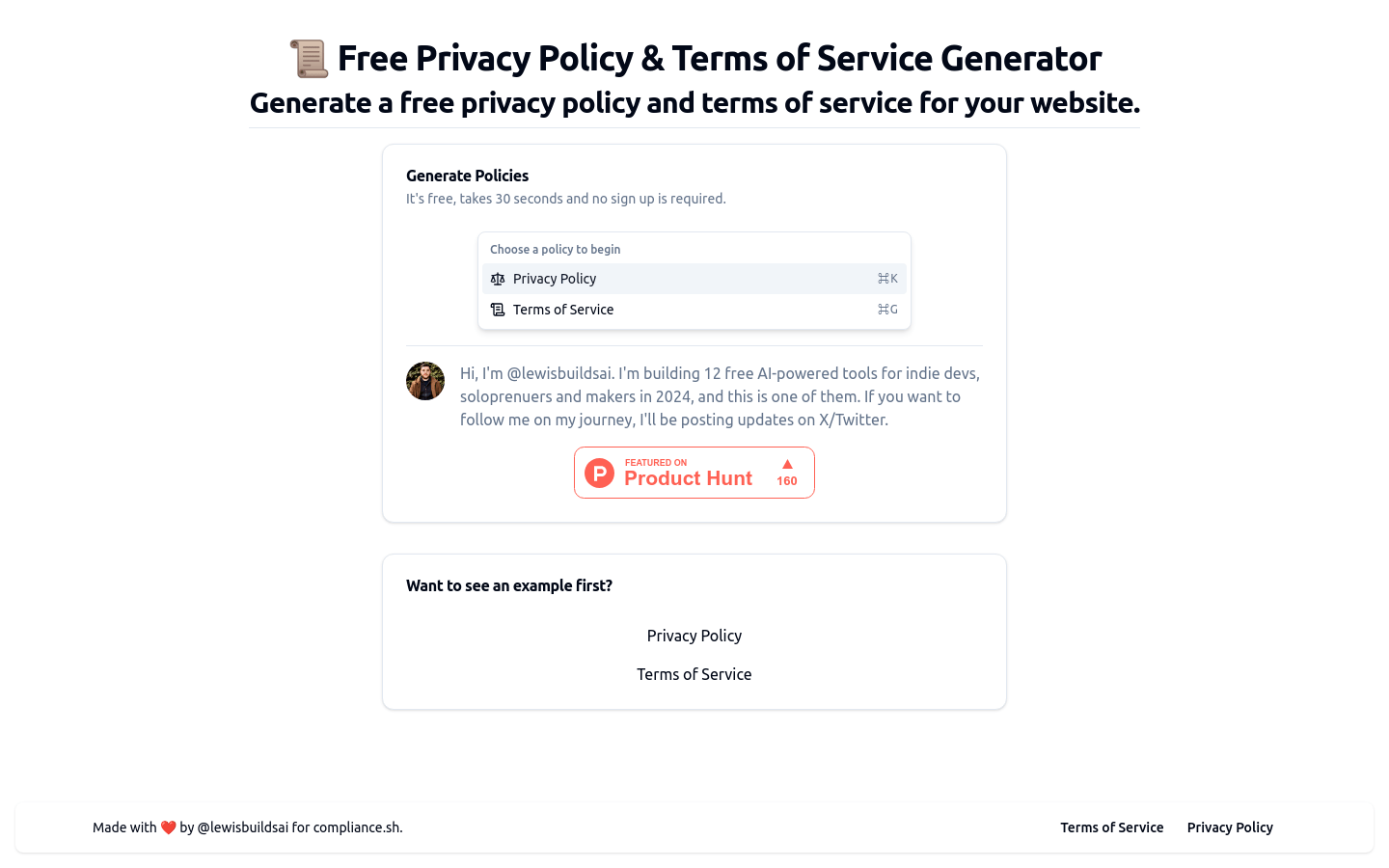
Screenshot archived from the listing page, for preview only.