
Free Blocks
Free calendar sharingShare availability and get booked
Highlights
What you can do with it
- Let a client pick a meeting slot without a long email thread
- Share family availability for a weekend plan
- Give a small team one link for booking your time
How to use it
- 1 Open Free Blocks in your browser, no account needed
- 2 Create your calendar link
- 3 Share the link with whoever needs to book you
- 4 Let them pick a free slot and confirm the booking
Who it is for
Pros
- No sign-up, so the person booking does not need an account either
- Free with nothing to install
- Removes the back and forth of agreeing on a time
Limitations
- The feature list is short, so advanced scheduling needs may not be covered
- The site has been seen redirecting, so confirm the current address before you share a link widely
- Free tools can change their rules or add paid tiers later
What Free Blocks is
Free Blocks is a free calendar sharing tool. The problem it solves is small but constant: agreeing on a time. You create a calendar link that shows when you are available, send it to whoever needs to see you, and they pick a slot instead of replying with three alternatives of their own. There is no login and no registration, and the site says the tool is completely free. That makes it quick to try in the middle of a conversation, because you are not asking the other person to sign up for anything either. It is meant for the case where two people only need to find one hour that works for both. The listing keeps the feature list short, which tells you the scope: create a link, share it, get booked.
What you can do with it
- Create a calendar link that shows your free time
- Share that link by message, email, or on a page
- Let someone book a slot without creating an account
- Use it for personal plans or a small team schedule
Who it is for
- Freelancers and consultants who book client calls
- People arranging something with friends or family
- Small teams that want one link instead of a thread
- Anyone who finds scheduling messages more tiring than the meeting itself
What to watch out for
The tool is deliberately simple, so if you need payments, reminders, automatic calendar sync, or buffer rules between bookings, check the site for what is actually supported rather than assuming. The listed address has been seen redirecting, so confirm the live URL before you print a link on a card or pin it somewhere public. If you use it for client work, keep a second way to book in case a link stops resolving. And like any free service, the terms can change, with paid tiers appearing later, so it is worth a quick look at the current page before you make it part of how you take bookings.
FAQ
Do I need an account?
No. The listing says no login or registration is required.
How does someone book me?
You create and share a calendar link, and they use it to pick a time when you are free.
Is it really free?
The site describes the tool as completely free. Since free access can change, check the site before you build a workflow around it.
Why it is free
What the official page says: completely free
Free limits, trial length and features are decided by the official site and can change at any time.
Product preview
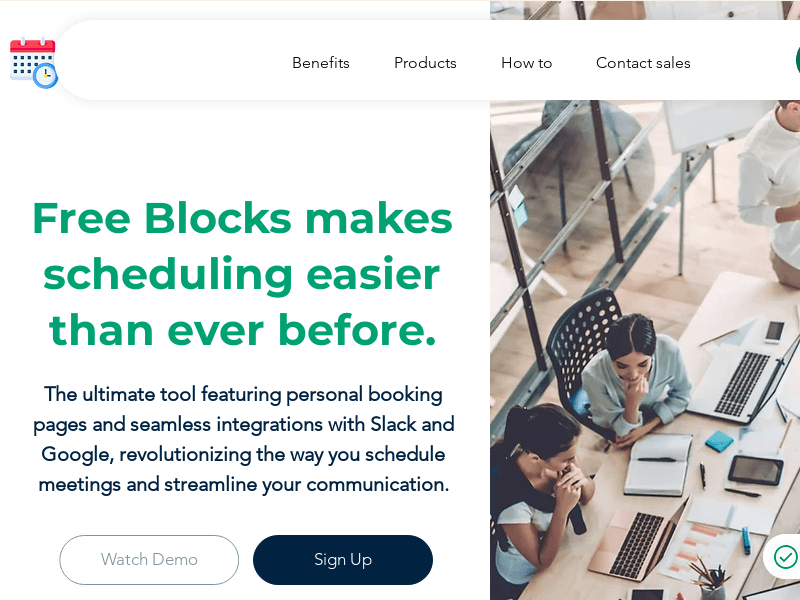
Screenshot archived from the listing page, for preview only.











