FreeSubtitles.Ai
Free speech to text and translation onlineUpload audio or video, get transcripts and translations
Highlights
What you can do with it
- Transcribe lecture recordings into readable notes
- Extract and translate subtitles from a talk video
- Translate song lyrics into another language
How to use it
- 1 Open the FreeSubtitles.Ai website
- 2 Upload your audio or video file
- 3 Wait for transcription, then choose a target language
- 4 Copy or download the finished text
Who it is for
Pros
- Handles transcription and translation in one place
- Free version available for lighter use
- Simple upload based workflow
Limitations
- The free version has usage limits on files and duration
- Higher accuracy is positioned as a paid feature
- The site returned an access restricted response when checked, so availability can vary
What FreeSubtitles.Ai is
FreeSubtitles.Ai is an online speech recognition and machine translation tool. You upload an audio or video file, it converts the speech into text, and then that text can be translated into other languages. The three core functions are speech to text, video subtitle extraction, and multilingual translation. It is built for practical jobs: a recorded English class becomes a transcript, a talk video yields subtitles, and a foreign song becomes readable lyrics.
What you can do with it
- Upload audio and get a written transcript
- Extract subtitles from a video file
- Translate transcripts into other languages
- Use the output for study notes or content work
Who it is for
- Students who record lectures and want text to revise from
- Anyone turning meeting audio into written minutes
- Creators who need subtitles in more than one language
- Language learners checking what was actually said
What to watch out for
The free version carries usage limits, and the paid version is where larger files, longer durations, and higher accuracy live, so long recordings will push you toward payment. Transcription quality depends on audio clarity, so noisy recordings need editing afterwards. Access was inconsistent when the site was checked, which matters if you plan to rely on it for a deadline. Always review machine transcripts before publishing them anywhere. Generated suggestions are for reference only, so verify anything that affects professional judgment or important data. Start with a small sample to confirm the output meets your expectations before processing the full batch. Save a backup of the original file before large batch jobs, and keep an exported copy of key results in case the page or service becomes temporarily unavailable.
FAQ
Is there a free version?
Yes, a free version with usage limits, plus a paid version with larger files and longer durations.
What can I upload?
Audio and video files. The service transcribes speech and can extract subtitles from video.
How accurate is the transcription?
The site positions higher accuracy as part of the paid version, so free results should be reviewed.
Why it is free
What the official page says: free version
Free limits, trial length and features are decided by the official site and can change at any time.
Product preview
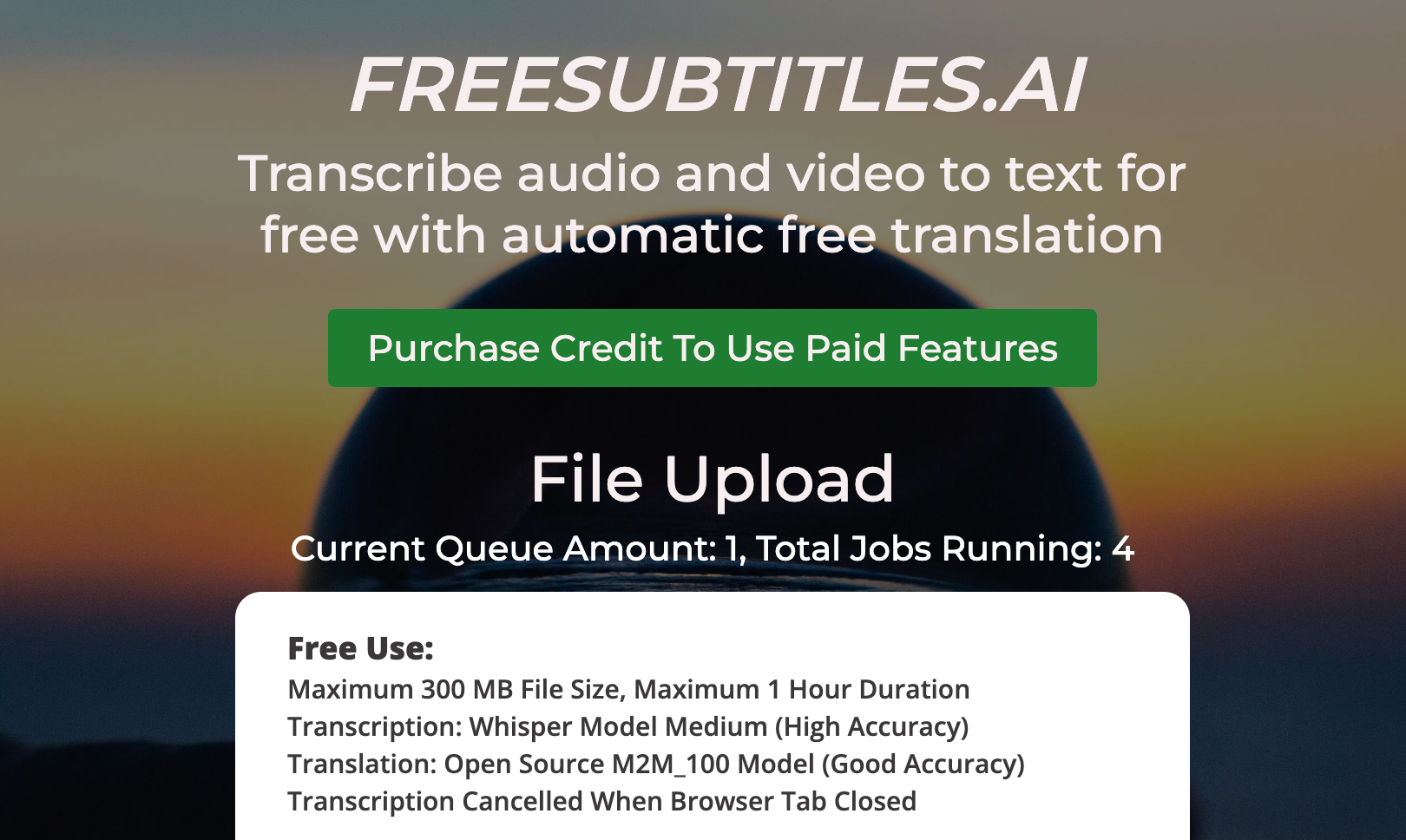
Screenshot archived from the listing page, for preview only.