GitMind
Free AI mind map and diagram toolMap ideas and diagrams in the browser
Highlights
What you can do with it
- Planning a project visually
- Taking structured notes from a lecture or meeting
- Sketching a UML diagram or flowchart
How to use it
- 1 Open GitMind and start a new map
- 2 Add nodes or start from a template
- 3 Switch diagram type if a flowchart or org chart fits better
- 4 Share the link so others can collaborate live
- 5 Export in the format you need
Who it is for
Pros
- Free core functionality
- Collaboration is built in rather than bolted on
- Covers several diagram types in one tool
Limitations
- Advanced features and usage limits sit behind paid plans
- Very large maps can get sluggish in a browser
- Exports may lose some styling or icons
What GitMind is
GitMind is a free AI-powered mind mapping and brainstorming application. You create and edit maps online, and because collaboration is real time, several people can work on the same map at once and see changes as they happen. The tool is not limited to mind maps: it also draws flowcharts, organisational charts, and UML diagrams, which makes it a reasonable single option for most simple diagramming work. Templates and an icon library are included to speed up starting a new map, and finished work exports in multiple formats.
What you can do with it
- Create and edit mind maps in the browser
- Collaborate live with other people on the same map
- Draw flowcharts, organisational charts, and UML diagrams
- Export finished work in several formats
- Start quickly from templates and icons
Who it is for
- Students turning lectures and reading into structured notes
- Project managers breaking a plan into visible pieces
- Developers and analysts sketching UML or flowcharts
What to watch out for
The free tier covers the basics, but heavier use, larger files, or team administration features generally sit behind paid plans, so check the limits against your actual workload. Large maps with many nodes and images can become slow in a browser, and a poor connection makes live collaboration frustrating. Exports are convenient but rarely perfect: fonts, icons, and custom styling sometimes shift, so review an export before you send it to a client or print it. Start with a small sample to confirm the output meets your expectations before processing the full batch. Free tiers and usage limits can change, so check the current rules on the official page before relying on it long term.
FAQ
Is GitMind free?
It is described as a free AI-powered mind map and brainstorming application.
Can several people edit at once?
Yes, real-time collaboration and sharing are listed as features.
What diagram types does it support?
Mind maps, flowcharts, organisational charts, and UML diagrams.
Why it is free
What the official page says: 免费
Free limits, trial length and features are decided by the official site and can change at any time.
Product preview
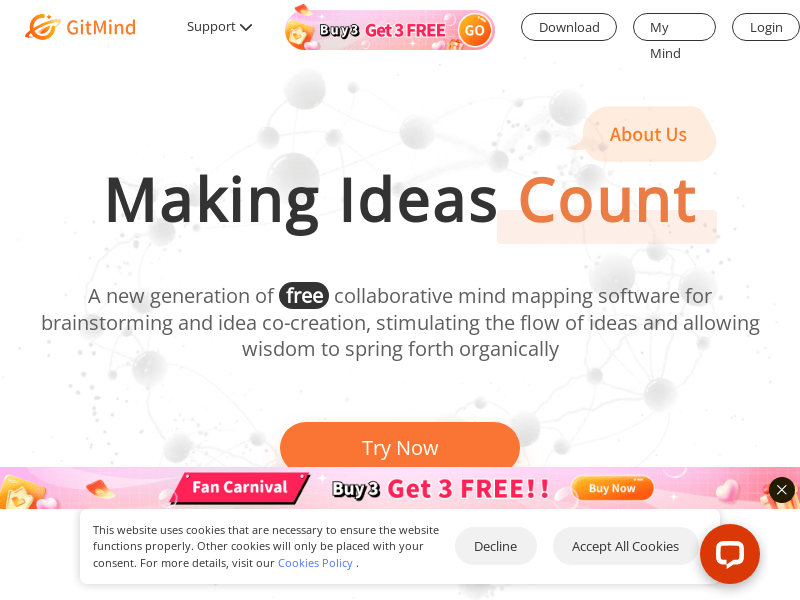
Screenshot archived from the listing page, for preview only.