GPT Food Cam
iOS app that logs meals and estimates calories by photoSnap your food, let AI estimate the calories
Highlights
What you can do with it
- Daily diet tracking without manual entry
- A personal trainer helping clients log intake
- Monitoring eating habits over time
How to use it
- 1 Download GPT Food Cam on an iOS device
- 2 Photograph each meal with the in-app camera
- 3 Read the AI calorie range for the food
- 4 Add a text prompt if the estimate looks off
- 5 Review the photo stream and add the home screen widget
Who it is for
Pros
- Free to download, with ads covering the cost
- Photo logging is faster than typing entries
- Widget and shortcuts make daily use quick
Limitations
- Calorie numbers are estimates, not exact values
- Daily AI estimates are limited to control costs
- iOS only, and availability covers select regions
What GPT Food Cam is
GPT Food Cam is an iOS app that uses AI to help you log meals and estimate calories. You open the camera, photograph your food, and the app estimates a calorie range using the Google Gemini Flash model, according to the site. You can add text prompts to help the estimate, and the number of daily AI estimates is limited to keep costs under control. The app is free to download in regions such as the United States, Canada, and Japan, with ads shown in your food photo stream. It is built for people who want a low-friction way to stay aware of what they eat.
What you can do with it
- Log a meal in seconds by photographing it
- Read an AI calorie range for the food on the plate
- Add text prompts to push the estimate in the right direction
- Review the daily photo stream and use the home screen widget
Who it is for
- People who want to track calories with less typing
- Personal trainers helping clients keep food logs
- Health-conscious users building awareness of their habits
What to watch out for
The calorie figures are estimates rather than measurements, so treat them as rough guidance and confirm anything important another way. Daily AI estimates are limited, which matters if you log many meals. The app is iOS only and availability covers select regions, and the ads in the photo stream are part of how the free app stays free. Name and archive exported files consistently so you can find and reuse them, and keep a backup copy of key data.
FAQ
Is GPT Food Cam free?
The app is free to download in supported regions and covers costs with ads in the food photo stream.
How accurate are the calorie estimates?
They are estimates. The site says precision improves over time through optimization and user feedback.
Can I improve the estimate?
Yes, you can add food prompts to help the AI make a better guess.
Which devices does it support?
It is an iOS app, with shortcuts and home screen widgets for quick access.
Why it is free
What the official page says: for free
Free limits, trial length and features are decided by the official site and can change at any time.
Product preview
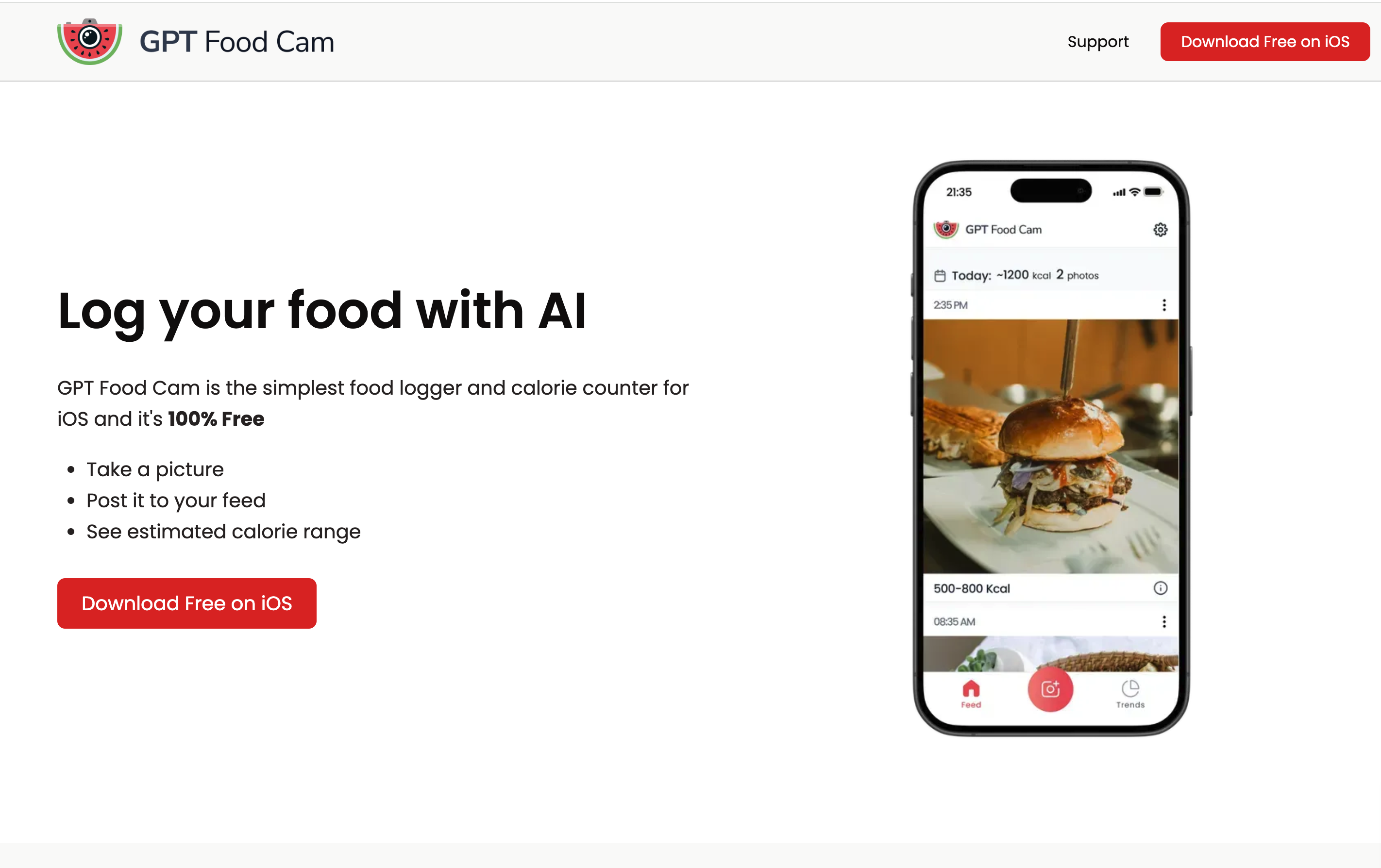
Screenshot archived from the listing page, for preview only.