GPU Container Service Platform
On-demand GPU containers for AILow-cost GPU power for AI work
Highlights
What you can do with it
- Students completing AI model training in class
- Companies deploying AI models and speeding up iteration
- Research teams training deep learning models
How to use it
- 1 Register on the site and complete identity verification
- 2 Choose the GPU type and quantity you need
- 3 Select a billing method and review the cost
- 4 Launch your computing task and monitor usage in real time
Who it is for
Pros
- Free trial lowers the barrier to trying GPU compute
- Educational pricing supports teaching and coursework
- Team mode helps allocate costs across a group
Limitations
- The free trial is limited in time or resources
- Long training jobs add up in cost quickly
- Some cloud and container knowledge is needed to use it well
What the GPU Container Service Platform is
This platform provides GPU computing power through containers, aimed at people who need serious compute for large AI models but do not want to buy hardware. It is built around an on-demand billing model, so you pay for the GPU time you actually use instead of reserving capacity you may not need. There are multiple GPU card options to match different workloads, shared storage for data that several jobs need to reach, real-time monitoring of usage, and a team mode that makes cost allocation across a group simpler. New users get a free trial, and educational users are offered lower pricing to support teaching.
What you can do with it
- Launch GPU containers for model training and inference
- Choose the GPU type and quantity that fits your job
- Keep data in shared storage accessible to your tasks
- Monitor usage in real time and allocate costs in team mode
Who it is for
- Students and educators who need affordable GPU access for coursework
- AI teams that want to deploy models without buying hardware
- Research groups training deep learning models on a budget
What to watch out for
The free trial is limited, so plan the move to paid use before a long job starts, because GPU time is expensive and costs accumulate quickly on big training runs. Using containers comfortably assumes some familiarity with cloud environments, Linux, and your training stack, so beginners should expect a learning period. Shared storage and monitoring help, but they do not remove the need to design your jobs well, since a misconfigured run can waste paid compute. Check the current GPU availability and pricing before committing to a schedule, because capacity and rates change.
FAQ
What is this platform?
It is a GPU container service that provides low-cost, high-performance computing for large AI models.
Is there a free trial?
Yes, new users can enjoy a free trial on first use, and educational users get lower pricing.
What features does it include?
On-demand billing, multiple GPU options, shared storage, real-time monitoring, and a team mode for cost allocation.
Why it is free
What the official page says: free trial
Free limits, trial length and features are decided by the official site and can change at any time.
Product preview
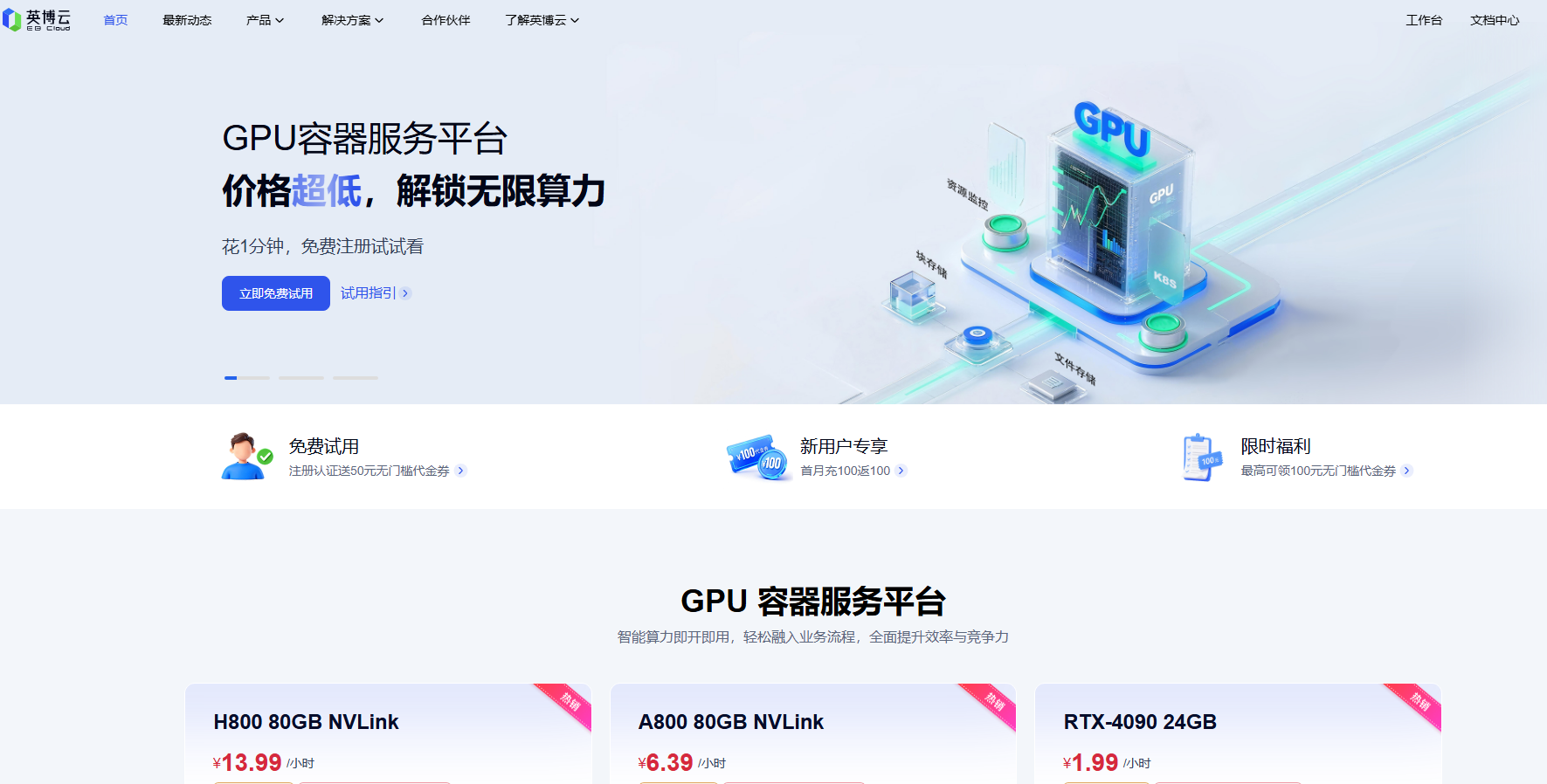
Screenshot archived from the listing page, for preview only.