
Hand OCR
Free online OCR, image and PDF to textTurn images and PDFs into editable text, no login
Highlights
What you can do with it
- Digitize paper invoices and receipts for record keeping
- Turn handwritten class notes or whiteboard photos into text
- Import business cards from photos into a contact list
How to use it
- 1 Open handocr.com in your browser.
- 2 Upload an image or PDF, or drag in up to ten files at once.
- 3 Let the tool auto-detect the language and read the text.
- 4 Copy or export the recognized text, then use the summarizer or rewriter if needed.
Who it is for
Pros
- No registration or login; it runs directly in the browser
- Handles images and PDFs, including handwriting
- Batch processing plus built-in summarize and rewrite tools
Limitations
- OCR accuracy can vary with handwriting and complex layouts
- The free, no-login model may change over time
- Batch size is capped at ten files per run
What HandOCR is
HandOCR is an online OCR, or optical character recognition, tool that converts images and PDFs into editable text. It runs in the browser, and according to the site it needs no registration and no login, so you can process a file directly. It supports mainstream image formats such as JPG, PNG, and WebP, extracts text from PDFs with batch upload, and is optimized to read handwritten notes and whiteboards. The system automatically detects the language in the image so you do not have to switch settings by hand, and it can handle up to ten files in one run. Alongside OCR, it offers an AI summarizer and an AI rewriter, and the site presents the service as free.
What you can do with it
- Pull text out of screenshots, scans, and receipts.
- Convert PDF documents into editable text in a batch.
- Read handwritten notes and classroom whiteboards.
- Summarize or rewrite the text once it is extracted.
Who it is for
- Finance and admin staff digitizing invoices and receipts.
- Students turning handwritten notes into editable files.
- Sales and professionals capturing details from photos.
What to watch out for
OCR is not perfect, and accuracy can drop on messy handwriting, unusual fonts, or complex page layouts, so plan to review the output. The service leans on a free, no-login model, which can change, so the current access is not guaranteed to last. Batch runs are capped at ten files, so large jobs need to be split. Because it is a browser tool, it also depends on the site staying online and on the models behind it remaining available.
FAQ
Do I need an account to use HandOCR?
No. The site says it works without registration or login.
Can it read handwriting?
Yes, it is optimized for handwritten notes and whiteboards, though accuracy can vary.
How many files can I process at once?
The site says you can upload up to ten images or PDF files at a time.
Why it is free
What the official page says: 免费无需注册免登录
Free limits, trial length and features are decided by the official site and can change at any time.
Product preview
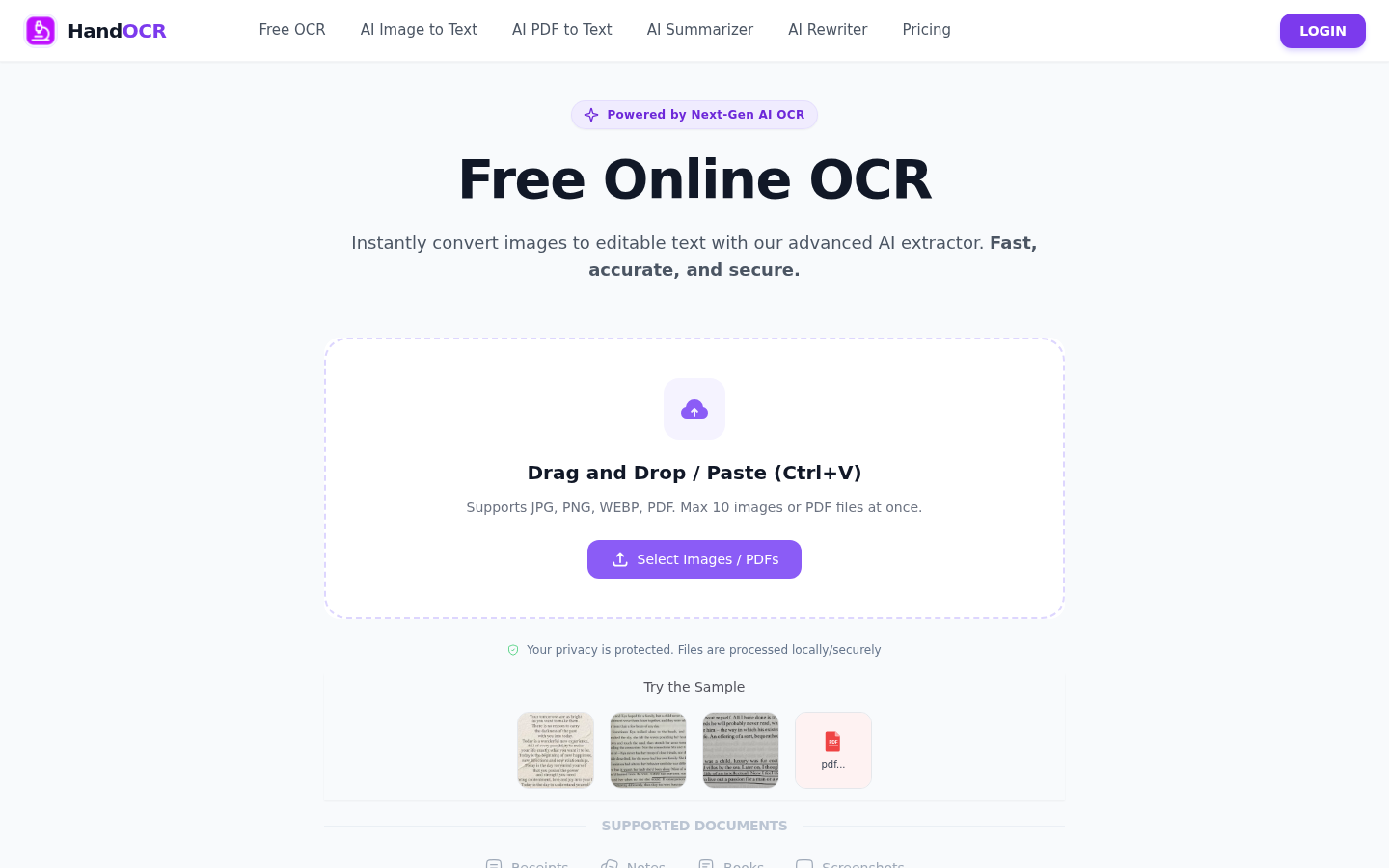
Screenshot archived from the listing page, for preview only.











