HideMyAI
AI rewriter that avoids detectorsRewrite AI text to read human
Highlights
What you can do with it
- Reworking a rough AI draft into smoother, more natural prose.
- Adjusting tone so generated text sounds less robotic.
- Testing how rewritten text reads against AI detectors.
How to use it
- 1 Paste your AI-generated text into HideMyAI.
- 2 Choose how heavily you want the text rewritten.
- 3 Run the rewrite and review the natural-sounding output.
- 4 Register for a free account if you need higher usage limits.
Who it is for
Pros
- Free tier available with no-cost access to basic rewriting.
- A free account raises usage limits without paying.
- Supports multilingual processing and document upload on premium plans.
Limitations
- Using it to disguise AI work may violate school or platform rules, and any consequences fall on the user.
- Free usage is limited until you register, and premium features sit behind paid plans.
- Detection tools keep changing, so results are never guaranteed.
What HideMyAI is
HideMyAI is a tool that rewrites AI-generated text so it reads more like natural human writing. Its stated goal is to make AI content undetectable by AI detectors and to turn stiff, robotic output into smoother, more natural prose. There is a free tool with limited usage, and you can register a free HideMyAI account to unlock higher limits without paying. Premium plans add features such as multilingual processing, document upload, and a stronger level of rewriting for people who need more volume and control. The tool is positioned for anyone who works with AI writing often and wants the output to feel less mechanical, as if a person wrote it rather than a model.
What you can do with it
- Rewrite AI-generated drafts into more natural, human-sounding text.
- Adjust how heavily the text is changed to suit your needs.
- Process content in multiple languages on premium plans.
- Upload documents instead of only pasting text into a box.
- Compare the rewritten output against the original to check the tone.
Who it is for
- Writers and editors who want to polish rough AI drafts.
- Users who need generated text to sound less robotic.
- People who want to see how rewritten text performs against detectors.
What to watch out for
This kind of tool sits in a sensitive area. Using it to disguise AI-generated work may violate school or platform rules, and any consequences, such as academic penalties or account action, fall on the user rather than the tool. Free usage is limited until you register, and the more advanced features sit behind paid plans, so heavy users should expect to pay. AI detection systems keep changing, so no rewrite is guaranteed to pass every checker, and results can shift as detectors update. Treat any claim of being undetectable as an effort, not a promise, and read your school or platform policy before you rely on it.
FAQ
Is HideMyAI free?
It offers a free tool with limited usage, and you can register a free account for higher limits; some features need a premium plan.
What does it actually do?
It rewrites AI-generated content into text that reads more like natural human writing and is intended to avoid AI detection systems.
Is it safe to use for schoolwork?
Using it to hide AI writing can break school or platform rules, and any penalties are the user's responsibility, so check your institution's policy first.
Why it is free
What the official page says: 免费
Free limits, trial length and features are decided by the official site and can change at any time.
Product preview
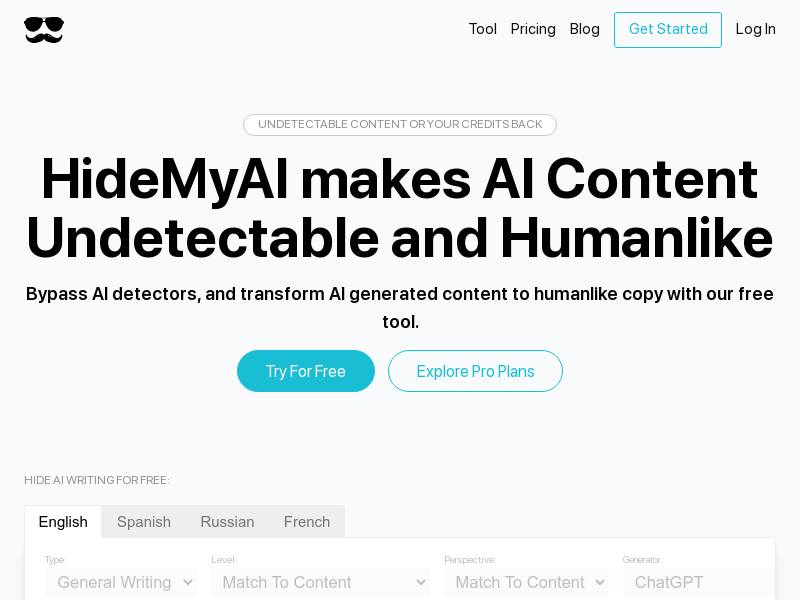
Screenshot archived from the listing page, for preview only.