Hoocs AI
Fast AI transcription toolAudio and video to text, fast
Highlights
What you can do with it
- A journalist transcribing an interview live
- A student generating notes from a lecture video
- A team capturing meeting summaries and actions
How to use it
- 1 Upload a file or paste a link
- 2 Click transcribe and wait for processing
- 3 Edit the text and generate a summary
- 4 Export or share the result
Who it is for
Pros
- Fast processing with a real-time option
- Many export formats
- Free trial of 300 minutes
Limitations
- Trial minutes limit heavy testing
- Accuracy drops with poor audio
- A paid subscription is needed for ongoing use
What Hoocs AI is
Hoocs AI is a transcription tool based on artificial intelligence. It converts audio and video into text, summaries, and subtitles across 130 languages. The core technology is advanced AI algorithms that deliver high accuracy and fast processing, with the service claiming speeds up to 10 times faster than traditional methods. You can upload common formats such as MP3, MP4, M4A, MOV, and WAV, paste a link, or record in real time for interviews, speeches, and calls. Processing uses end-to-end encryption to protect privacy.
What you can do with it
- Transcribe uploaded files, pasted links, or live recordings
- Generate summaries, key highlights, and custom extracts
- Edit transcripts online before export
- Export results as docx, xlsx, srt, or txt
Who it is for
- Journalists turning audio into manuscripts quickly
- Students creating searchable notes from lectures
- Business teams capturing meeting decisions and actions
- Creators repurposing video and audio content
What to watch out for
The free trial provides 300 minutes, which is enough for evaluation but not for ongoing production, so a paid subscription is needed for regular use. Accuracy depends on audio quality, so background noise, crosstalk, and unclear speech reduce results. Real-time transcription needs a stable connection. Always review names, numbers, and technical terms before you publish a transcript. Start with a small sample to confirm the output meets your expectations before processing the full batch. Free tiers and usage limits can change, so check the current rules on the official page before relying on it long term. Run one full task end to end first, then expand once you are comfortable with the workflow and the result quality.
FAQ
How many languages are supported?
130 languages can be transcribed accurately, meeting the needs of global users.
Is there a free trial?
Yes, a free trial of 300 minutes is available before choosing a paid subscription.
What formats can I export?
Results can be exported as docx, xlsx, srt, or txt files, and can also be shared.
Why it is free
What the official page says: free trial
Free limits, trial length and features are decided by the official site and can change at any time.
Product preview
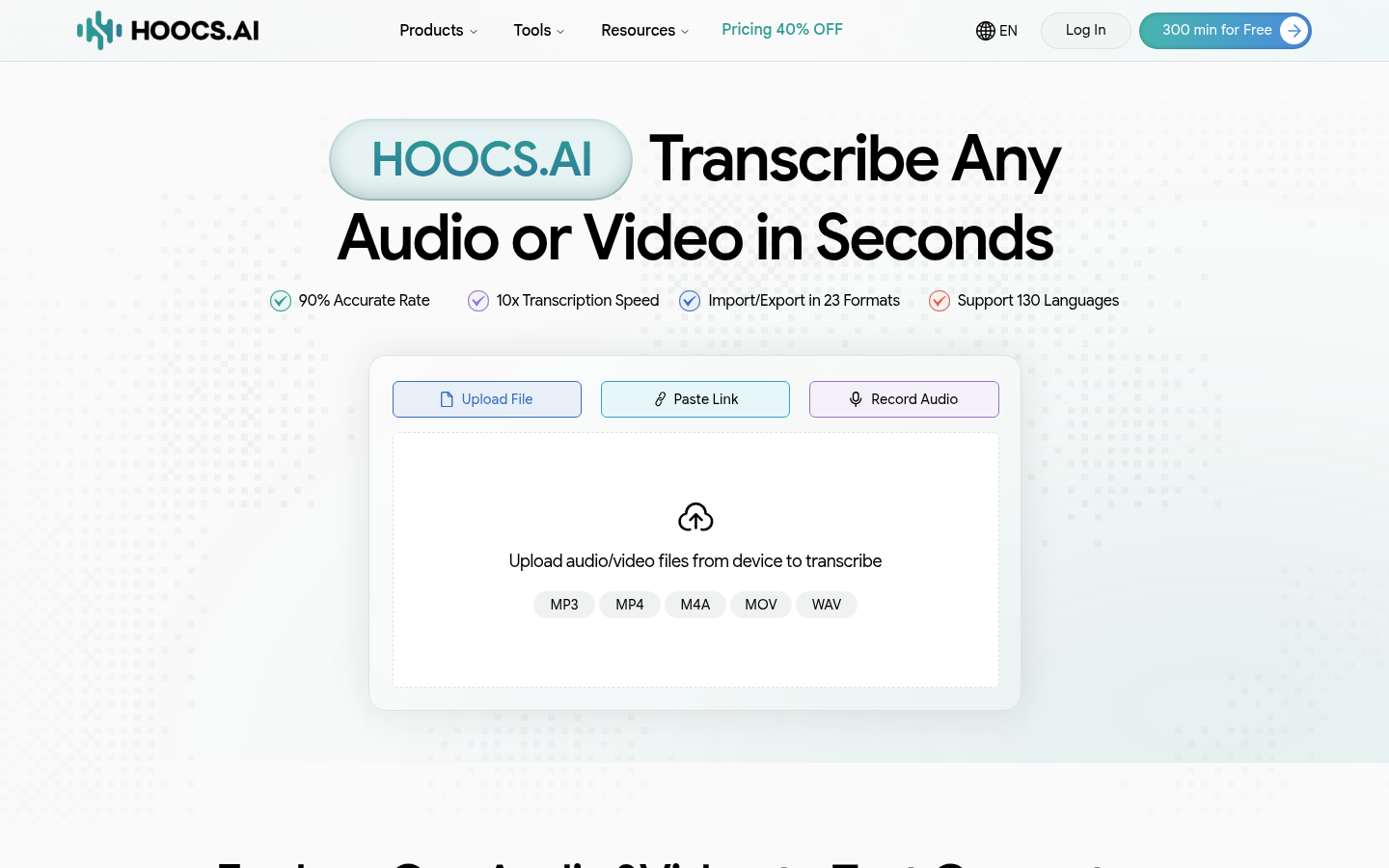
Screenshot archived from the listing page, for preview only.