
IMG2Excel
Image to Excel converterOCR tables straight into Excel
Highlights
What you can do with it
- Extracting terms from scanned contracts
- Pulling data from experiment report images
- Entering invoice details into financial statements
How to use it
- 1 Open the IMG2Excel website
- 2 Choose single or batch mode
- 3 Upload or paste your images
- 4 Preview and adjust the detected data
- 5 Download the editable XLSX file
Who it is for
Pros
- Removes manual retyping of tables
- Output is fully editable
- Short file retention window
Limitations
- The free trial limits how much you can convert
- Complex tables may need cleanup
- Handwriting and low-quality scans are harder
What IMG2Excel is
IMG2Excel is an online tool for turning pictures into spreadsheets. It uses AI-driven OCR to read text, numbers, and tables out of images and write them into an editable Excel file. During conversion it detects the table structure, rows, and columns, so data lands in a sensible layout instead of a single column of text. The workflow covers single images or batch jobs, and you can preview the result and re-run OCR before you download. Uploaded files are encrypted and deleted within 24 hours, which matters when the images contain business or financial information.
What you can do with it
- Convert PNG, JPG, WebP, HEIC, and HEIF images up to 10MB
- Detect table and column structure automatically
- Preview results and re-run OCR if the output is wrong
- Edit the converted data before downloading the XLSX file
- Convert several images at once in batch mode
Who it is for
- Business people extracting prices and terms from scanned documents
- Students pulling data from experiment report images
- Data analysts and researchers collecting figures from mixed sources
What to watch out for
The free trial limits how much you can convert, and continued use runs on credit packs. Complicated tables, merged cells, and low-quality scans need cleanup after conversion, and handwriting is harder than printed text. Always check the preview against the original image before you rely on the numbers, especially for invoices or contracts. Processing speed depends on file size and network conditions, so retry later if a task stalls during peak hours. Run one full task end to end first, then expand once you are comfortable with the workflow and the result quality.
FAQ
What formats can I upload?
Common formats such as PNG, JPG, WebP, HEIC, and HEIF are supported, with a maximum file size of 10MB.
How big can files be?
Each file can be up to 10MB.
Is my data safe?
Uploaded and converted files are encrypted and stored, then deleted within 24 hours.
Why it is free
What the official page says: free trial
Free limits, trial length and features are decided by the official site and can change at any time.
Product preview
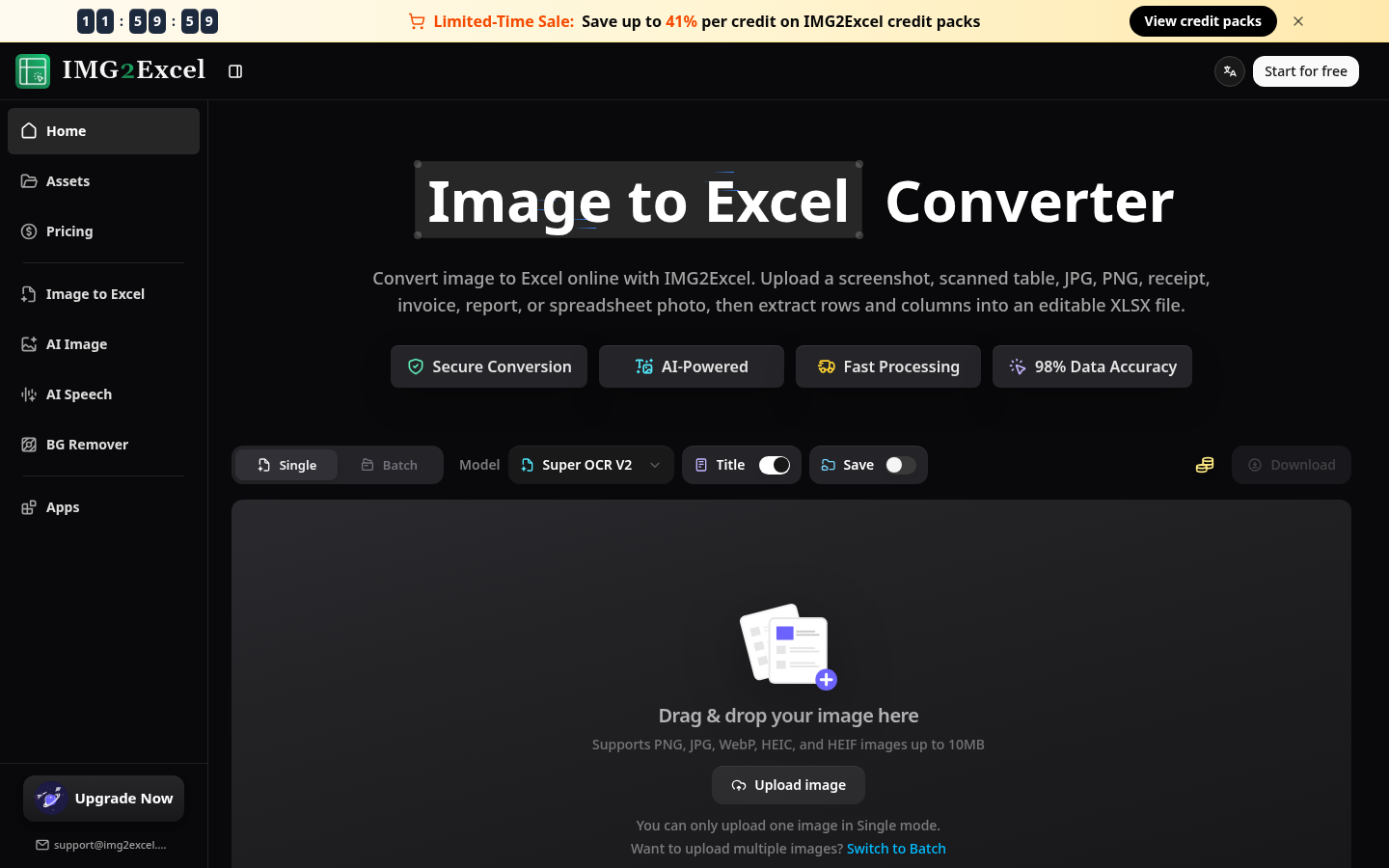
Screenshot archived from the listing page, for preview only.











