
InkComet
Chat with AI to design email templates, export HTML or ReactDesign emails by chatting with AI, then export clean HTML or React Email code.
Highlights
What you can do with it
- Build a Black Friday promo email with event art and discount details
- Create a welcome email for new SaaS signups with product basics
- Produce a weekly newsletter that highlights key news and topics
How to use it
- 1 Describe the email type, tone, color, and key elements
- 2 Pick an AI model and let it draft a first design
- 3 Ask for changes in chat until the layout looks right
- 4 Export as HTML or React Email and copy into your tool
- 5 Save the brand voice and past versions for reuse
Who it is for
Pros
- Fast drafts without starting from a blank page
- Real images and brand assets go straight into the design
- Exports clean code for both apps and email providers
- Free trial is enough to test a real campaign
Limitations
- Free trial is capped at 10 generations per month, so heavy use needs a paid plan
- Pricing for Pro and Plus is not shown on the page, so costs may change
- Design quality still depends on how clearly you brief the AI
What InkComet is
InkComet is an AI email template tool that lets you design an email by chatting with the AI. You describe what you want, choose an AI model, and add your own images, and the tool returns a template you can export as HTML or React Email code. That code drops straight into your app or your email service provider, so you skip hand-building layouts. It covers transactional emails such as order receipts and password resets as well as marketing emails such as product launches and promotions. A free trial offers 10 generations per month, which is enough to test in a real campaign. Pro and Plus plans add more generations and advanced features for weekly senders and larger teams.
What you can do with it
- Draft transactional and marketing emails by describing them to the AI
- Adjust the design in real time through chat until it fits your brand
- Place real logos and product photos directly into the layout
- Export clean HTML or React Email code for your app or ESP
Who it is for
- Marketers who send email on a regular schedule
- E-commerce teams that need order, receipt, and promo emails
- Developers who want React Email templates to use in code
- Small business owners who want to test email on a free plan
What to watch out for
The free trial is limited to 10 generations per month, so heavy senders will need a paid plan. The page does not list Pro and Plus prices, so the cost can change and you should check the site for current numbers. Design quality depends on how clearly you brief the AI, and you will likely refine a few rounds before the layout is right. You also keep a history of design versions so you can compare and reuse earlier work. Treat it as a drafting helper rather than a full email marketing platform, since it focuses on templates and code output.
FAQ
What does the free trial include?
The free trial gives 10 generations per month, enough to test in a real campaign.
What formats can I export?
You can export HTML or React Email templates for use in apps or an ESP.
Can I use my own images?
Yes. Uploaded logos and product photos are placed directly into the design instead of placeholders.
Who is it for?
Marketers, e-commerce teams, developers, and small business owners who need email templates fast.
Why it is free
What the official page says: free trial
Free limits, trial length and features are decided by the official site and can change at any time.
Product preview
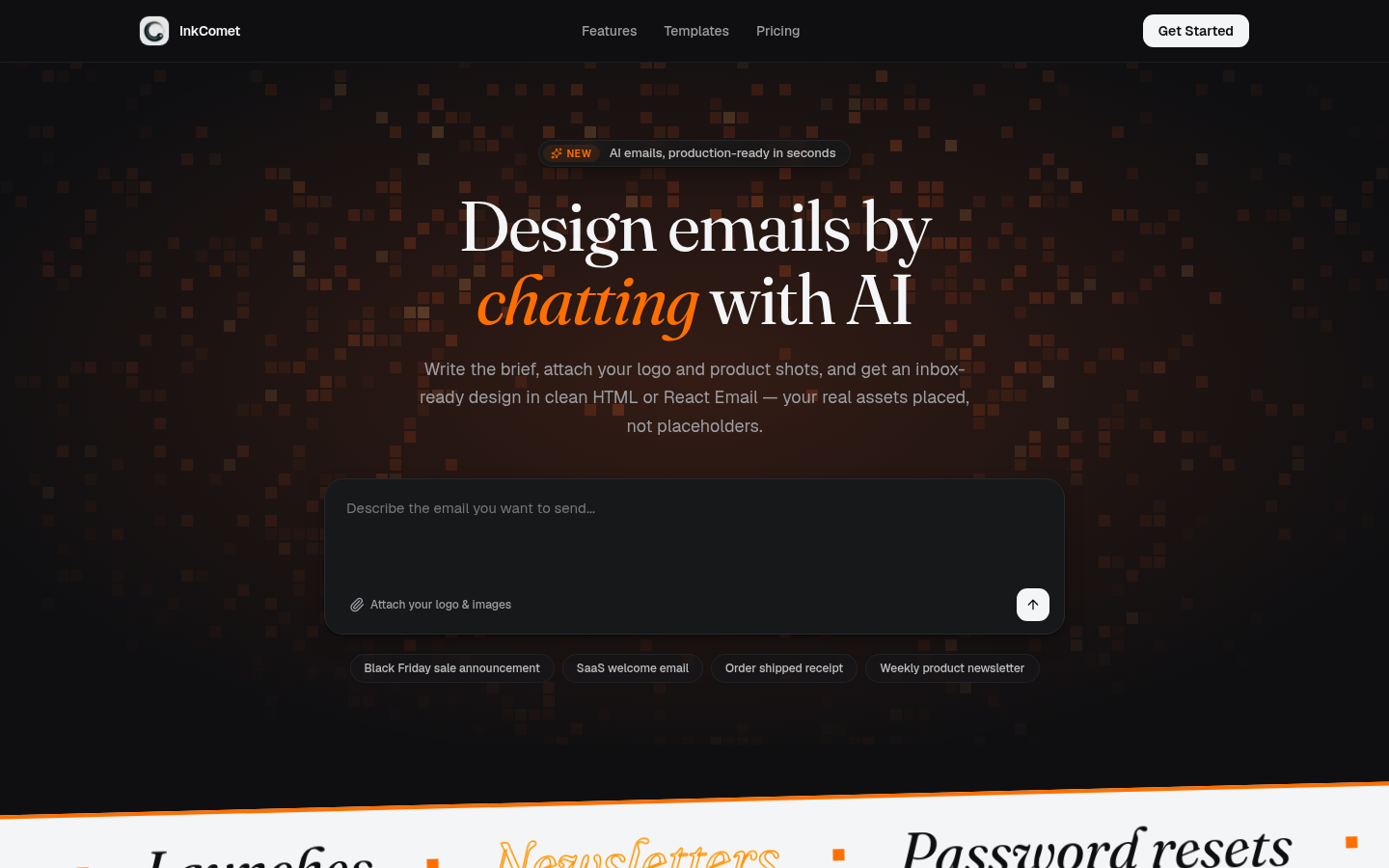
Screenshot archived from the listing page, for preview only.











