Knowing
Free AI tree-view app for organizing ideasThink in a tree, with AI working inside it
Highlights
What you can do with it
- Writers map out book structures, chapters, and character arcs in one tree
- Business developers plan projects and share tasks with teammates
- Educators draft course outlines and lesson plans before the term starts
How to use it
- 1 Register an account on the Knowing website.
- 2 Start a new knowledge structure from the clean main screen.
- 3 Add, delete, and edit nodes to build the hierarchy of your ideas.
- 4 Use the built-in AI integration to retrieve or update information inside the structure.
- 5 Define custom actions to automate the steps you repeat most.
- 6 Restructure with drag-and-drop or keyboard shortcuts as your thinking changes.
- 7 Share the structure with teammates through cloud storage and collaboration.
Who it is for
Pros
- Free to use, with no subscription or hidden cost mentioned
- AI sits inside the structure instead of in a separate chat window
- Custom actions let you automate your own repeated workflows
- Minimal interface keeps the focus on the content
Limitations
- Being free today does not guarantee it stays free; terms can change
- The template and feature marketplace is only listed as coming soon
- AI answers still need checking, since the model can be wrong
- Collaboration depends on the vendor cloud staying available
What Knowing is
Knowing is a tree-view application for organizing ideas. Instead of flat notes or folders, you build a hierarchy of nodes that branches the way thinking does, and you work with a large language model directly inside that structure. The page describes a minimal interface, drag-and-drop restructuring, custom user actions, collaboration, and cloud storage. It is presented as fully free to use, with no hidden costs and no subscription. A template and feature marketplace is listed as coming soon.
What you can do with it
- Build a hierarchy of nodes to hold ideas, notes, and references in one place.
- Ask an AI model to add, delete, or modify content inside the structure as you work.
- Define custom actions to automate the steps you repeat on every project.
- Reshape the tree with drag-and-drop or keyboard shortcuts when your thinking changes.
- Share a structure with teammates and keep it synced through cloud storage.
Who it is for
- Writers mapping book structures, chapters, and character development.
- Business developers planning projects and splitting tasks across a team.
- Educators assembling course outlines and lesson plans.
- Anyone who prefers an outline over a flat document.
What to watch out for
The product is free today, but free terms can change, and there is no published pricing page to check against. The marketplace is not live yet. AI output still needs review because the model can be wrong or miss context. Collaboration depends on the vendor cloud staying available, and the page does not spell out export options if you want to leave. Treat it as a working tool rather than the only copy of anything important.
FAQ
Is Knowing free to use?
Yes. The page describes it as fully free to use, with no hidden costs or subscriptions.
Do I need to install anything?
The steps describe registering on the website and working in the browser; no desktop install is mentioned.
Can I work with my team?
Yes. Collaboration and cloud storage let you share knowledge structures with teammates.
What is the marketplace?
A template and feature marketplace is listed as coming soon, for sharing custom templates and features.
Why it is free
What the official page says: 免费
Free limits, trial length and features are decided by the official site and can change at any time.
Product preview
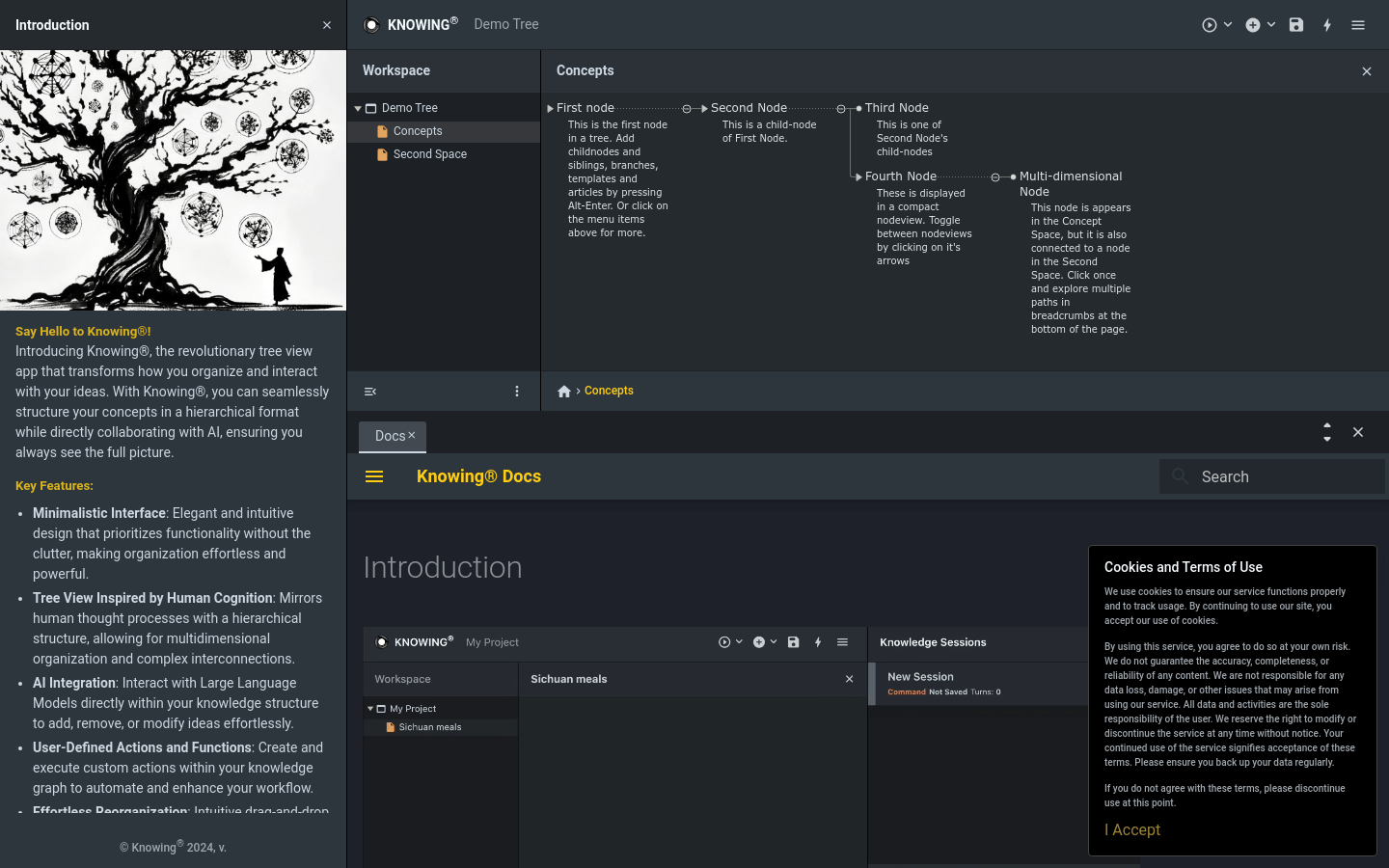
Screenshot archived from the listing page, for preview only.