Layer.cafe
Online mind mapping toolMind maps for tasks and projects
Highlights
What you can do with it
- Map a sales growth strategy with a template
- Break a goal into trackable task nodes
- Review the week's tasks in one calendar
How to use it
- 1 Register or log in on the Layer website.
- 2 Pick a template or start a new map.
- 3 Add nodes quickly with Enter and Tab.
- 4 Tag task nodes and filter to track progress.
- 5 Invite teammates for real time collaboration.
- 6 Export the finished map in Map format.
Who it is for
Pros
- Quick keyboard driven mapping
- AI assistant helps during planning
- Real-time collaboration for teams
- Free entry level version available
Limitations
- Advanced features need the paid professional version
- There is a learning cost for the full feature set
- Collaboration only helps if the team adopts it
- Pricing and free tier rules can change
What Layer.cafe is
Layer.cafe is an online mind mapping tool designed to simplify tasks and project management through visualization. It offers templates, a personal AI assistant during project creation, real-time collaboration, a detailed editor similar to Notion, and a weekly calendar overview. Mapping starts with two clicks, and Enter and Tab keys add nodes quickly. The aim is to turn scattered tasks into a map you can scan at a glance. The listing says more than 100,000 users rely on it, with a free entry level version and a paid professional version that adds advanced features.
What you can do with it
- Map a project in minutes with keyboard shortcuts
- Add task nodes and filter to track progress
- Plan with help from the personal AI assistant
- Collaborate with teammates in real time
- Review the week in a calendar overview
- Export the finished map in Map format
Templates give a starting structure, so a blank page never blocks the work.
Who it is for
- Individuals organizing tasks visually
- Teams that plan projects together
- Managers tracking weekly workloads
- Anyone who likes templates to start fast
Sales, goal, and lifestyle templates show how the tool is meant to be used, and both solo users and groups get value, though collaboration needs the team on board.
What to watch out for
Advanced features sit behind the paid professional version, so the free tier has limits. There is a learning cost for the full feature set, especially the detailed editor. Real-time collaboration only helps when teammates actually use it. Pricing and free tier rules can change, so check current terms before standardizing a team on it.
FAQ
What is Layer.cafe?
An online mind mapping tool for simplifying tasks and project management.
Does it support teamwork?
Yes, it offers real-time collaboration with team members and stakeholders.
Is there a free version?
The listing mentions a free entry level version plus a paid professional version.
Why it is free
What the official page says: 免费
Free limits, trial length and features are decided by the official site and can change at any time.
Product preview
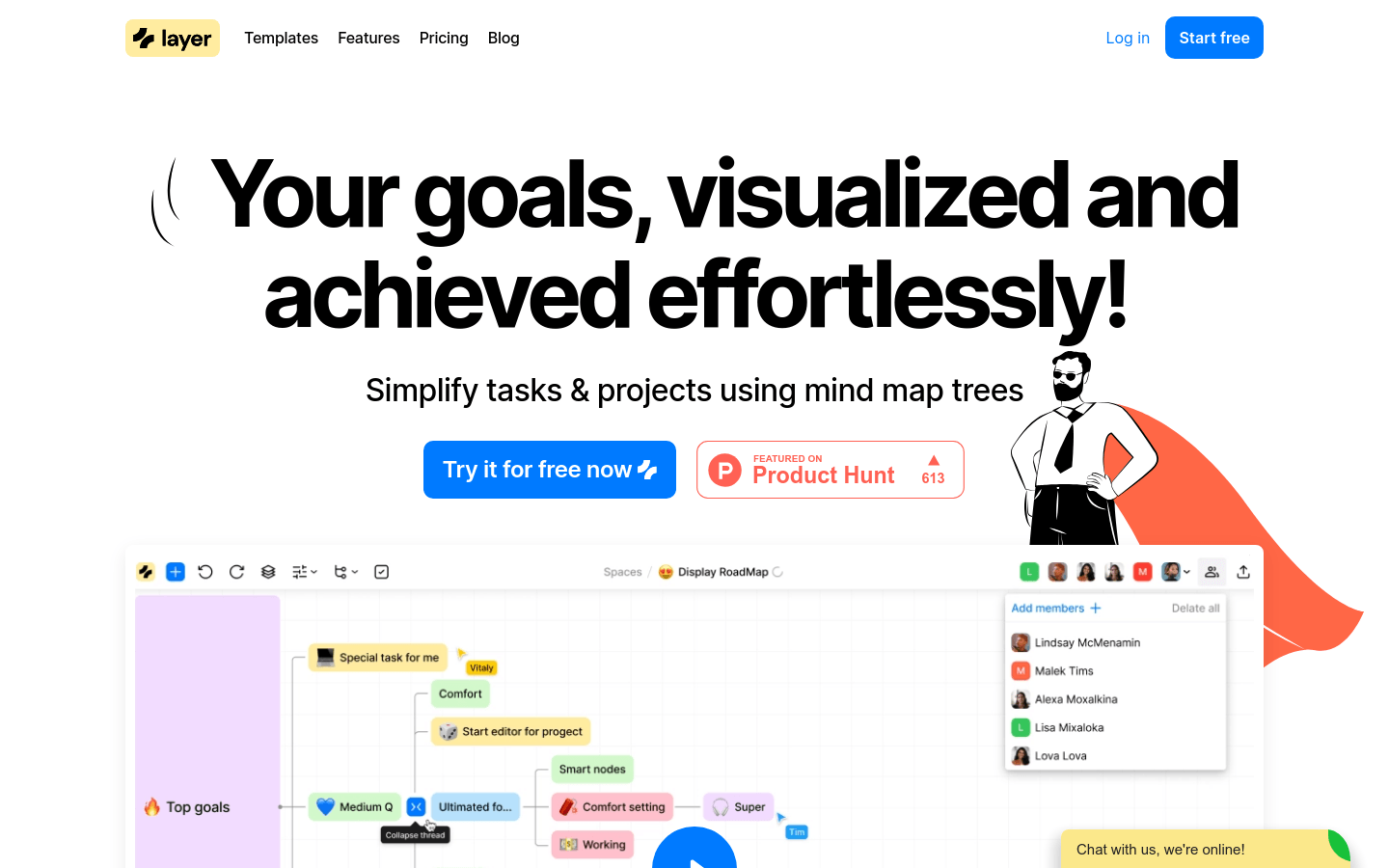
Screenshot archived from the listing page, for preview only.