Linked Helper – The Safest and Most Powerful LinkedIn Automation Tool
LinkedIn lead generation automation toolAutomate LinkedIn outreach to grow your pipeline
Highlights
What you can do with it
- A tech company sent automated connection requests and personalized messages to prospects and reported more leads within a month.
- A recruiter pulled candidate information from Sales Navigator and invited suitable candidates automatically.
- A marketing agency used automatic likes and comments to raise brand visibility and content engagement.
How to use it
- 1 Visit the Linked Helper site and start the free trial, then register an account.
- 2 Download and install the desktop client.
- 3 Log in with your registered account.
- 4 Set daily limits, delays between steps, and working hours.
- 5 Configure automated tasks for connection requests and messages using Spintax and variables.
- 6 Connect a third-party CRM if you want to manage customer relationships.
- 7 Start the automated tasks to generate leads.
Who it is for
Pros
- Does not inject code into LinkedIn pages and uses daily limits and rolling caps
- Over 30 features covering requests, messaging, exporting, and message chains
- Connects to popular CRMs and extends through Webhooks and Zapier
- Free trial available with no credit card to start
Limitations
- Automated outreach can conflict with LinkedIn's rules, so account risk stays with you
- It is a desktop client, so you install and run software rather than using a pure web app
- Free trial terms and pricing can change, so confirm current details before you commit
- The broad feature set means a learning curve to configure campaigns well
What Linked Helper is
Linked Helper is a desktop tool built to automate lead generation on LinkedIn. Instead of manual searching and messaging, it runs tasks like connection requests, bulk messaging, profile exporting, and message chains in the background. The company says it avoids injecting code into LinkedIn pages and instead uses smart daily limits and rolling 24-hour caps to keep activity controlled. It also sets working hours so campaigns pause when you are off. The vendor reports that more than 10,000 companies across about 180 countries use it and that it has kept a 5-star rating for the past 7 years. A free trial is offered, and the site states no credit card is needed to start.
What you can do with it
- Send automated connection requests with personalized notes to secondary and tertiary contacts.
- Run bulk messaging using Spintax and variables so large outreach still reads naturally.
- Export people and company profile data from LinkedIn and Sales Navigator, including phone numbers, emails, and message history.
- Build automated message chains that control each step from a profile visit to an invitation.
- Push contacts into CRMs like HubSpot, PipeDrive, and Salesforce, or extend through Webhooks and Zapier.
Who it is for
- Sales professionals who want to automate prospecting and save time.
- Recruiters who source and invite candidates from LinkedIn and Sales Navigator.
- Marketing professionals running automatic likes, comments, and post promotion.
- Freelancers who need to reach potential clients more efficiently.
What to watch out for
Automated outreach can conflict with LinkedIn's rules, so any account warning or restriction is your responsibility. Because it is a desktop client, you install and run software rather than working in a pure browser tool. The feature set is broad, so expect a learning curve to set up limits, delays, and message chains well. Free trial terms and pricing can also change over time, so confirm current details before you commit.
FAQ
Is there a free trial?
Yes. The site states a free trial is available and no credit card is required to start.
Does it inject code into LinkedIn?
No. The tool avoids injecting code into LinkedIn pages and relies on daily limits and rolling 24-hour caps.
Which CRMs does it work with?
It integrates directly with HubSpot, PipeDrive, and Salesforce, and can reach more tools through Webhooks and Zapier.
How many companies use it?
The company states more than 10,000 companies across about 180 countries use it.
Why it is free
What the official page says: free trial
Free limits, trial length and features are decided by the official site and can change at any time.
Product preview
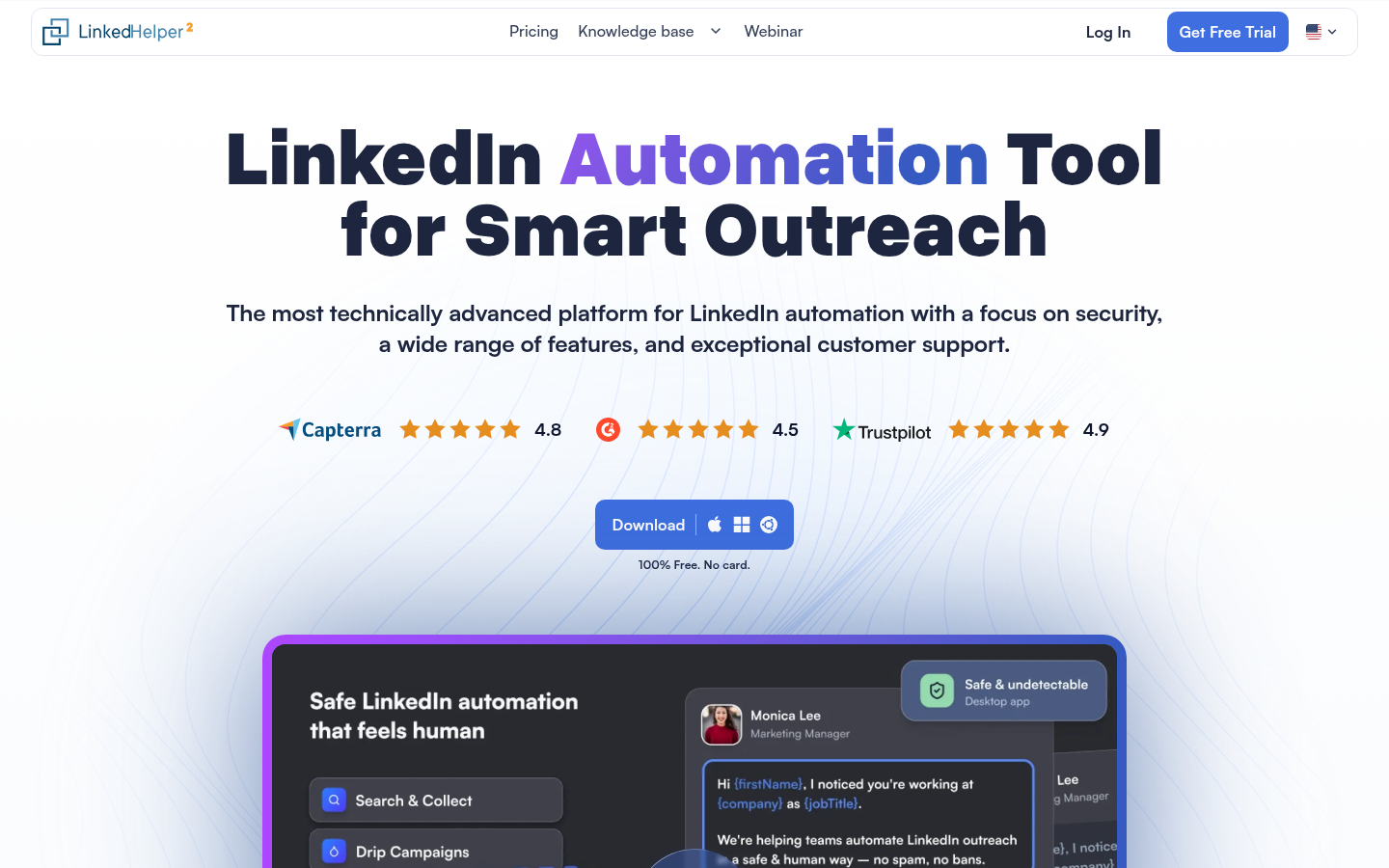
Screenshot archived from the listing page, for preview only.