
Locus
Natural language search extension for webpagesA smarter CTRL + F for long pages
Highlights
What you can do with it
- Jump to one section of a long article or documentation page
- Find a quote in a long blog post without skimming
- Locate the part of a reference page you read last week
How to use it
- 1 Install the Locus extension in your browser.
- 2 Open the webpage you want to search.
- 3 Type your question in plain language instead of keywords.
- 4 Open the result Locus points to and keep reading from there.
Who it is for
Pros
- Plain language search saves guessing keywords
- Runs in the browser on pages you already have open
- Free basic plan, so you can test it at no cost
- Aims at long content, where plain CTRL plus F falls apart
Limitations
- Free plan limits are not spelled out on the page
- Only webpage content works today, PDF and video search are not there yet
- Natural language search is not exact, so it may miss the precise line
- A browser extension depends on your browser staying supported
What Locus is
Locus is a browser extension that treats search like a question. You open a long article, a documentation page, or any webpage, and instead of guessing the exact keywords the author used, you type what you are looking for in plain language. Locus reads the page and points to the part that answers you. The pitch is simple: it is an intelligent CTRL plus F for content that is too long to skim. Right now it searches webpage content, and the developer says PDF and video search are planned for later. It is free to try, and a free basic plan is available for people who want to keep using it.
What you can do with it
- Ask a question in plain language and land on the relevant passage
- Search inside long articles, documents, and webpages
- Find a specific part of a page without remembering exact wording
- Keep using it as part of normal reading in your browser
Who it is for
- People who read long documentation and reference pages
- Students and researchers going back through saved articles
- Writers and editors checking a page for a specific claim
- Anyone who finds plain keyword search useless when the wording is unknown
What to watch out for
Today it only handles webpage content. PDF and video search are described as coming, with no date, so do not plan a workflow around them. The free basic plan exists, but the page does not spell out its limits, so heavy use may run into an unannounced ceiling. Natural language search is helpful but not exact: it gets you to the right area of a page, and you still read to confirm the sentence you actually needed. As a browser extension it also depends on your browser and the permissions you grant, and the site currently redirects on some requests, so install only from the official page.
FAQ
What does Locus do?
It searches a webpage using natural language and points to the relevant part, like an intelligent CTRL plus F.
Is it free?
It is free to try and has a free basic plan. Paid limits are not described in detail.
Does it work on PDFs or videos?
Not yet. The site says PDF and video search are coming.
Do I need to remember exact keywords?
No, that is the point. You can ask the way you would ask a person.
Why it is free
What the official page says: 免费试用免费
Free limits, trial length and features are decided by the official site and can change at any time.
Product preview
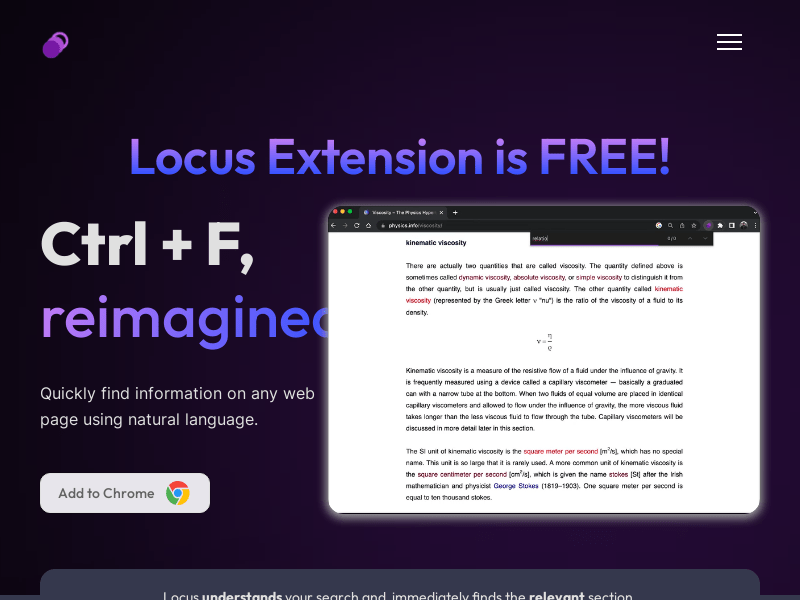
Screenshot archived from the listing page, for preview only.











