Lumina CMS
API-driven CMS with AI assistantManage content with built-in AI help
Highlights
What you can do with it
- Managing website content with AI assistance
- Generating images for articles and pages
- Building custom content models for apps
How to use it
- 1 Visit the Lumina CMS website
- 2 Choose a free or basic plan
- 3 Set up your content structure and fields
- 4 Use the AI assistant for text and images
- 5 Connect your site through the API
Who it is for
Pros
- Free plan available
- AI assistant for text and images
- Flexible headless architecture
Limitations
- Requires technical setup for APIs
- Basic plan needed for larger needs
- Best suited for developers, not beginners
What Lumina CMS is
Lumina CMS is a modern content management system built on an API-driven architecture with a built-in AI assistant. The AI assistant handles both text and image content, providing accurate answers and generating images based on specific requirements or desired styles. Users can create flexible content structures with diverse data types, custom fields, nested models, and internationalization support. The headless design, combined with extensible APIs and a powerful query language, uses MongoDB capabilities for efficient content management. Lumina offers both free and basic plans to fit different user needs across websites and applications.
What you can do with it
- Manage text and image content with an AI assistant
- Generate images from descriptions or style prompts
- Build custom content structures with nested models
- Use extensible APIs and a powerful query language
- Support internationalization for multilingual content
Who it is for
- Developers building content-driven websites and apps
- Teams that need flexible, custom content models
- Businesses wanting AI help inside their CMS
What to watch out for
Lumina is developer-focused, so non-technical users will find setup challenging. The free plan has limits, and larger projects likely need the basic paid plan. Because it is headless, you must build or configure a frontend to display content. As with any AI feature, generated images and text should be reviewed before publishing to avoid errors or off-brand output. Processing speed depends on file size and network conditions, so retry later if a task stalls during peak hours. Run one full task end to end first, then expand once you are comfortable with the workflow and the result quality. Processing speed depends on file size and network conditions, so retry later if a task stalls during peak hours.
FAQ
What is Lumina CMS?
It is a modern, API-driven content management system with a built-in AI assistant.
Is there a free plan?
Yes, Lumina offers both free and basic plans.
What can the AI assistant do?
It handles text and image content, answers questions, and generates images.
Why it is free
What the official page says: 免费
Free limits, trial length and features are decided by the official site and can change at any time.
Product preview
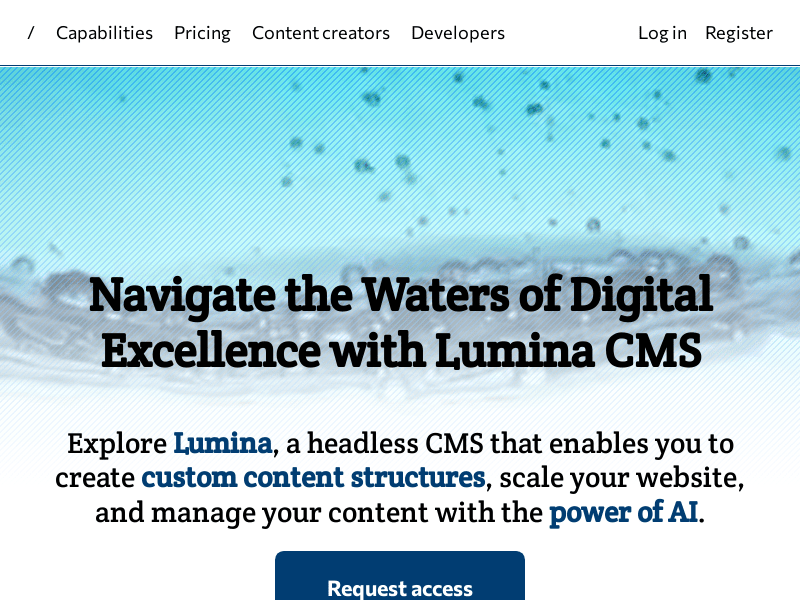
Screenshot archived from the listing page, for preview only.