LyricEdits
AI lyric video generator for musiciansUpload a song, get a lyric video you can edit
Highlights
What you can do with it
- An independent musician uploads a single, adjusts fonts and pacing, and publishes to YouTube
- A label produces language versions of a lyric video with a unified visual style
- A producer exports a demo lyric video to Premiere Pro for color grading and client presentation
- A content creator makes vertical lyric clips for social platforms
How to use it
- 1 Open lyricedits.ai, register or log in, and enter the editing workspace
- 2 Upload the song and wait for lyric transcription and the initial timeline and visuals
- 3 Customize story, style, characters, fonts, images, colors, lyrics, and pacing in the editor
- 4 Preview the result and replace or fine-tune visuals you do not like
- 5 Build and confirm the video before payment, then pick a plan as prompted
- 6 Export directly or send the project to a professional editor for advanced work
- 7 Check platform requirements for aspect ratio and rights, then publish
Who it is for
Pros
- Built for lyric videos specifically, not a generic ad or short-video template
- Transcription and sync remove the most tedious part of the job
- Real-time editor gives control over pacing, fonts, and visuals
- Export paths into professional editors make advanced finishing possible
Limitations
- You build in the editor before paying, but specific plan prices are not listed on the page
- Transcription accuracy varies, especially with dense or multilingual vocals
- Generated visuals still need human selection to avoid generic-looking output
- Publishing requires checking music rights and each platform's commercial use rules
What LyricEdits is
LyricEdits is an AI lyric video generator aimed at music rather than generic advertising or short-video templates. You upload a song, the AI transcribes the lyrics and syncs them to a timeline, and then generates visuals driven by the meaning, rhythm, and mood of the track. From there a real-time editor lets you adjust story, characters, fonts, images, videos, colors, lyrics, and pacing. The page says you can start for free and build the video in the editor before paying, and it mentions watermark-free output and retained rights as part of the paid side.
What you can do with it
- Upload a track and get automatic lyric transcription with timeline sync
- Generate narrative visuals from multiple AI image and video models
- Refine story, characters, fonts, colors, and pacing in a real-time editor
- Export to DaVinci Resolve, Premiere Pro, or Final Cut Pro for advanced editing
Who it is for
- Independent musicians and bands producing lyric videos on a tight budget
- Songwriters, singers, and producers visualizing demo or finished songs
- Labels and marketing teams creating versions for different songs, languages, and markets
- Video editors who want an AI draft to refine in professional software
What to watch out for
You can build in the editor before paying, but specific plan prices are not listed on the page, so budget expectations are unconfirmed. Transcription accuracy varies, and dense or multilingual vocals may need manual correction. Because the visuals are generated, some scenes will look generic and need replacing to feel intentional. Before publishing, check that you hold the rights to the music and that each platform's rules on commercial use and aspect ratio are met.
FAQ
Can I use it before paying?
The page says you can start for free and build the video in the editor before choosing a plan.
How many languages does it transcribe?
The page claims lyric transcription and timeline sync in roughly 90 languages.
Can I edit in professional software afterward?
Yes, videos can be exported to DaVinci Resolve, Premiere Pro, and Final Cut Pro.
Are outputs watermark free?
The page mentions watermark-free output and retained rights as part of the paid offering, but plan prices are not listed.
Why it is free
What the official page says: for freefree trial
Free limits, trial length and features are decided by the official site and can change at any time.
Product preview
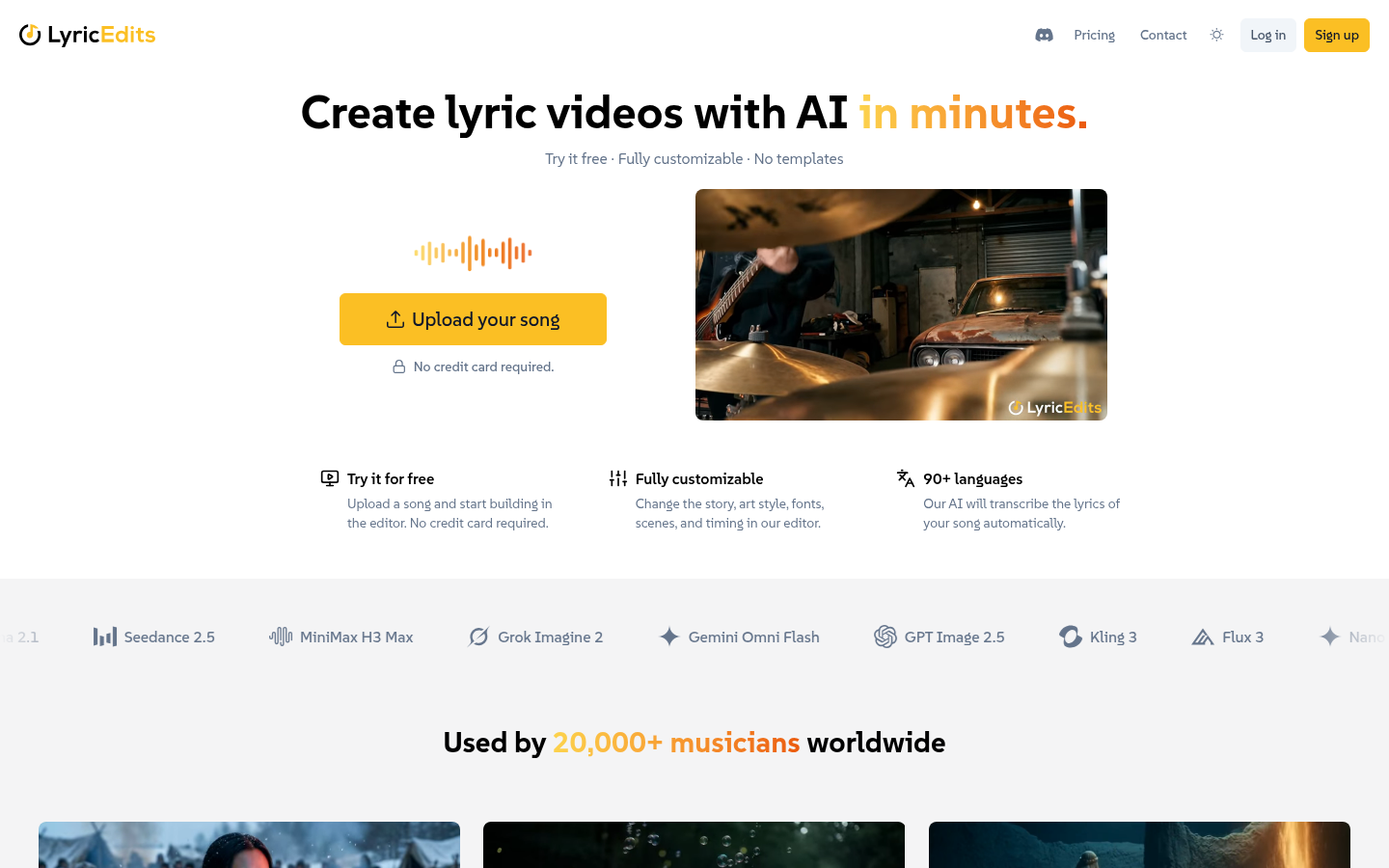
Screenshot archived from the listing page, for preview only.