
Managelify
Projects, tasks and team chat in one placeManage work and talk to your team together
Highlights
What you can do with it
- A freelance designer keeping client work and tasks in order
- A company making information flow between departments clearer
- A clinic integrating projects, internal chat and agency work
How to use it
- 1 Register an account from the official site
- 2 Choose a plan that fits, from student to enterprise
- 3 Create a project with goals, tasks and deadlines
- 4 Assign tasks and set priorities
- 5 Communicate and share notes and files in channels
- 6 Track progress and adjust as work moves
- 7 Use analytics to review project and team health
Who it is for
Pros
- Work and conversation in one place cuts tool switching
- Free student plan lowers the entry barrier
- Clear task and deadline tracking
- Transparency across departments
Limitations
- Mobile app, AI assistant and analytics are future features, not current
- Paid tiers are needed for team and enterprise use
- Moving an existing team onto a new tool takes effort
- Single channel communication can get noisy in large teams
What Managelify is
Managelify is a business management platform that puts projects, tasks and communication in one channel. The pitch is that work and conversation belong in the same flow, so status, deadlines and discussion sit in a single view instead of being spread across a project tool and a chat app. The listing says this reduces meetings and increases transparency. Pricing includes a free student plan, a single user plan at six dollars a month, a team plan at nineteen and an enterprise plan at forty-nine. Mobile apps, an LLM and MCP based task assistant, and advanced analytics are described as future features.
What you can do with it
- Plan projects, organise tasks and track deadlines on one screen.
- Communicate with a team through shared channels.
- Prioritise work so personal and team tasks stay separate.
- Share notes and files where the work already lives.
- Review progress and adjust arrangements as things change.
- Use reporting to look at project and team health once it ships.
Who it is for
- Freelancers who need to keep client work and tasks in order.
- Small teams that want one place for work and conversation.
- Enterprises coordinating larger programmes across departments.
- Students organising group assignments on a free plan.
What to watch out for
The mobile app, the AI task assistant and the advanced analytics are future features, so do not buy on the promise of them. Team and enterprise use requires paid tiers, and the free plan is aimed at students, so cost scales with headcount. Moving an existing team onto a new platform takes training and discipline, and the first weeks are usually slower. A single channel for all communication can become noisy in a large organisation, so you will need clear rules about what goes where. Check current pricing and feature status on the site before committing, since roadmaps slip.
FAQ
Is Managelify free?
A free student plan is listed, alongside paid plans at six dollars a month for a single user, nineteen for a team and forty-nine for enterprise.
What does it combine?
Project management, task planning and team and customer communication in one channel.
Who built it?
The listing names founder Yagiz Gurbuz.
Are there mobile apps?
Not yet. iOS and Android apps are described as a future feature.
Is there AI in it?
An LLM and MCP based task assistant and AI reporting are listed as future features rather than current ones.
Why it is free
What the official page says: 免费
Free limits, trial length and features are decided by the official site and can change at any time.
Product preview
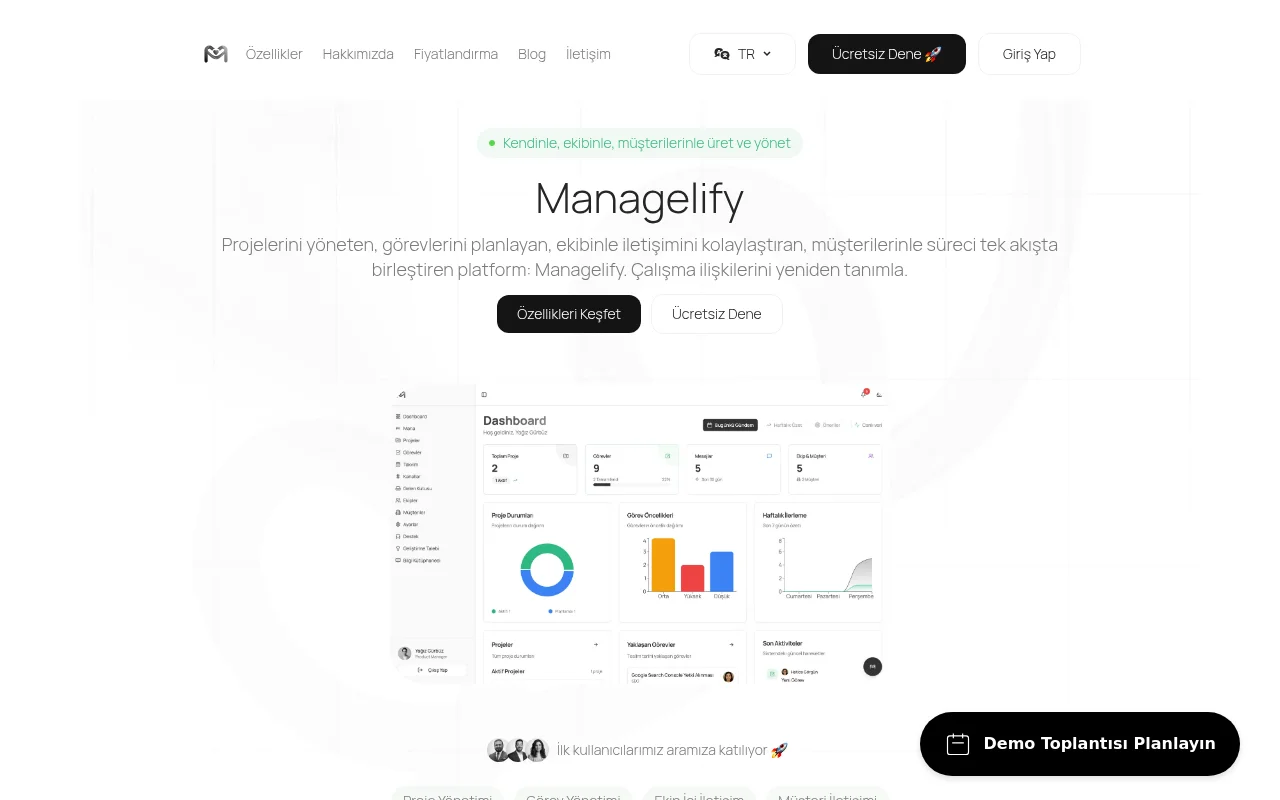
Screenshot archived from the listing page, for preview only.











