Meetily
Privacy-first AI meeting notes, works offlineRecord, transcribe and summarise locally
Highlights
What you can do with it
- Recording product or engineering meetings and sharing minutes
- Capturing client calls and exporting notes as Markdown
- Running a self-hosted setup with internal AI models
How to use it
- 1 Download the client from the Meetily site; macOS is listed
- 2 Install it and choose self-hosted or the Professional version
- 3 Start the meeting and let it capture and transcribe the audio
- 4 Review the generated summary and action items
- 5 Export as Markdown or PDF, or self-host from the GitHub source
Who it is for
Pros
- Local processing is a genuine privacy advantage
- Offline use works where networks are restricted
- A free self-hosted option for technical users
Limitations
- The listed client targets macOS, so check platform support first
- Self-hosting needs technical setup and ongoing maintenance
- Free plan scope and paid features can change
What Meetily is
Meetily is an AI meeting assistant focused on privacy. It captures meeting audio, transcribes speech in real time and generates a summary plus action items when the meeting ends. The important detail is that processing happens locally on your own machine rather than on a remote server, which is why the listing stresses confidentiality. It also works offline, exports to Markdown or PDF, and can detect when a meeting starts so recording begins on its own.
What you can do with it
- Capture and transcribe a meeting in real time with one click
- Get an automatic summary and a list of action items
- Export notes as Markdown or PDF for sharing
- Self-host the tool and choose your own AI models and backend
Who it is for
- Teams with strict rules about where meeting audio is stored
- Freelancers who need clean notes after remote client calls
- Developers who are happy to run and maintain a self-hosted install
What to watch out for
The listed client is a macOS download, so check platform support before planning a rollout across a mixed team. Self-hosting gives you control but also gives you the work: setup, model management and updates all land on you. Transcription accuracy depends on audio quality, accents and background noise, so review the summary before circulating it. The free self-hosted version has its own scope, and both the free and paid sides can change their features over time. Processing speed depends on file size and network conditions, so retry later if a task stalls during peak hours. Run one full task end to end first, then expand once you are comfortable with the workflow and the result quality.
FAQ
Where is the meeting audio processed?
The listing says all data processing is performed locally to keep meeting content confidential.
Does it work without an internet connection?
Yes, offline functionality is listed as a feature.
Is there a free option?
Yes, there is a free self-hosted version alongside a paid Professional version.
Why it is free
What the official page says: 免费
Free limits, trial length and features are decided by the official site and can change at any time.
Product preview
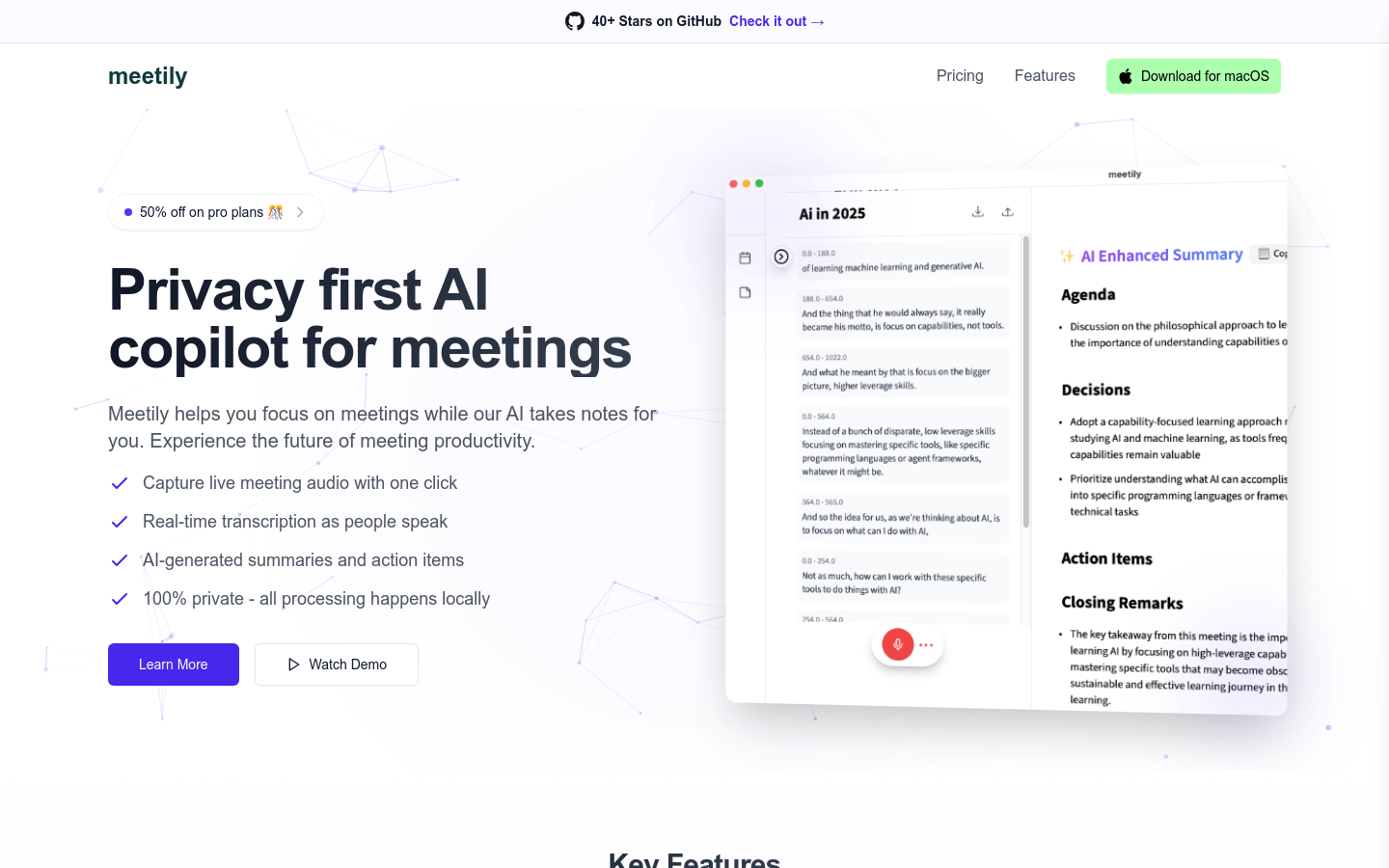
Screenshot archived from the listing page, for preview only.











