Miaoda Generative Application Development Platform
Baidu no-code app builderDescribe an idea, get an application
Highlights
What you can do with it
- Entrepreneurs building an MVP quickly
- Companies creating internal management tools
- Designers assembling interface prototypes with drag-and-drop
How to use it
- 1 Register and log in to the Miaoda platform
- 2 Enter a natural language description or upload a PRD document
- 3 Adjust function details through the conversational interface
- 4 Build the interface with drag-and-drop components and preview
- 5 Use multi-agent collaboration and third-party tools as needed
- 6 Test and deploy the finished application
Who it is for
Pros
- Natural language input lowers the development barrier
- Conversational edits make refinement quick
- Multi-agent workflow covers planning, code, and checks
- Free trial phase lets teams evaluate before paying
Limitations
- Free trial phase means future pricing and terms may change
- Complex or unusual requirements may exceed no-code limits
- Generated applications still need testing before launch
- It runs inside the Baidu cloud ecosystem, which affects portability
What Miaoda is
Miaoda is Baidu's no-code application development tool. The idea is simple: you describe what you want in natural language, or upload a PRD document, and the platform generates an application framework without you writing code. From there you refine the result through a conversational interface, build the interface with a drag-and-drop component library, and preview changes in real time. Behind the scenes, planning agents, programmer agents, and quality inspectors share the work, and third-party tools can be called with one click. The platform is currently in a free trial phase, so teams can evaluate it before pricing settles.
What you can do with it
- Turn a text description into a working application framework
- Adjust functions through conversation instead of code
- Build interfaces with drag-and-drop components and live preview
- Add third-party tool calls to extend what the app can do
Who it is for
- Entrepreneurs who want a fast MVP without a dev team
- Product managers describing internal tools in plain language
- Designers assembling prototypes in minutes
What to watch out for
The free trial phase is temporary, so pricing and terms are likely to change once it ends. No-code tools have limits, and unusual or complex requirements may still need custom development outside the platform. Generated applications should be tested before they go live, since automatic output is a starting point rather than a finished product. Because the platform runs inside Baidu's cloud ecosystem, check how easily your work can move elsewhere if you later change providers. For best results, start with a small test file and review the output carefully before working on anything important. Free tiers can change over time, so it is worth checking the current limits on the official page before you rely on the tool daily.
FAQ
Is Miaoda free?
It is in a free trial phase, so features can be tried for free now, though that may change later.
Do I need to write code?
No. You describe what you want in natural language and the platform generates the application.
Can I connect other services?
Yes, it supports one-click calls to third-party tools for multi-tool integration.
Why it is free
What the official page says: for freefree trial
Free limits, trial length and features are decided by the official site and can change at any time.
Product preview
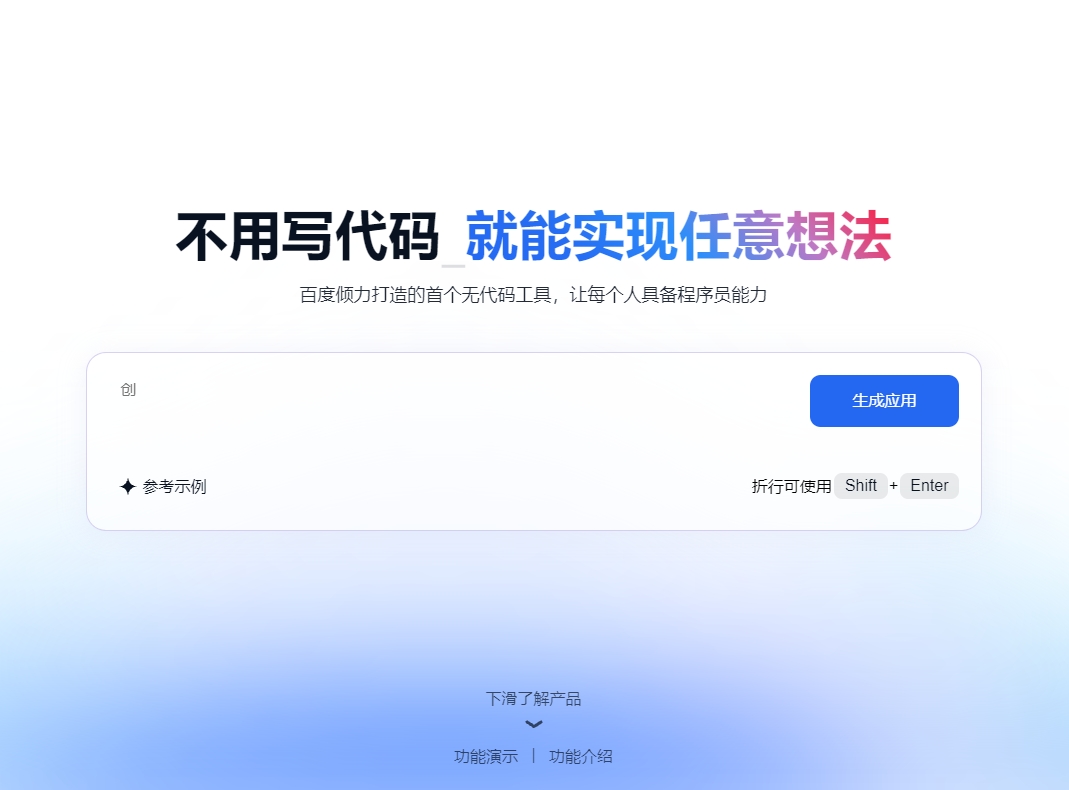
Screenshot archived from the listing page, for preview only.