
MiniMax H3 Max Video Generator
Free AI video generator from text or imagesPlan camera moves and make 5 to 15 second clips, with a free trial
Highlights
What you can do with it
- A marketer generates a product promo video from a description and product images.
- A creator turns a text idea into a stylized short film for social publishing.
- A teacher makes a short instructional clip explaining a concept or process.
How to use it
- 1 Open the site to reach the generator page.
- 2 Choose text-to-video or image-to-video.
- 3 Type your scene description or upload reference images.
- 4 Set model, frame rate, duration and resolution, then check the estimated credits.
- 5 Use the no-login 5-second 480P free trial, or register for credits, then generate and edit in the workspace.
Who it is for
Pros
- A free 5-second 480P trial without login lowers the barrier to trying it.
- Flexible control over model, frame rate, resolution and length.
- Credit estimates let you test a short clip before spending more.
Limitations
- Beyond the short free trial, generation costs credits, and Turbo only lowers, not removes, the price.
- Clip length is capped at 15 seconds, so longer videos need multiple runs.
- As a newer site, long-term stability and pricing may change.
What MiniMax H3 Max Video Generator is
MiniMax H3 Max Video Generator is an online AI tool that creates videos from text descriptions or reference images. It gives you flexible ways to work: you can plan camera movement and pick the frame rate, resolution and clip length that fit your project. A useful option is the free trial, since a 5-second 480P generation is available without logging in, and Turbo mode lowers the credit cost. Past the trial, generation is billed in whole credits based on model, resolution and clip length, and the page shows an estimate before you commit. It suits content creators, marketers and beginners who want a simple interface with ready-made examples and prompts.
What you can do with it
- Generate video from a written scene description or from an uploaded reference image.
- Choose model (H3 Max Standard or Turbo), frame rate, resolution and a 5 to 15 second duration.
- Plan camera movement to shape how the shot reads on screen.
- See estimated credit use, test a short clip first, then edit results in a standalone workspace.
Who it is for
- Content creators who want to turn ideas into video material without a full shoot.
- Marketers making promotional clips from product features and images.
- Video beginners who benefit from a simple interface and built-in examples.
- Anyone who wants a low-commitment way to test AI video generation first.
What to watch out for
The free option is a short 5-second 480P trial without login; beyond that, generation costs credits, and Turbo mode only lowers the price rather than removing it. Clip length is capped at 15 seconds, so longer videos need several runs joined later. As a newer site, pricing and availability can change, so check current terms before you rely on it. Output still depends on clear prompts and good reference images.
FAQ
Is there a free option?
Yes, a 5-second 480P generation is available without logging in; Turbo mode also lowers cost.
How is it priced?
Whole credits are charged based on model, resolution and clip length, and you can see an estimate first.
How long can clips be?
5 to 15 seconds, with choices for frame rate and resolution.
Who is it for?
Content creators, marketers and video beginners who want a simple, example-driven interface.
Why it is free
What the official page says: free plan
Free limits, trial length and features are decided by the official site and can change at any time.
Product preview
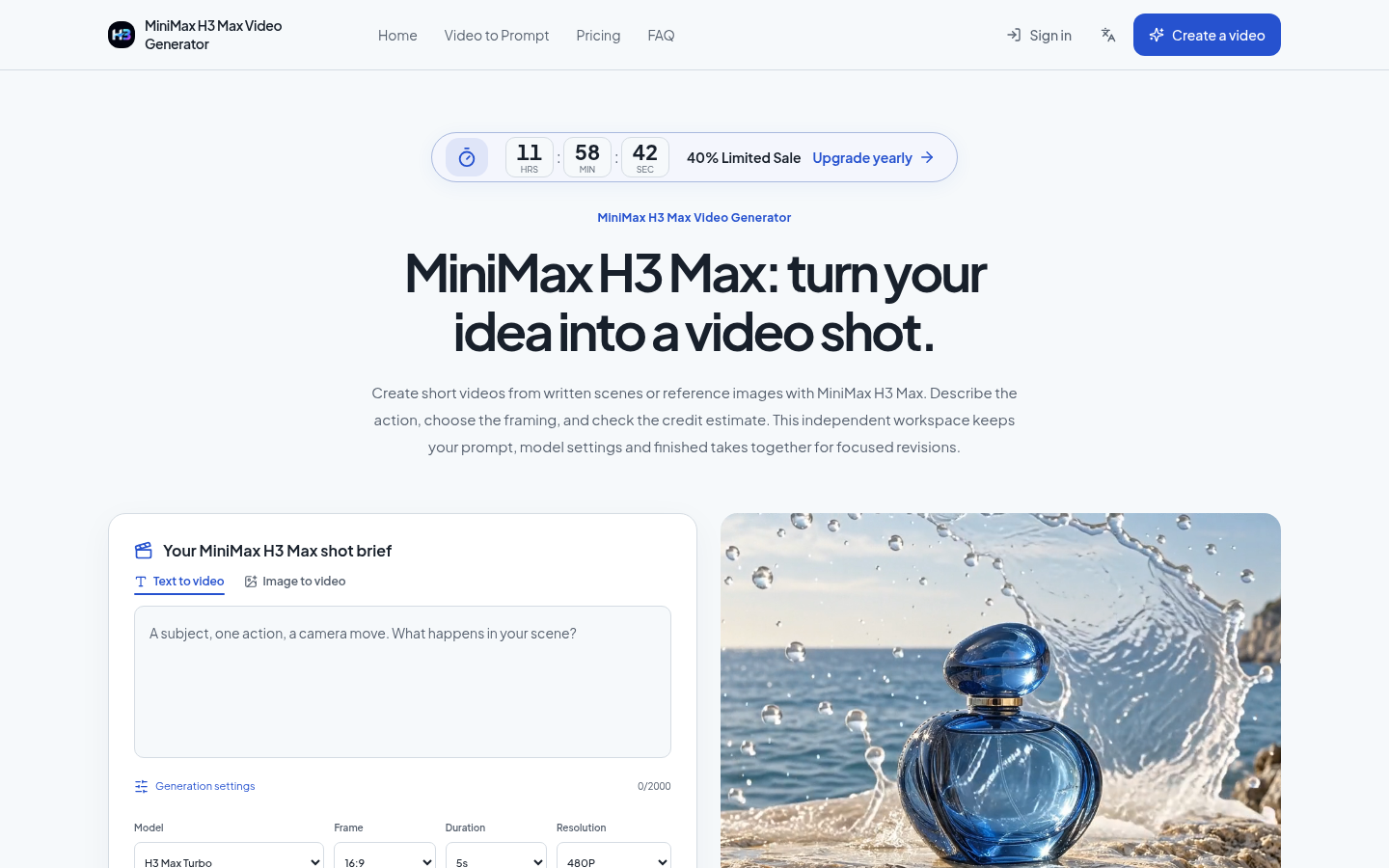
Screenshot archived from the listing page, for preview only.