Model Context Protocol
Open protocol linking LLM apps to external toolsA standard way to connect models with the context they need
Highlights
What you can do with it
- Build an AI driven IDE that pulls in external code libraries and documentation
- Create a chat interface that connects to a knowledge base for better answers
- Develop a custom AI workflow that ties together several services and APIs
How to use it
- 1 Read the introductory documentation on the MCP website to learn the basics.
- 2 Pick Python or TypeScript and set up your own MCP server by following the guide.
- 3 Use the debugging and inspection tools to test and debug your server.
- 4 Study the core architecture docs to see how clients, servers, and models connect.
- 5 Expose data and content, then build reusable prompt templates and workflows.
Who it is for
Pros
- Free for developers to use
- Standard approach that is easy to integrate and extend
- Active community and clear documentation
Limitations
- You still need to build and maintain your own MCP servers
- Good results require reading the architecture and protocol docs first
- The ecosystem is still growing, so examples and support vary
What Model Context Protocol is
The Model Context Protocol, often shortened to MCP, is an open protocol that lets large language model applications talk to external systems and tools. It is free for developers to use right now. Instead of every team inventing its own way to feed context to a model, MCP offers one standard method. That means you can connect a model to the data and actions it needs, whether you are building an AI driven IDE, improving a chat interface, or wiring up a custom AI workflow. The project ships with documentation, debugging guidelines, and an inspector tool, and it is supported by an active community of developers who share servers and examples.
What you can do with it
- Connect language models to external systems and tools in a standard way.
- Build your own MCP servers with Python or TypeScript.
- Expose data and content from servers so models can use it.
- Create reusable prompt templates and workflows, and let models trigger operations.
Who it is for
- Developers building AI driven IDEs and chat products.
- Teams that need models to reach outside content and systems.
- Anyone assembling custom AI workflows from several services.
What to watch out for
MCP is a protocol, not a finished product, so you are responsible for building, running, and maintaining your own servers. Getting the setup right takes some reading of the architecture and communications docs. Because the ecosystem is still young, the quality of community servers and examples can vary, so test anything you rely on before putting it into production. Features and interface details may change between versions, so review the latest notes on the page before you start.
FAQ
Does MCP cost anything?
No, MCP is currently available for free for developers.
What languages can I use to build a server?
You can build MCP servers using Python or TypeScript.
What is MCP used for?
It connects language model applications with external systems and tools in a standard way.
Why it is free
What the official page says: for free
Free limits, trial length and features are decided by the official site and can change at any time.
Product preview
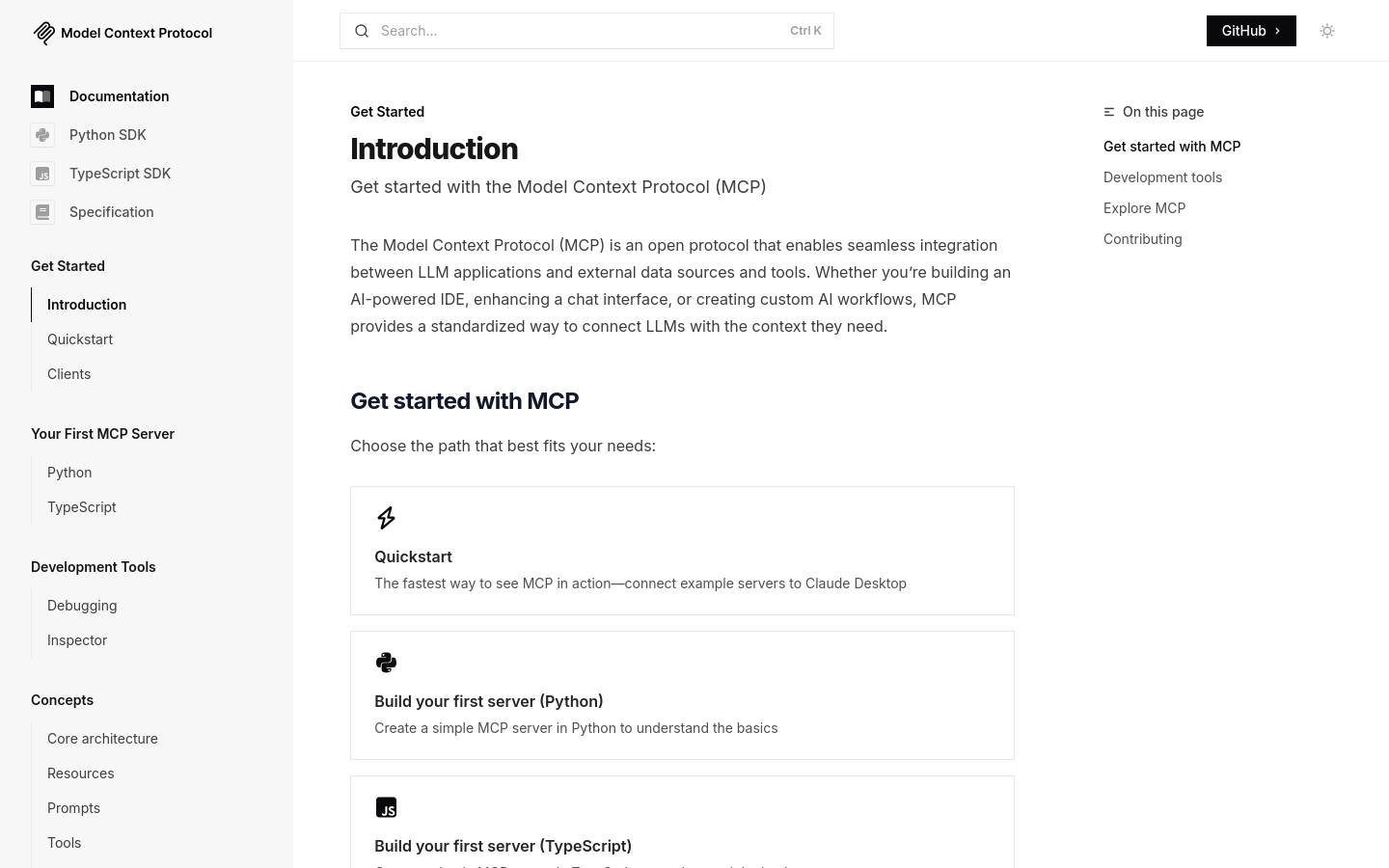
Screenshot archived from the listing page, for preview only.