
MurBuddy
Browser virtual pet with in character chatA browser pet that chats in character
Highlights
What you can do with it
- During a work break, check Buddy's mood, feed it, and chat for a minute before going back.
- Before bed, run the 25 minute timer to read, then return to chat with Buddy.
- On a commute or in a queue, open the mobile browser and play a mini game or collect a decoration.
How to use it
- 1 Open the MurBuddy site and click the play or start free button.
- 2 Choose an egg and hatch your first Buddy, no registration needed to begin.
- 3 Name your Buddy and finish the setup.
- 4 Check mood, hunger, fatigue, and cleanliness, then feed, rest, and groom as needed.
- 5 Use chat to talk to Buddy, and join membership later if you want long term memory.
Who it is for
Pros
- Core care and chat are free, with no install and no app store step.
- Sessions are short by design, so it fits into small gaps in the day.
- The in character chat feels warmer than a generic assistant.
Limitations
- Free chat consumes Buddy's energy, so conversations are rationed unless you subscribe.
- The memory that makes Buddy feel personal sits behind the paid tier.
- Needs go unmet while you are away, which some players find stressful rather than relaxing.
What MurBuddy is
MurBuddy is a virtual pet game that runs in the browser with no download and no install. You hatch a Buddy from an egg, give it a name, and look after its mood, fullness, rest, and cleanliness through feeding, resting, grooming, and company. The part that sets it apart is the chat: Buddy answers in character with its own voice instead of generic assistant replies. Core care and chat are free, and the design favours short sessions, so a two minute check in during a break is enough. A membership adds longer lasting memory, better chat models, and decorative badges, while mini games and collectibles unlock as your Buddy grows.
What you can do with it
- Hatch and name a Buddy, then keep its mood and needs in balance.
- Chat with Buddy and get replies that stay in character.
- Play mini games and collect decorations as your Buddy grows.
- Use the built in short timer to focus on a task, then come back to check in.
Who it is for
- Office and remote workers who want a low pressure thing to check during breaks.
- Students using short focus blocks with a small reward at the end.
- Anyone who wants light companionship without a heavy game to learn.
What to watch out for
Free chat consumes Buddy's energy, so conversations are rationed unless you subscribe, and the memory that makes Buddy feel personal sits behind the paid tier. It is a companion, not a substitute for people or for real support when you are struggling. Progress depends on how often you return, and being away for days leaves needs unmet, which some players find stressful rather than relaxing. The free core is generous today, but the balance between free and paid features can change as the game develops.
FAQ
Is MurBuddy free?
The core care and chat features are free. Membership adds longer memory, better chat models, and badges.
Do I need to install anything?
No. It runs in a modern browser on desktop or mobile.
What happens if I stop playing for a few days?
Buddy keeps living while you are away and will have new states and topics based on how long you were gone.
Why it is free
What the official page says: freemiumfor free
Free limits, trial length and features are decided by the official site and can change at any time.
Product preview
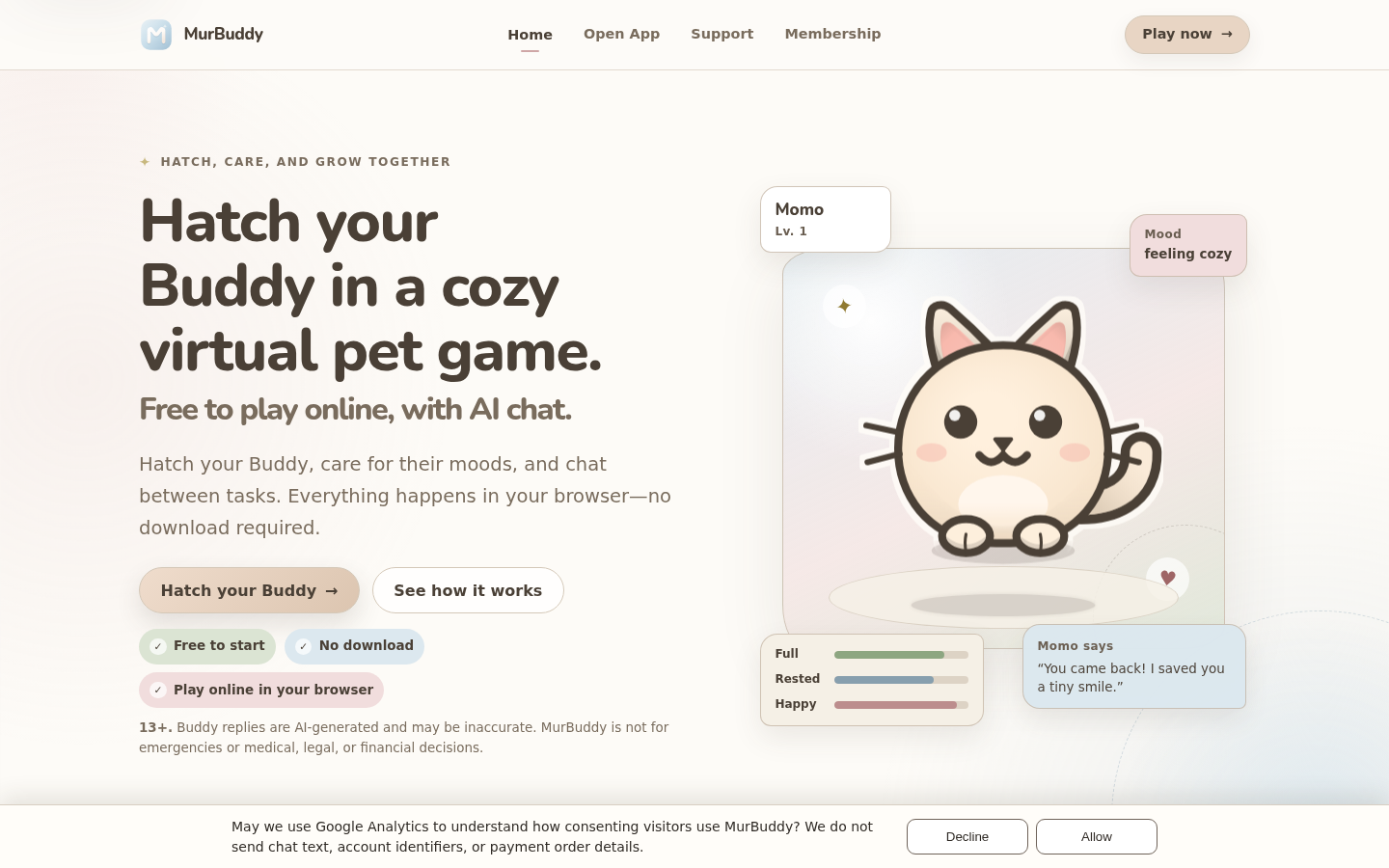
Screenshot archived from the listing page, for preview only.











