
Najva
Free Mac speech to textTurn speech into text on your Mac
Highlights
What you can do with it
- Dictate articles, notes, or documentation
- Capture code ideas or patient notes by voice
- Transcribe audio files into text
How to use it
- 1 Download and install Najva on your Mac
- 2 Optionally add an AI provider API key
- 3 Choose your preferred microphone
- 4 Start speaking to convert speech to text
Who it is for
Pros
- Completely free with no tracking
- Offline-first recognition for privacy
- Lightweight native Mac app
Limitations
- Mac only, so there is no Windows or Linux version
- Advanced AI features need your own provider API key, which can add cost
- Free status may change, so confirm the current listing
What Najva is
Najva is an AI-driven speech assistant built specifically for Mac. It turns your speech into text using local, offline-first recognition, and it can also work with AI models such as Anthropic Claude or OpenAI GPT if you add your own API key. The app is a native, lightweight Swift application with zero tracking, which the product frames as a privacy-focused workflow. It is aimed at people whose thoughts move faster than their typing, including writers, developers, and healthcare professionals, and it is described as completely free to use.
What you can do with it
- Dictate text and have it transcribed on your Mac
- Record code, notes, or documentation by voice
- Transcribe audio files and route text through an AI model
Who it is for
Writers who want to draft by speaking rather than typing are the core audience, since long-form text is often faster to say than to type. Developers can capture code snippets, commit messages, and documentation hands-free while they keep working. Healthcare professionals can dictate notes and records while keeping the recognition local to the machine, which matters for privacy. Students and anyone who spends hours typing long passages will also find it useful, as long as they are on a Mac.
What to watch out for
It is Mac only, so Windows and Linux users are not covered by this app and would need a different tool. The optional AI features require your own provider API key, which adds setup steps and possible usage cost on the provider side, separate from the free app itself. Because it relies on local recognition, accuracy can depend on your microphone, accent, and room noise, so a quiet setup and a decent mic help a lot. The app is described as free now, but that could change, so check the current listing before you depend on it.
FAQ
Is Najva free?
Yes, it is described as completely free.
Does it work offline?
Its speech recognition is offline-first.
Which AI models can it use?
Options such as Anthropic Claude and OpenAI GPT, using your own key.
Why it is free
What the official page says: completely free
Free limits, trial length and features are decided by the official site and can change at any time.
Product preview
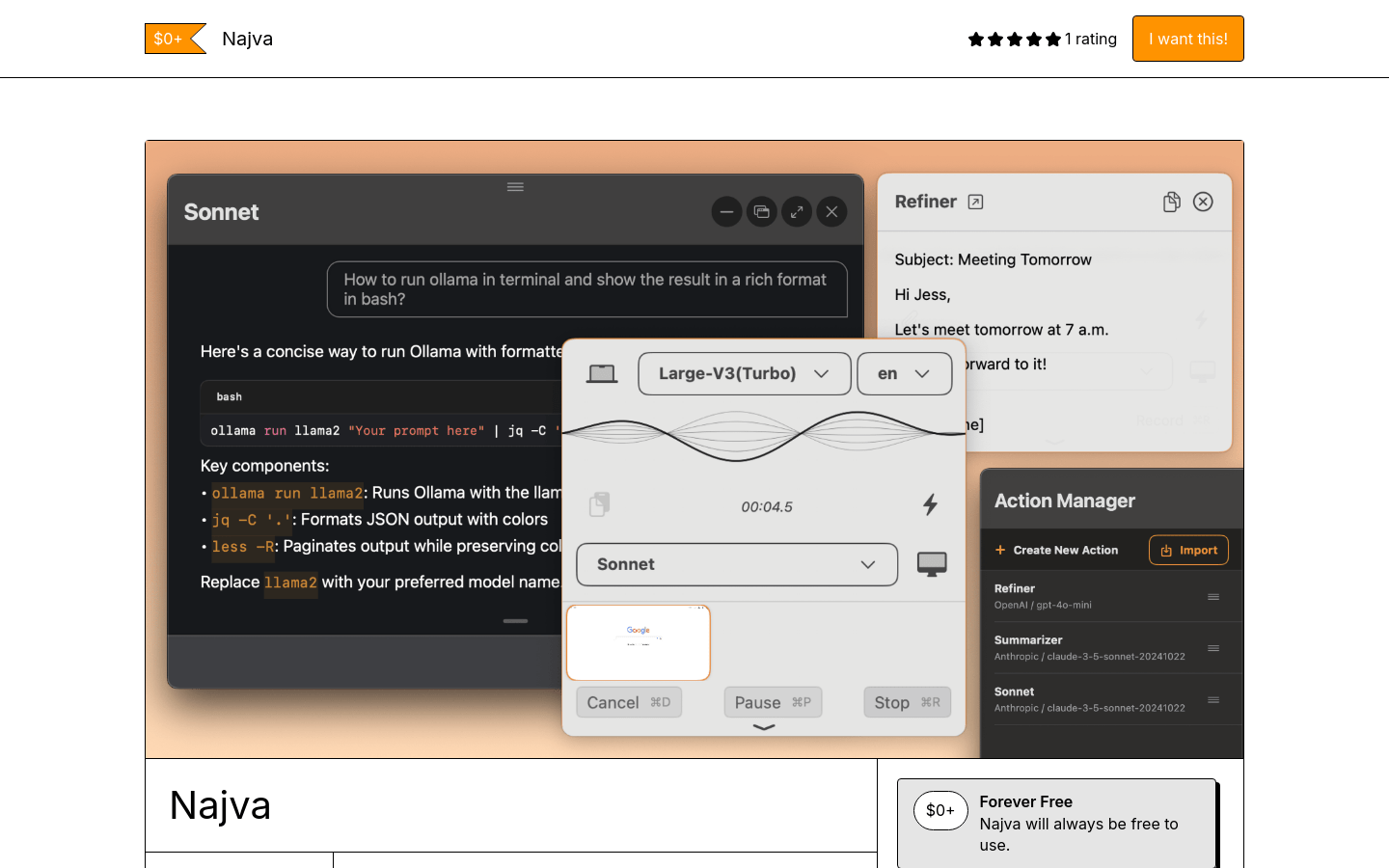
Screenshot archived from the listing page, for preview only.











